Stock corrections

Every change has a reason

  • A slab in stock
Warehouse storekeeper

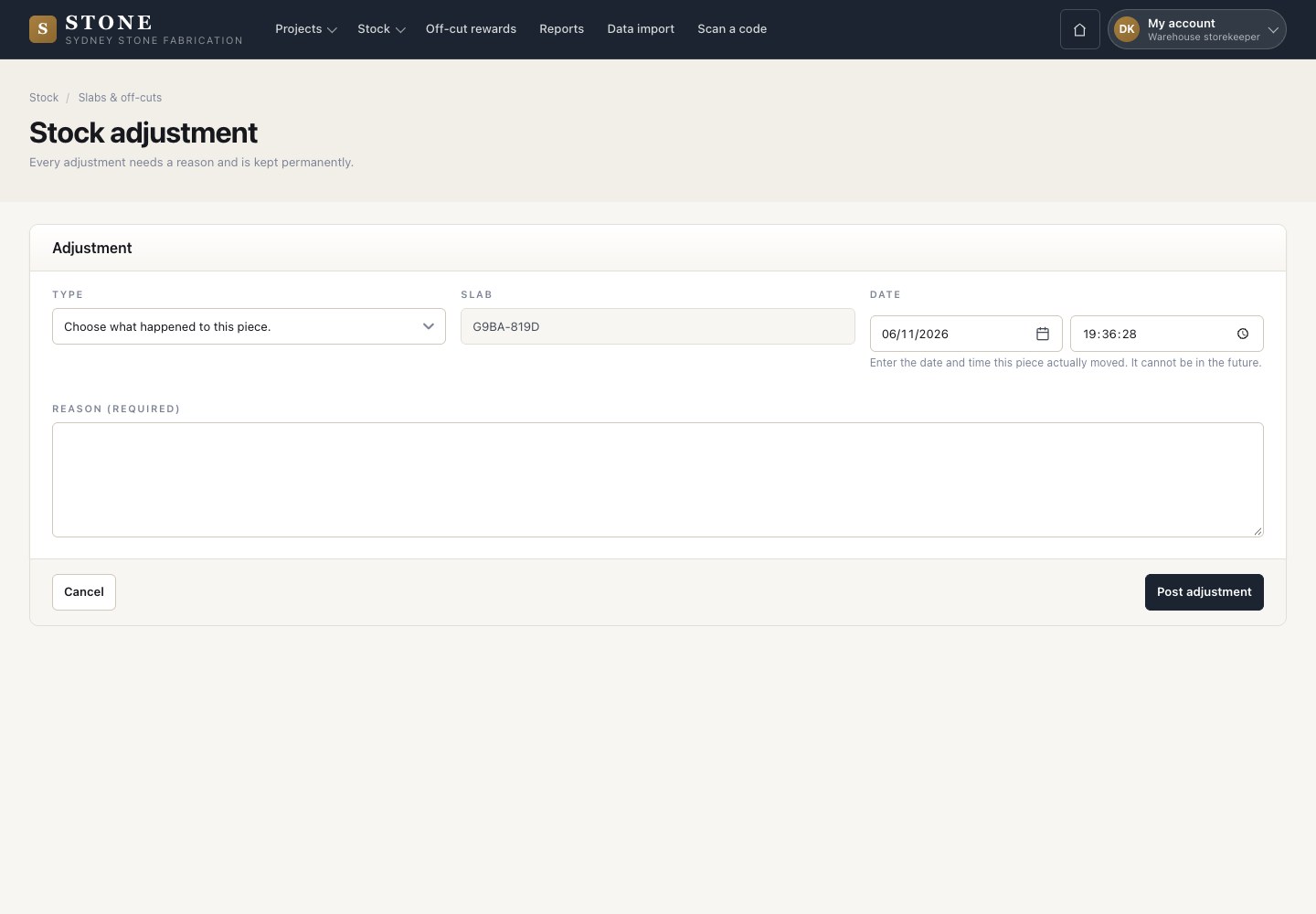
Stock adjustment

Warehouse storekeeper

Stock adjustment

1Step 1 of 4

  1. On the slab, Move opens Stock adjustment.
  2. Choose what happened: Report missing, Move between store roots or Report broken.
  3. Enter the date and time it really happened and the reason, then Post adjustment.

The time cannot be in the future. Report missing also records the cost difference.

Open in Stone ↗Full image ↗

Warehouse storekeeper · Stock corrections01

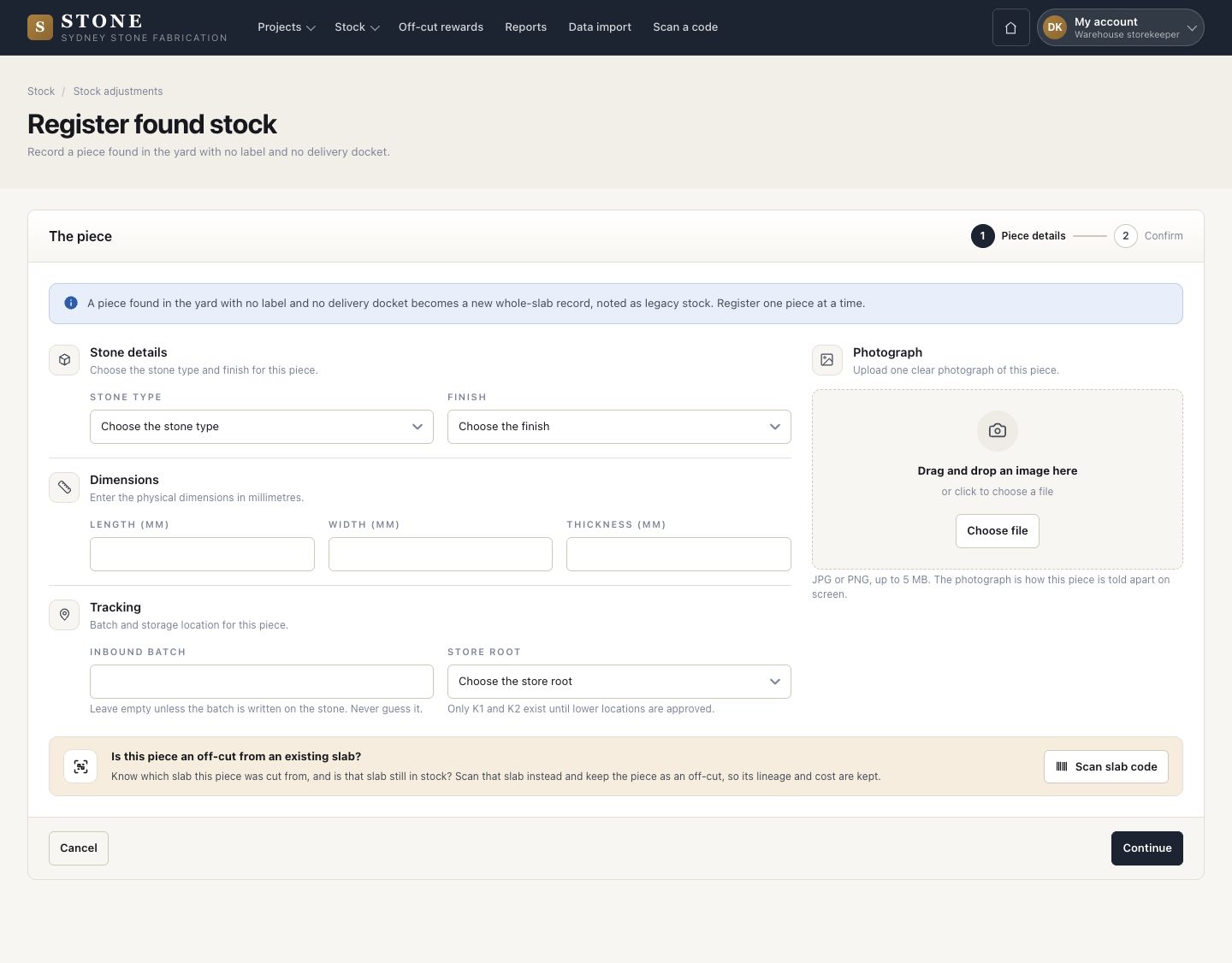
Register found stock

Warehouse storekeeper

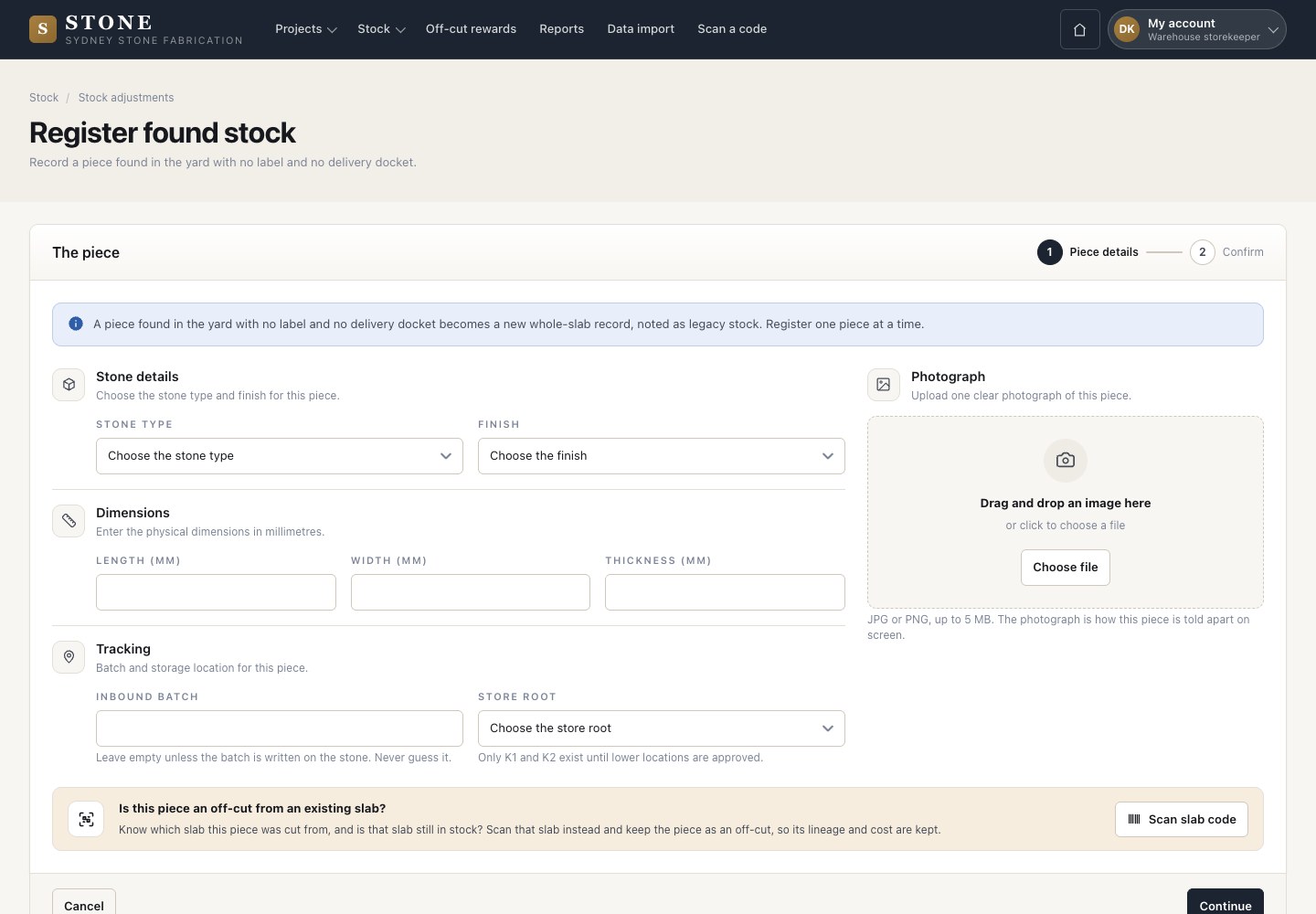
Register found stock

2Step 2 of 4

  1. Use this for a piece found in the yard with no label and no docket. Enter the stone type, finish, size, batch, store root and one photograph.
  2. Continue.

Enlarge, then scroll

Open in Stone ↗Full image ↗

Warehouse storekeeper · Stock corrections02

Found stone on the phone

Warehouse storekeeper

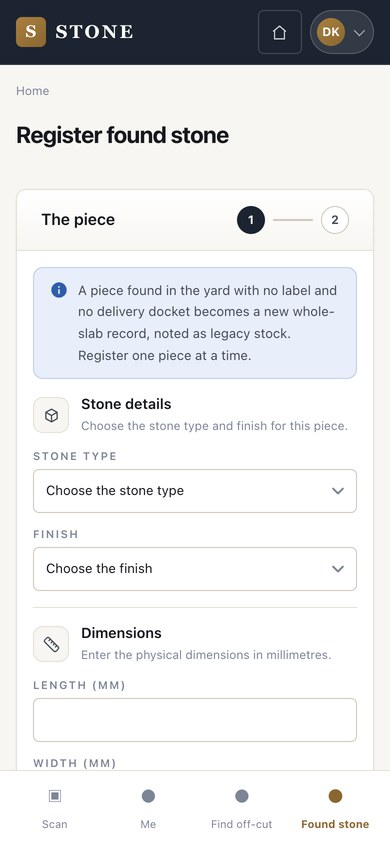
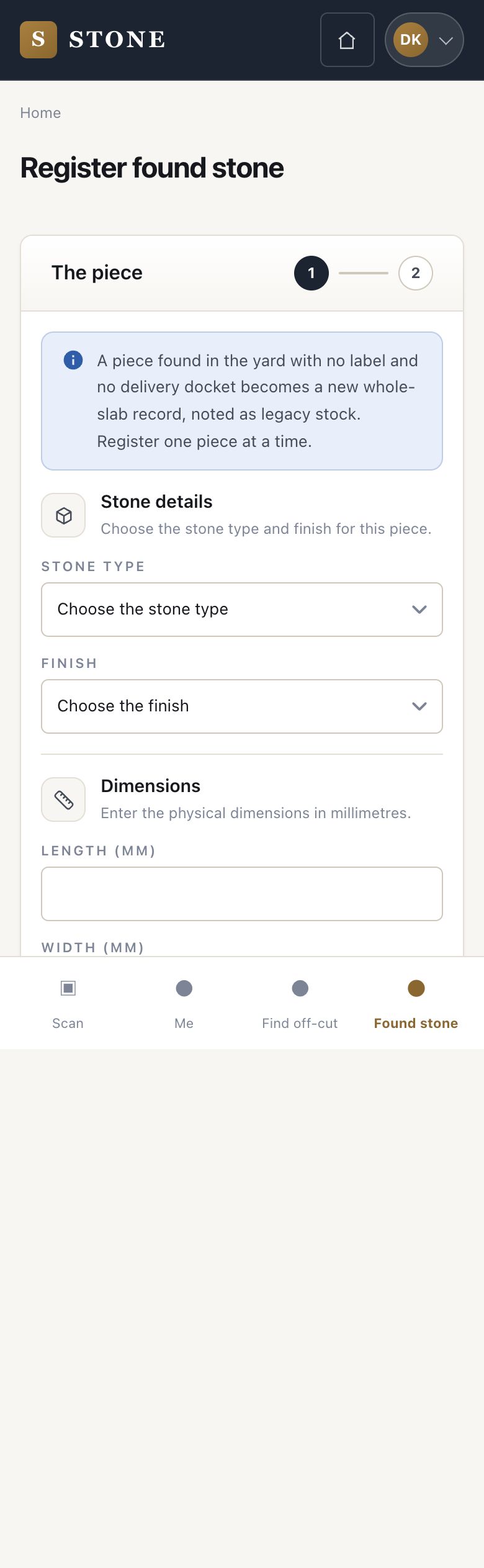
Found stone on the phone

3Step 3 of 4

  1. The same on the phone, in two steps: Piece details, then Confirm.
  2. The piece becomes a new whole-slab record, noted as legacy stock.

Register one piece at a time.

Enlarge, then scroll

Open in Stone ↗Full image ↗

Warehouse storekeeper · Stock corrections03

Stock adjustments

Warehouse storekeeper

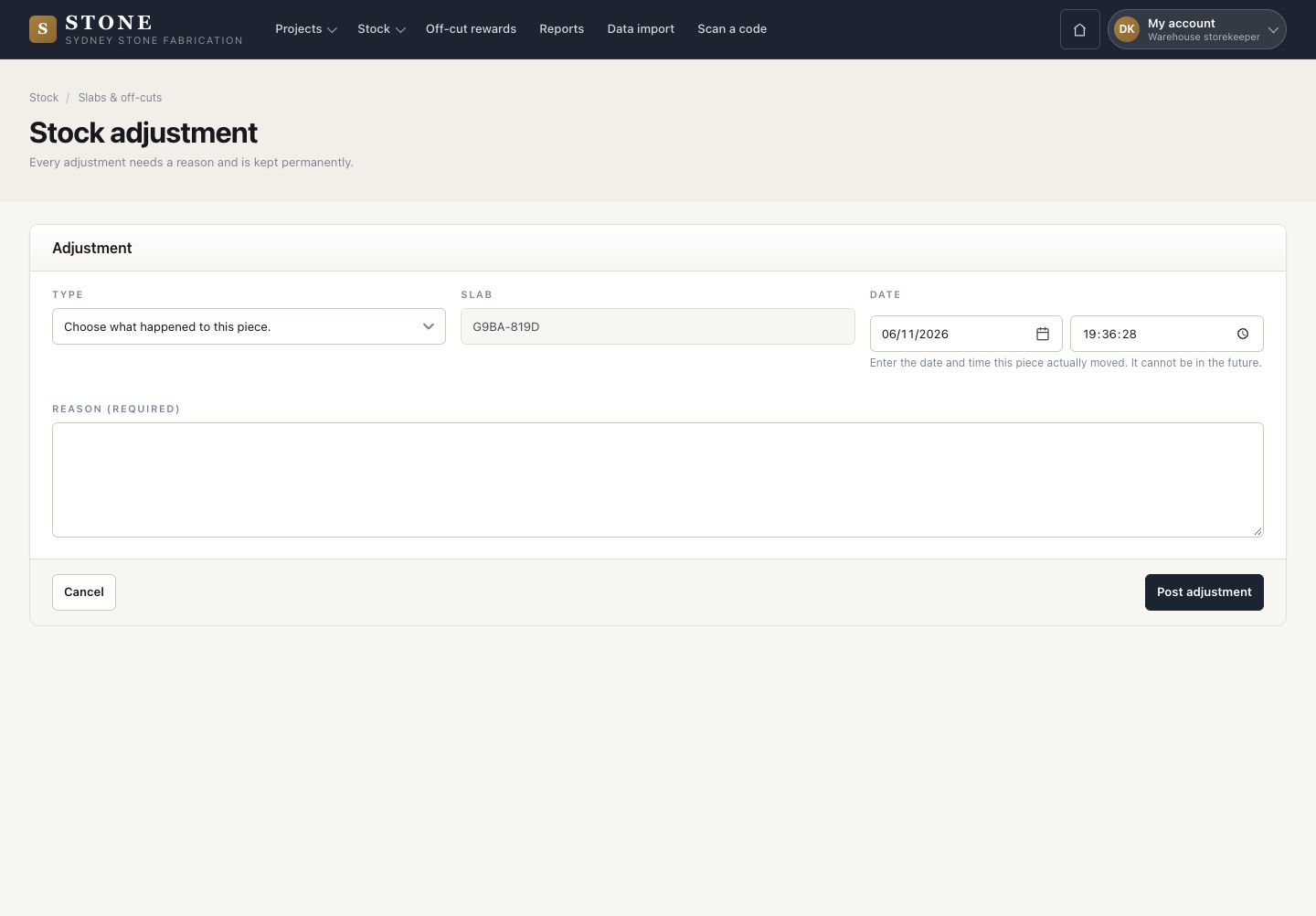
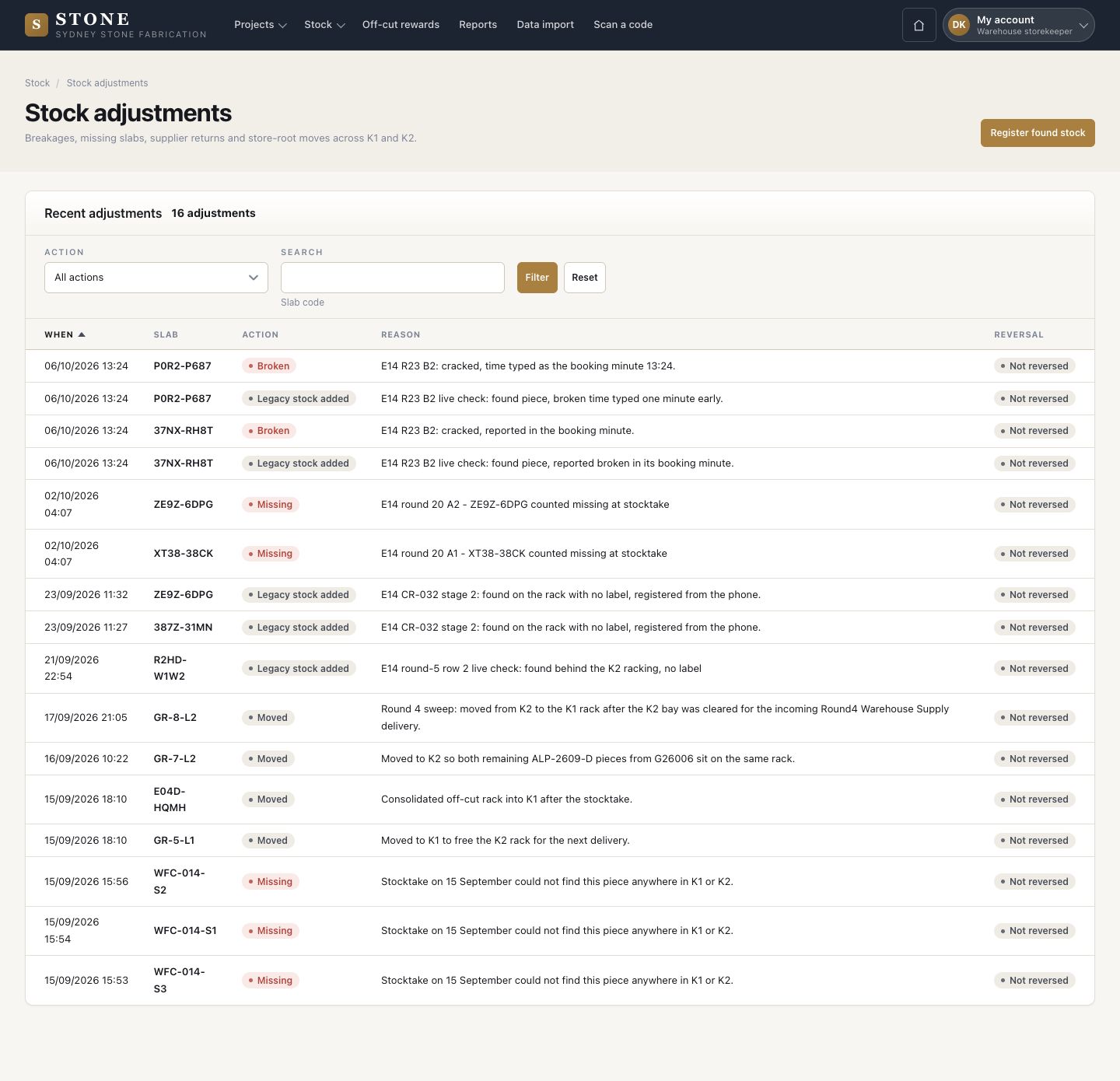
Stock adjustments

4Step 4 of 4

  1. Every breakage, missing slab, supplier return and store move, with the reason and whether it was reversed.

Every adjustment is kept permanently.

Enlarge, then scroll

Open in Stone ↗Full image ↗

Check

The stock shows what really happened, with who and why

Warehouse storekeeper · Stock corrections04
1 / 5