Website

Public pages and enquiries

  • A platform administrator
Platform administrator

Contact form

Visitor

Contact form

1Step 1 of 4

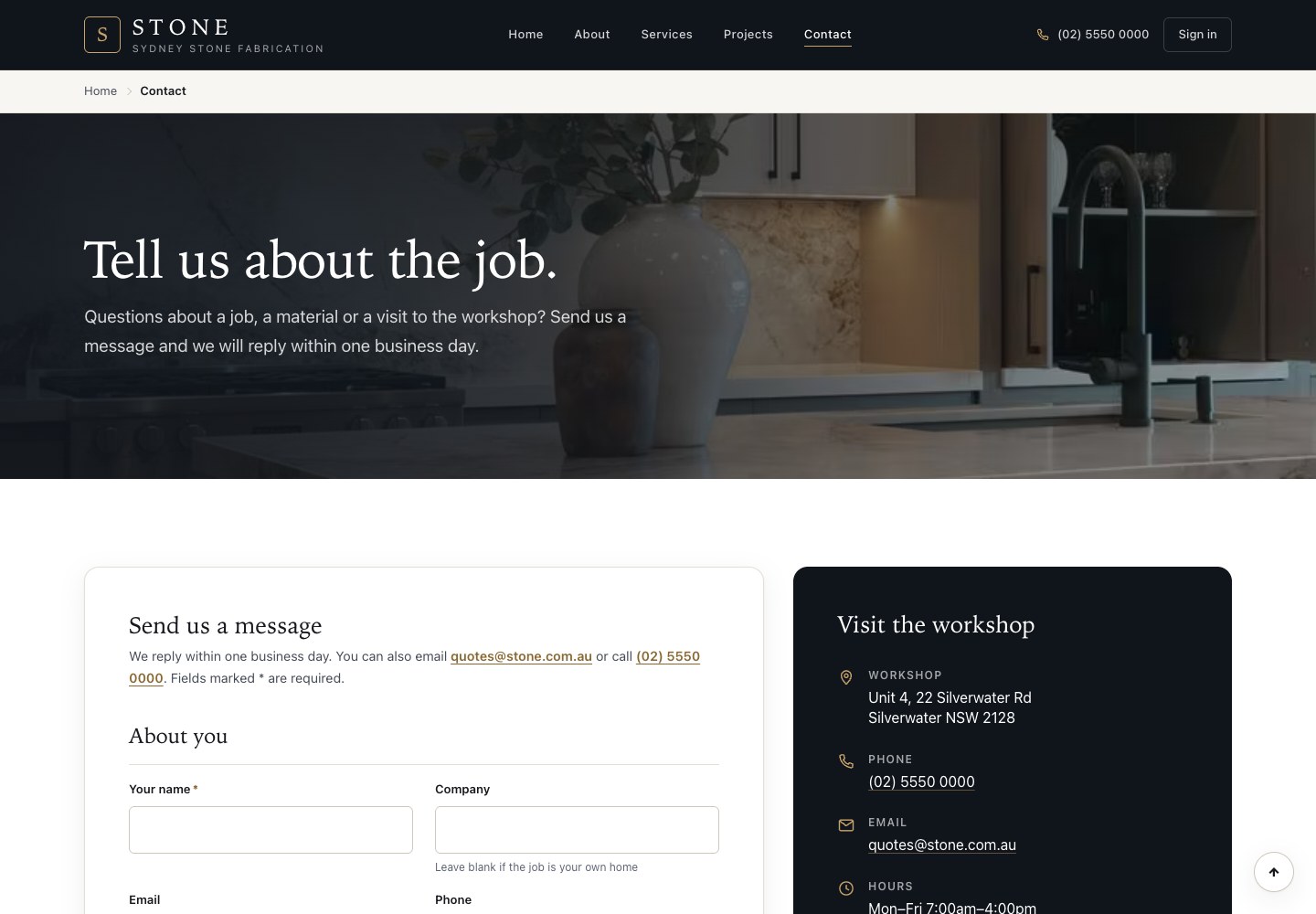
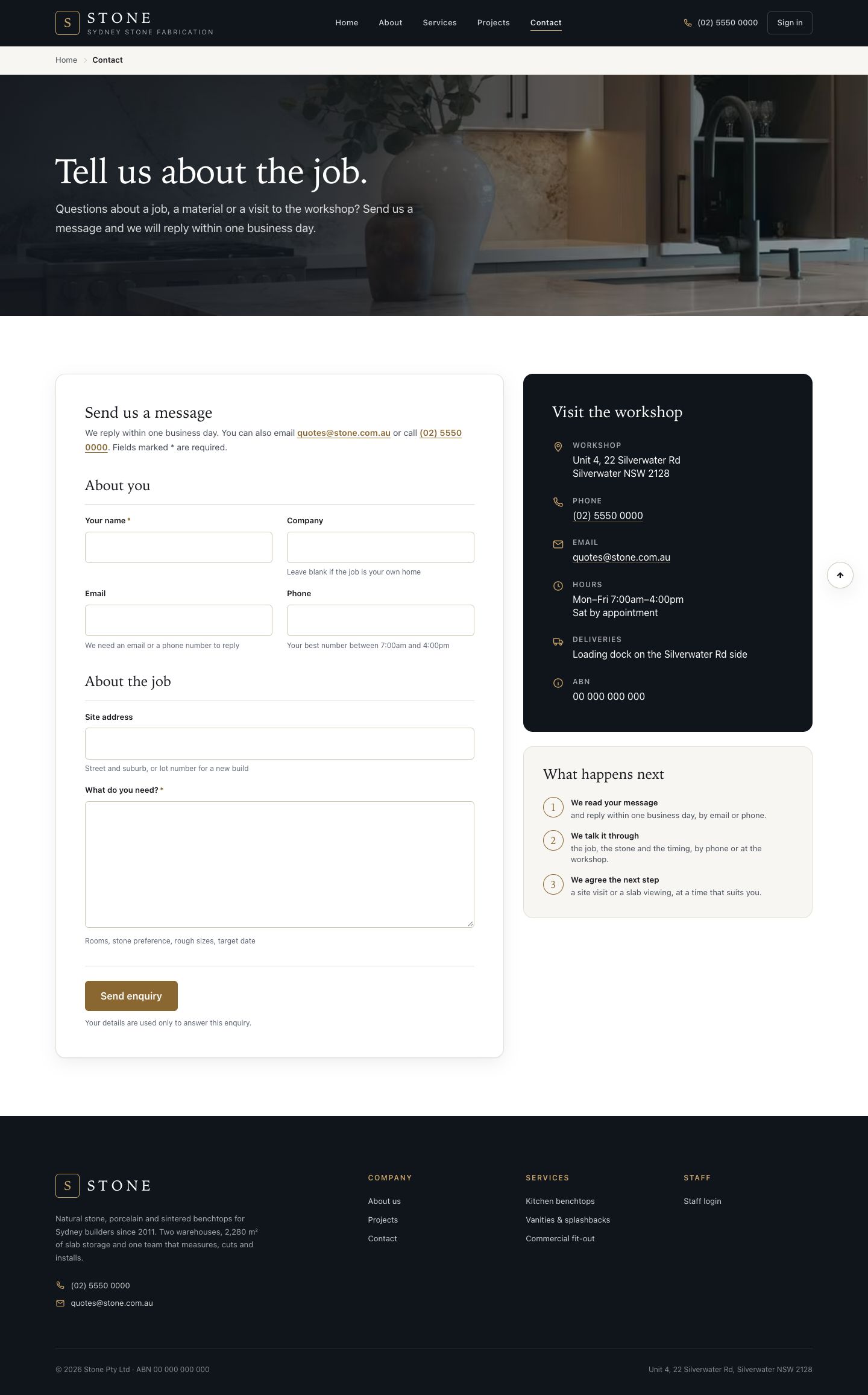
  1. Home, About, Services, Projects and Contact are the pages of the public website.
  2. Visitors give their name, company, email, phone, site address and what they need.
  3. Send enquiry.

Enlarge, then scroll

Open in Stone ↗Full image ↗

Platform administrator · Website01

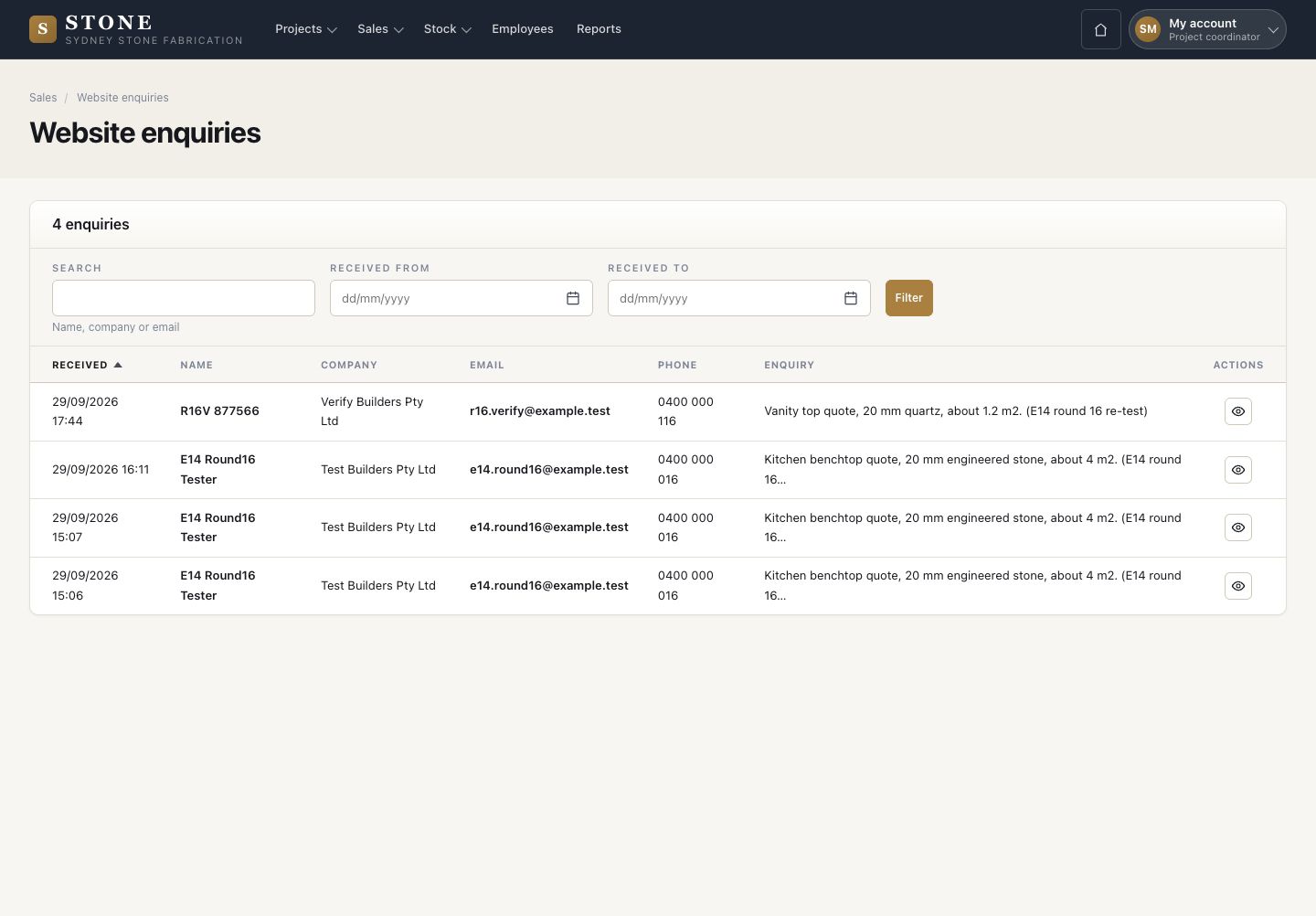
Enquiries arrive

Project coordinator

Enquiries arrive

2Step 2 of 4

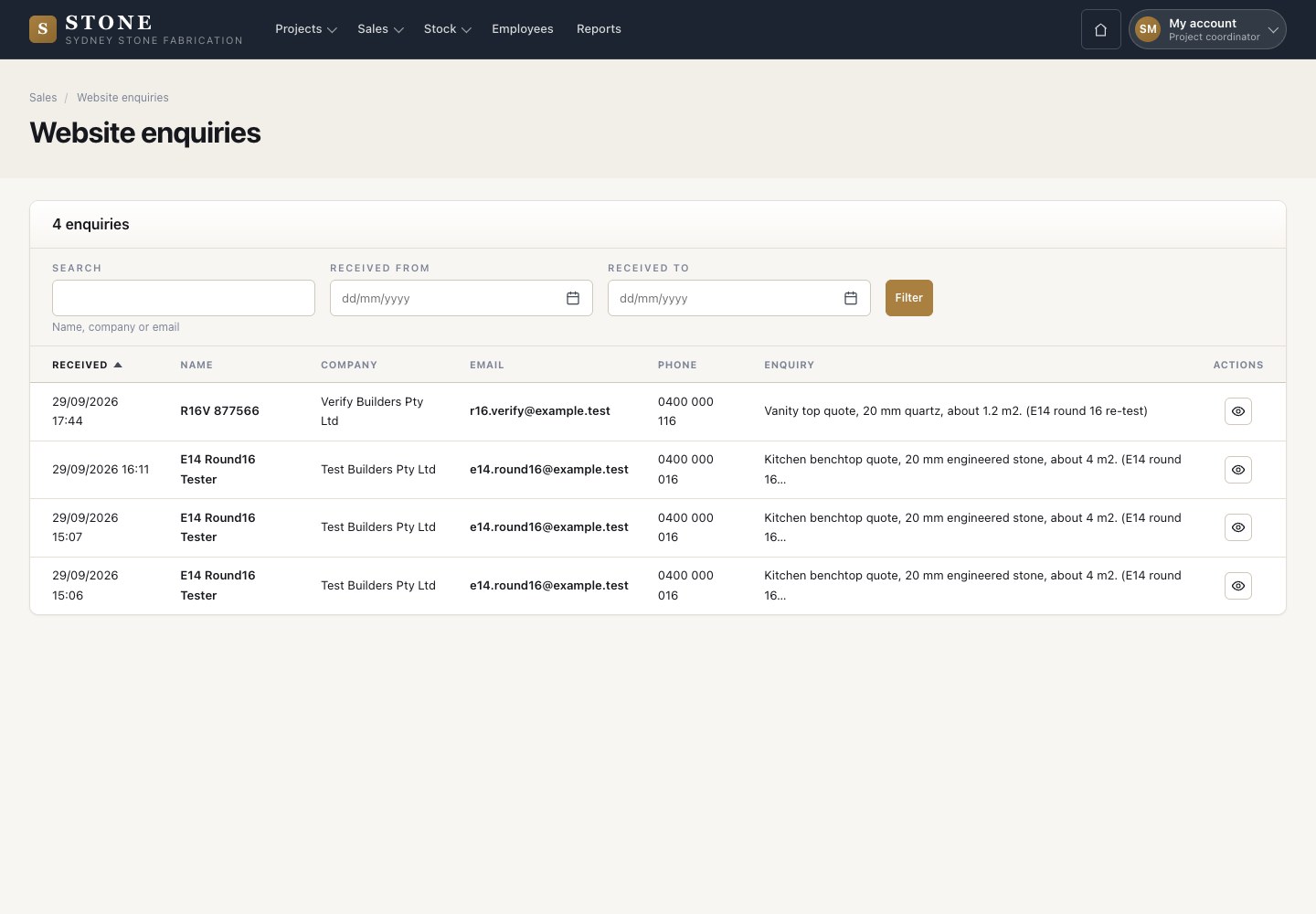
  1. Each enquiry lands in Sales → Website enquiries; View opens it.

Open in Stone ↗Full image ↗

Platform administrator · Website02

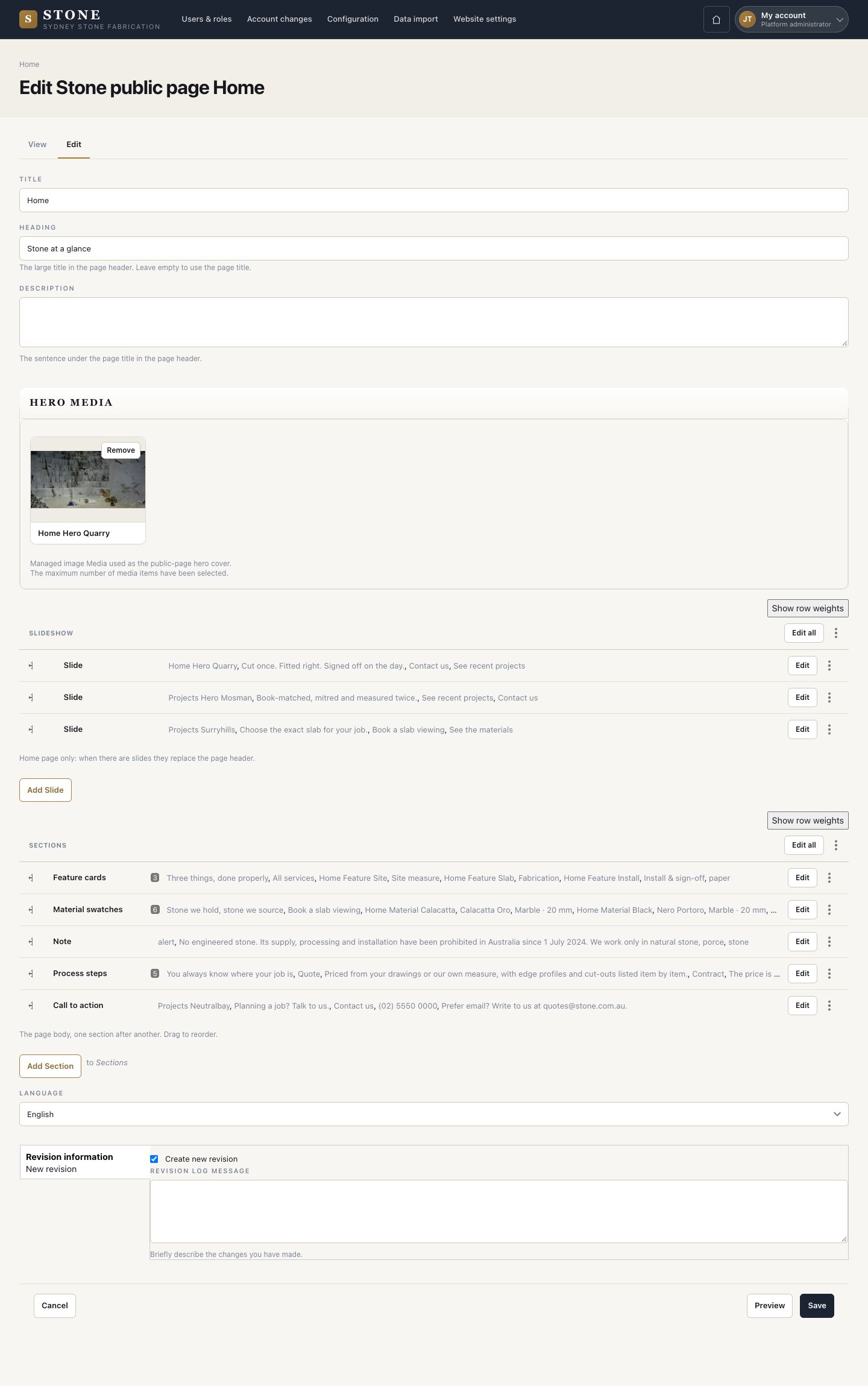
Edit a page

Platform administrator

Edit a page

3Step 3 of 4

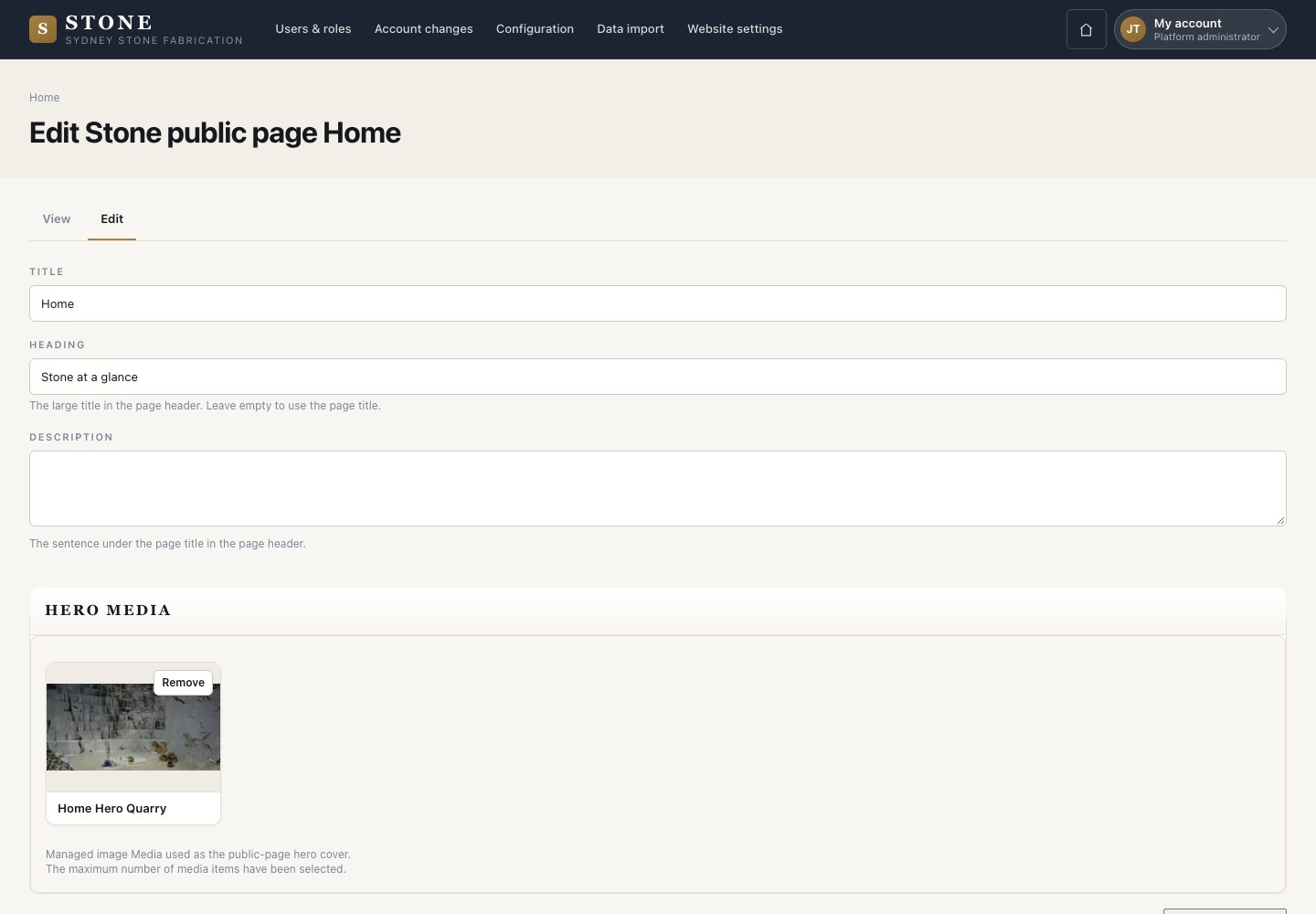
  1. On a public page, choose Edit: title, heading and description, then the slides and the sections.
  2. Save.

Enlarge, then scroll

Open in Stone ↗Full image ↗

Platform administrator · Website03

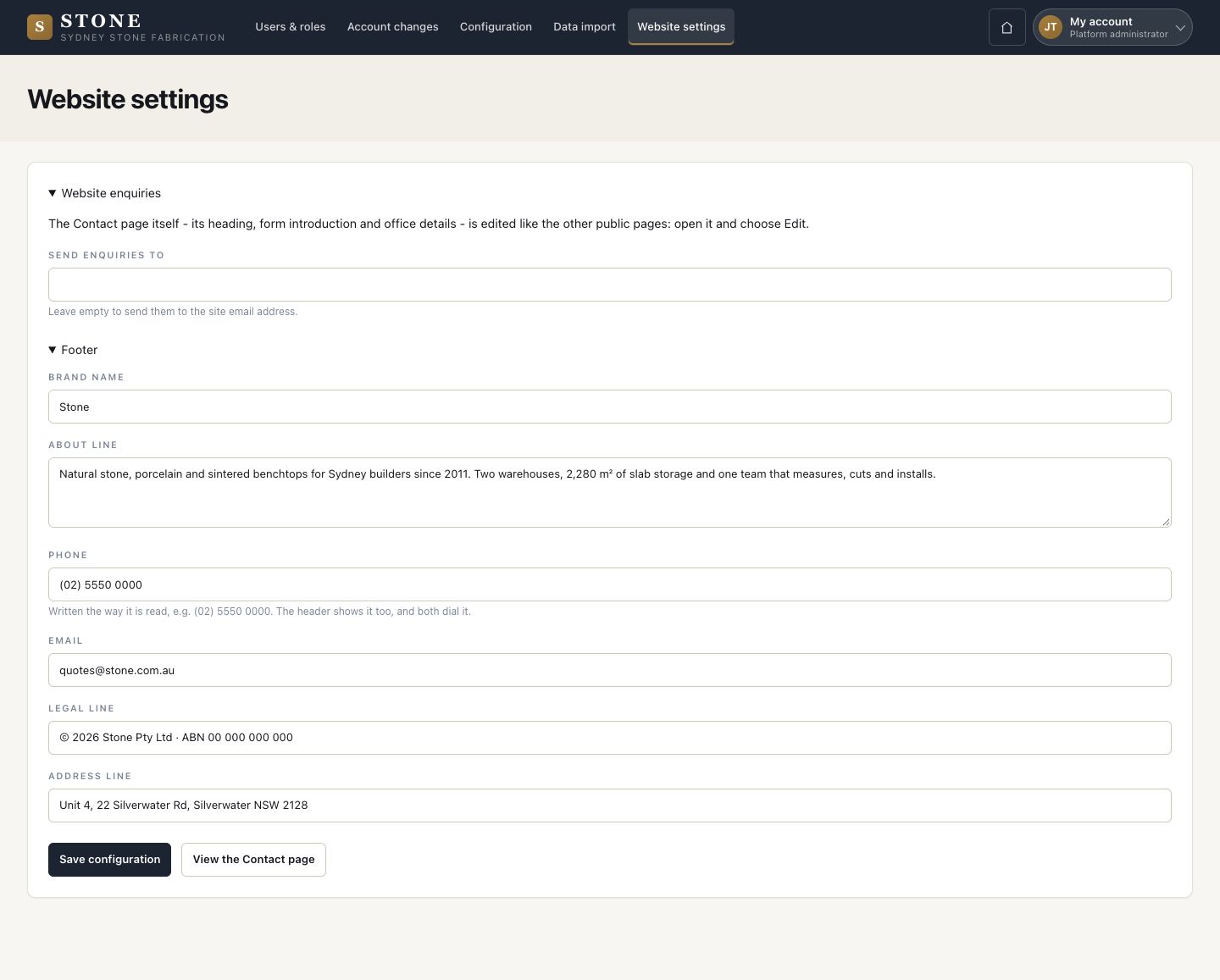
Website settings

Platform administrator

Website settings

4Step 4 of 4

  1. Who receives the enquiries, then the brand name, about line, phone, email, legal line and address line.
  2. Save configuration.

Enlarge, then scroll

Open in Stone ↗Full image ↗

Check

The website shows your words, and its enquiries reach the office

Platform administrator · Website04
1 / 5