Safety and people

Incidents, crews and certificates

  • Employee records
Director

Safety register

Director

Safety register

1Step 1 of 5

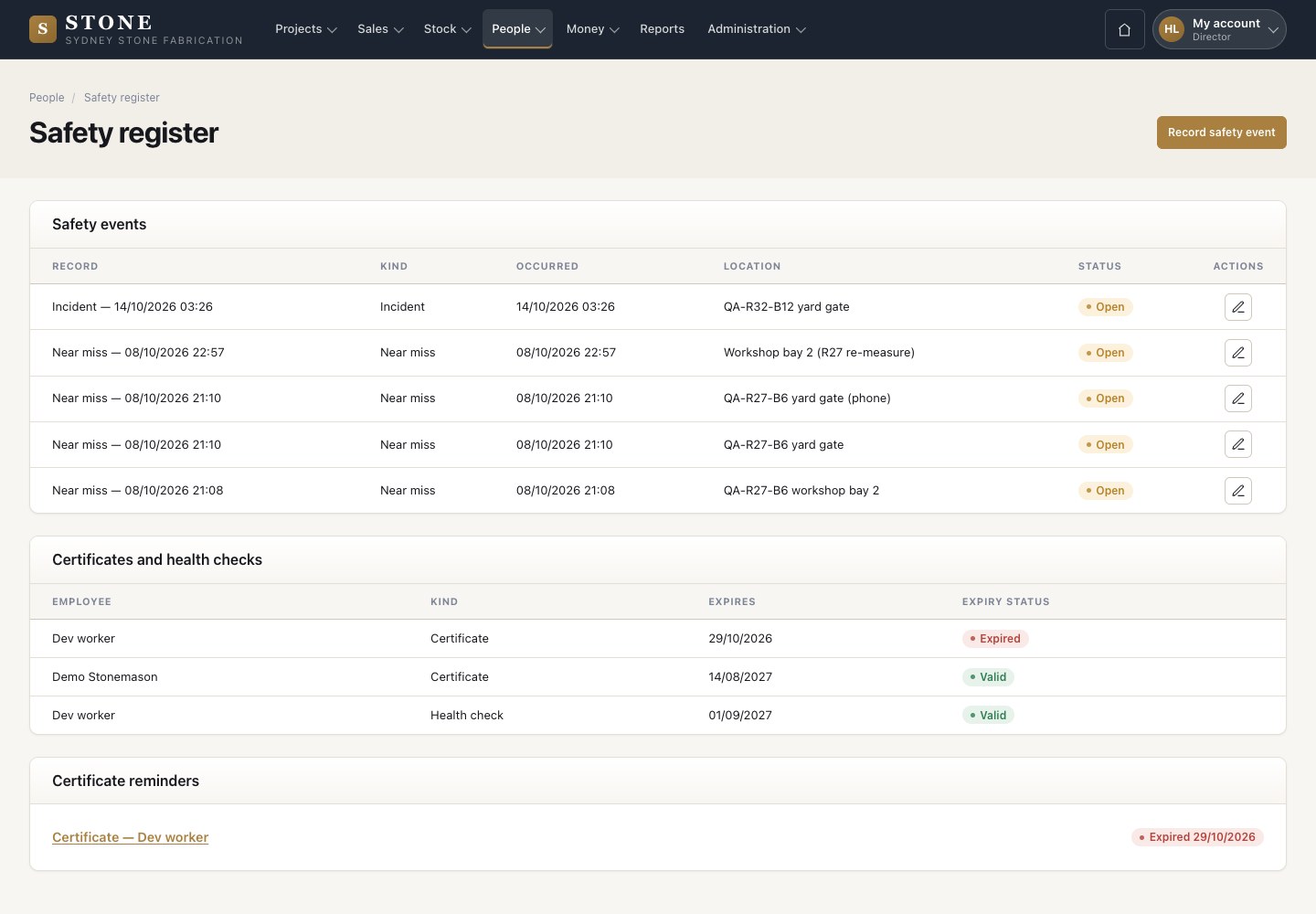
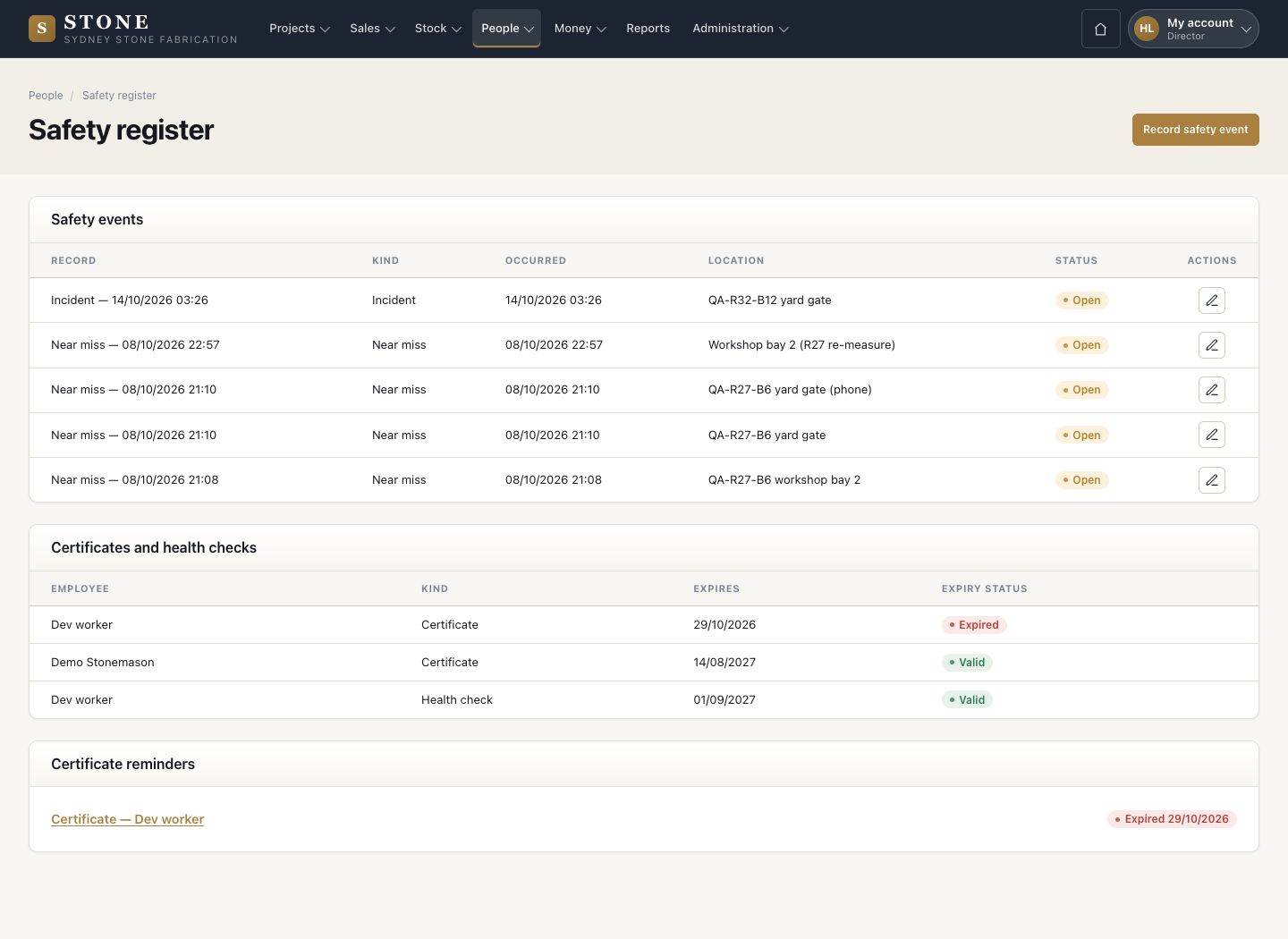
  1. People → Safety: every incident, near miss, toolbox talk and induction, with when, where and its status.
  2. Below: certificates and health checks with their expiry, and the reminders.
  3. Record safety event.

Enlarge, then scroll

Open in Stone ↗Full image ↗

Director · Safety and people01

Record an event

Director

Record an event

2Step 2 of 5

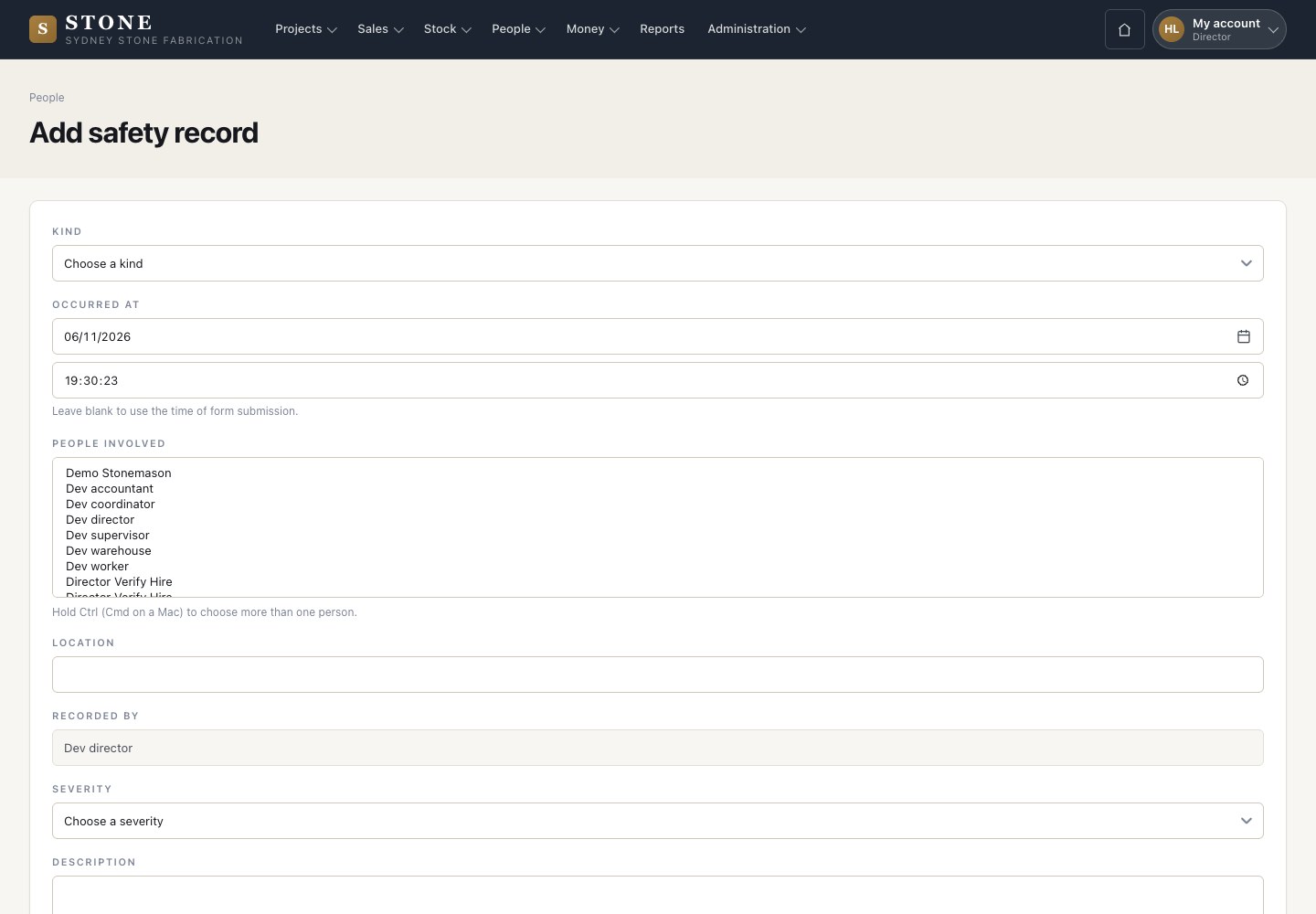
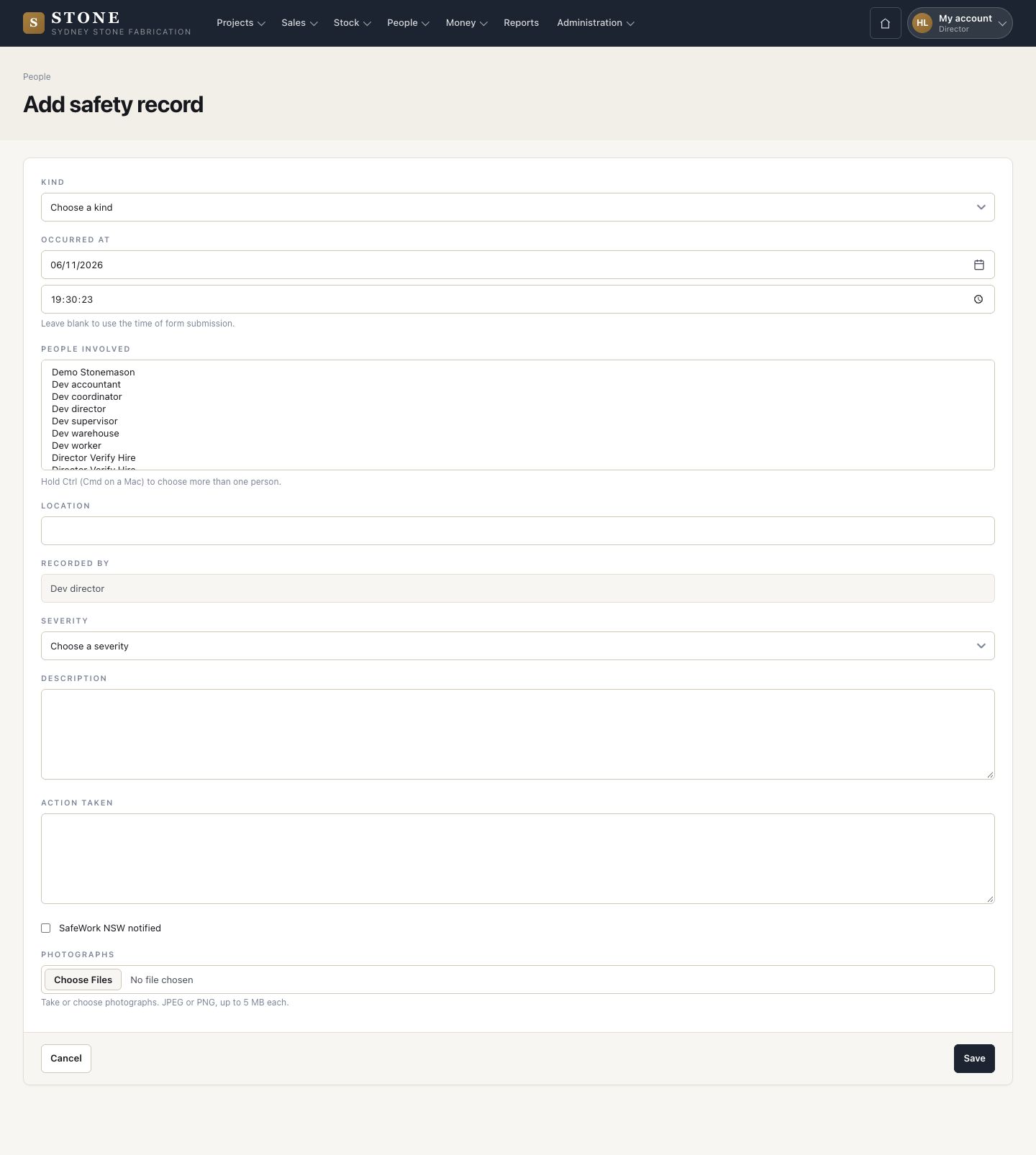
  1. Choose the kind, when it happened, the people involved and the location.
  2. Set the severity, describe it and the action taken, tick SafeWork NSW notified when it was, and add photographs.

Leave the time blank to use the time you save it.

Enlarge, then scroll

Open in Stone ↗Full image ↗

Director · Safety and people02

Employees

Director

Employees

3Step 3 of 5

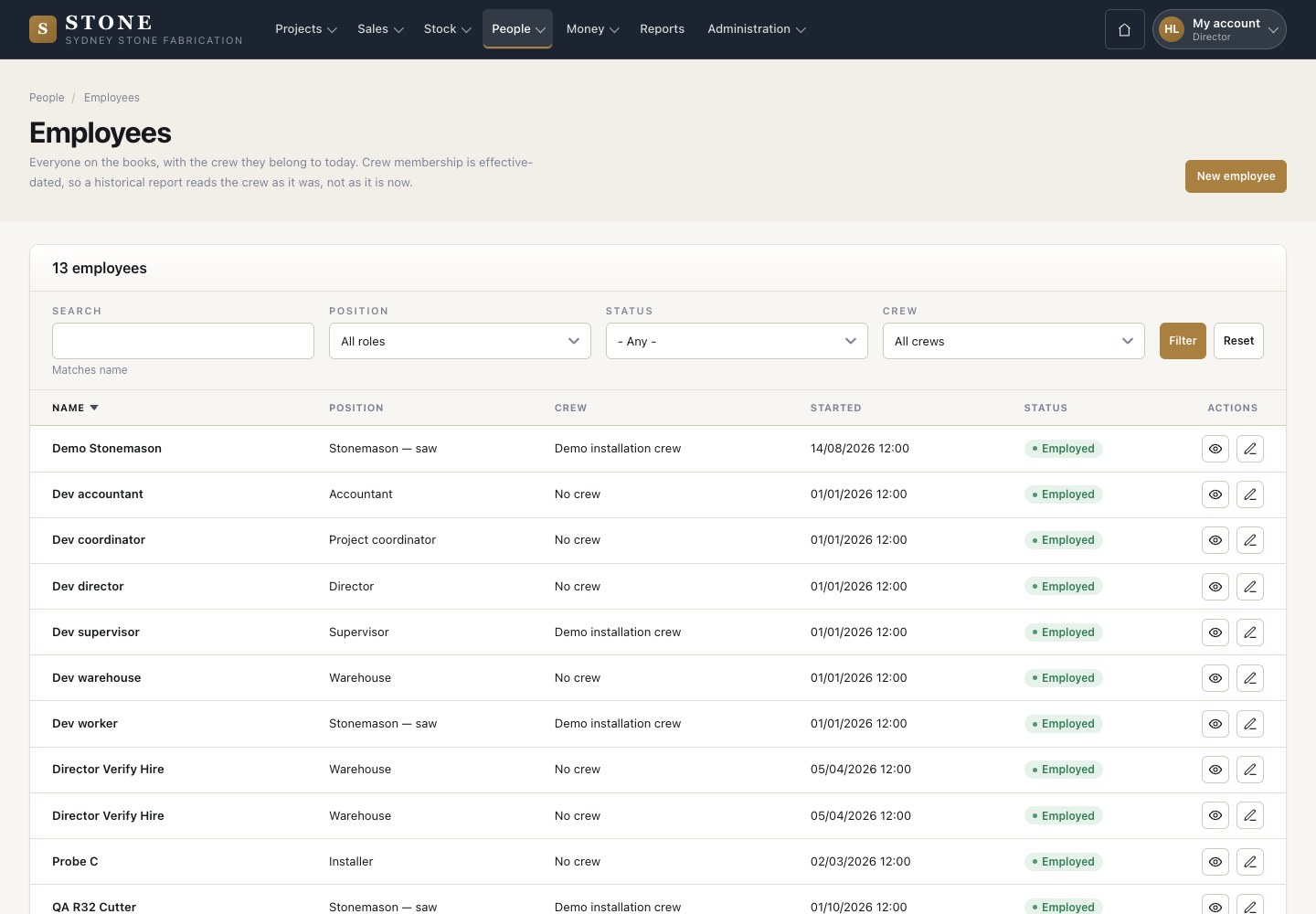
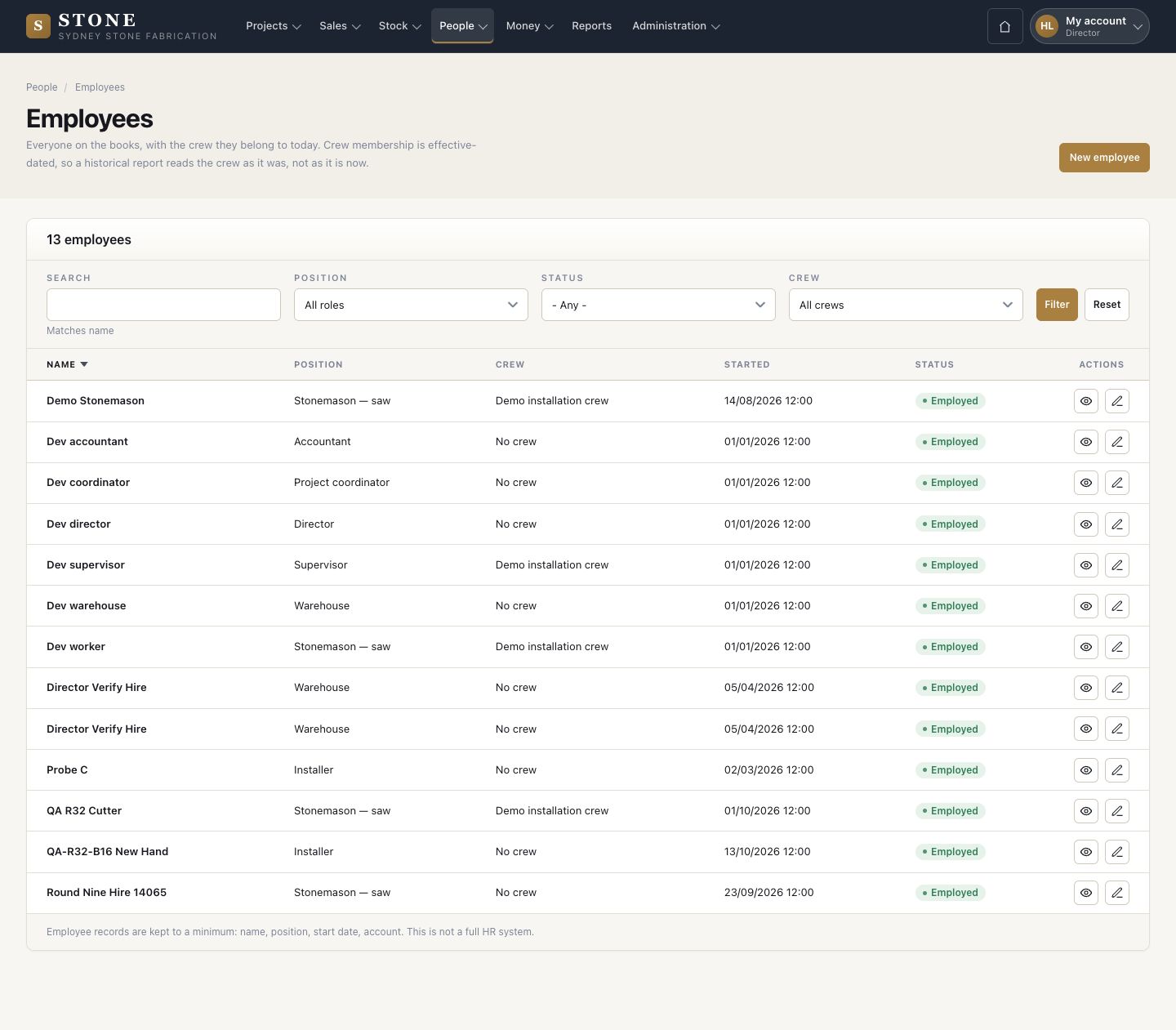
  1. People → Employees: everyone on the books with their position, crew today, start date and status.
  2. New employee.

Enlarge, then scroll

Open in Stone ↗Full image ↗

Director · Safety and people03

Crew membership

Director

Crew membership

4Step 4 of 5

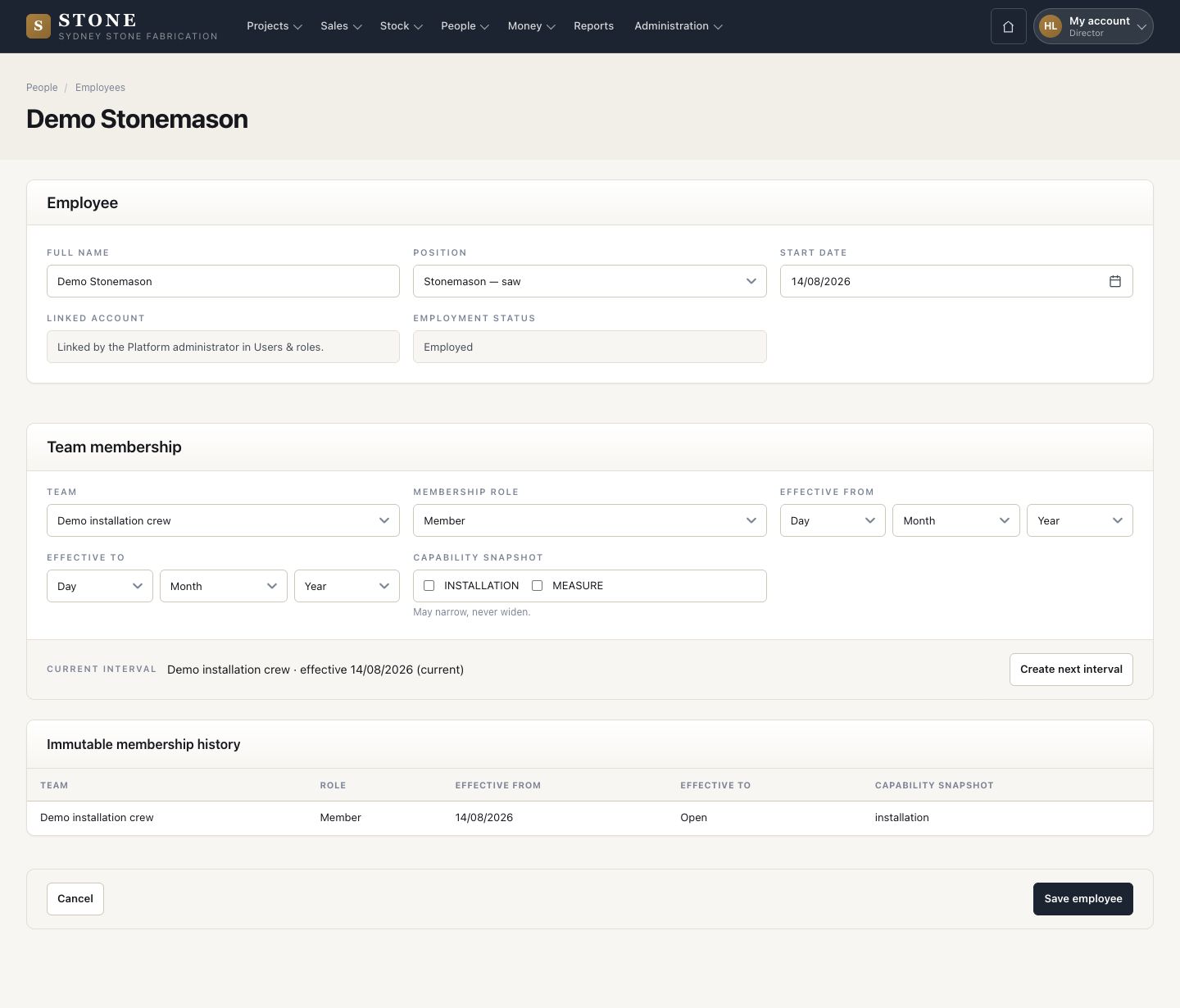
  1. Edit an employee to put them in a crew as a member or leader, from a date.
  2. Create next interval starts a new period; the earlier one stays.

Crew membership is dated, so a report reads the crew as it was on the day.

Enlarge, then scroll

Open in Stone ↗Full image ↗

Director · Safety and people04

My health file

Worker

My health file

5Step 5 of 5

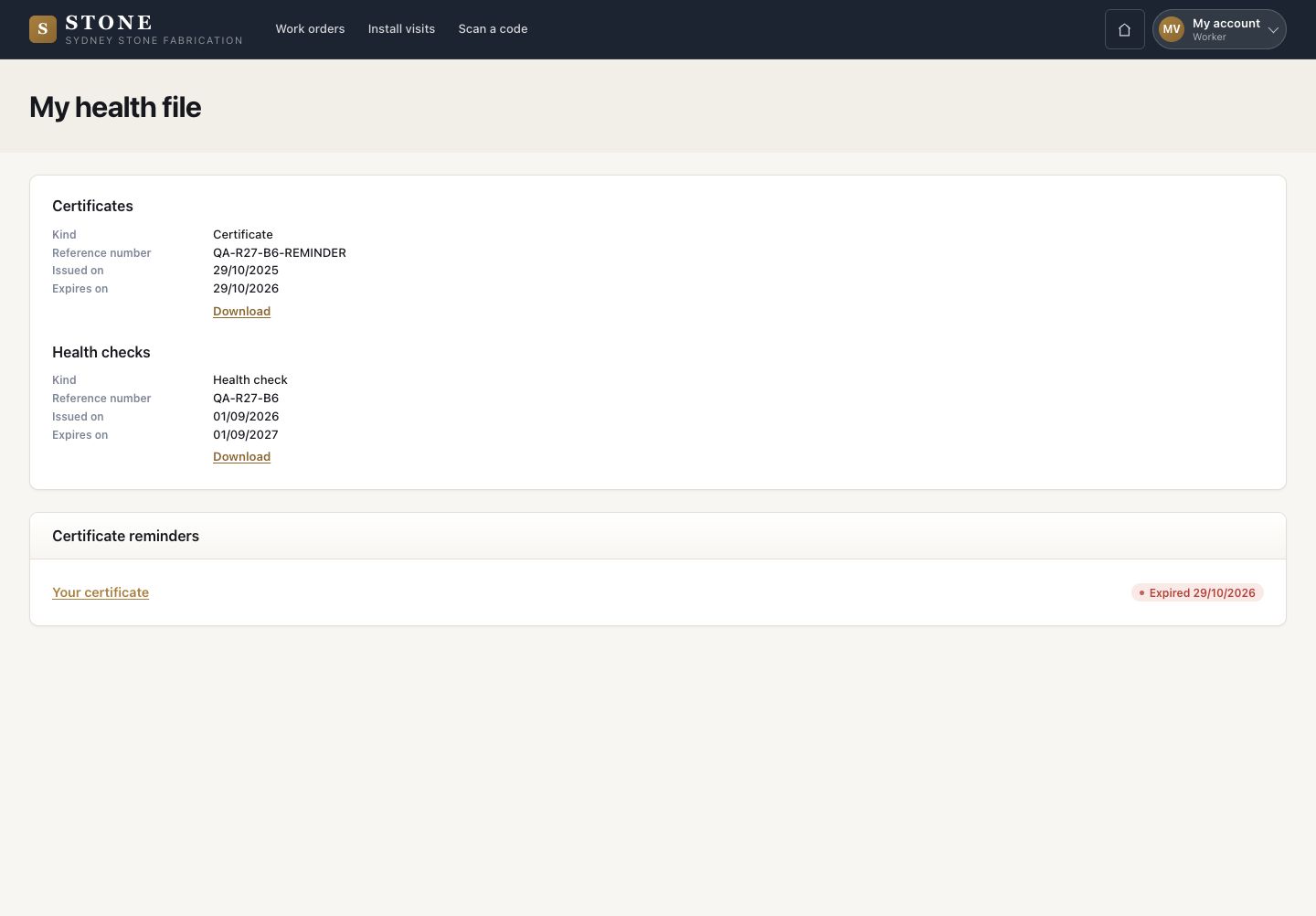
  1. Each person reads their own certificates and health checks, with reminders before they expire.

Open in Stone ↗Full image ↗

Check

Safety events, crews and certificates are on record and up to date

Director · Safety and people05
1 / 6