Time and ratings

Hours confirmed, approved and locked

  • Shifts started and finished on My work today
Supervisor

Start and finish the shift

Worker

Start and finish the shift

1Step 1 of 9

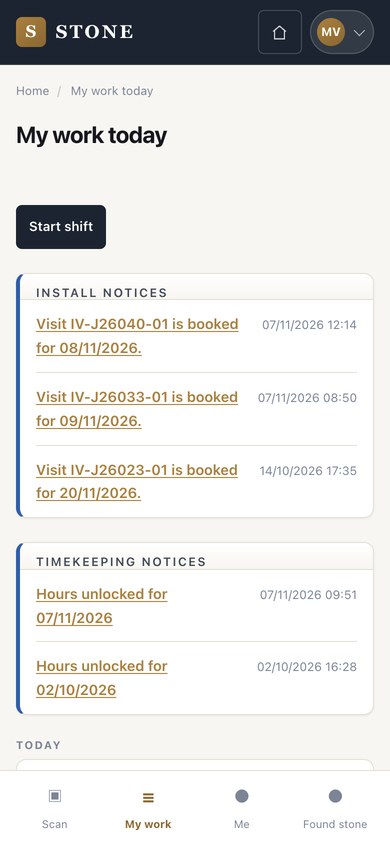
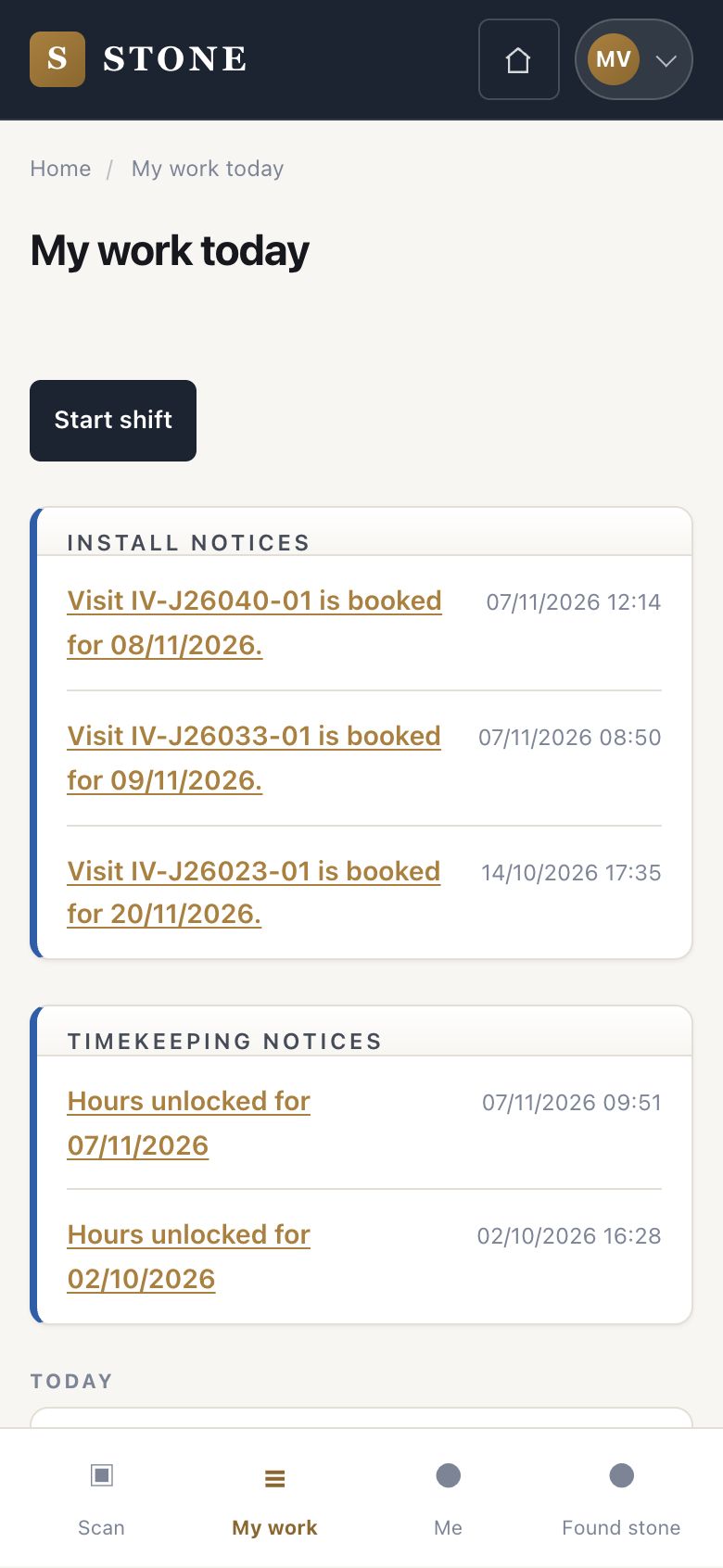
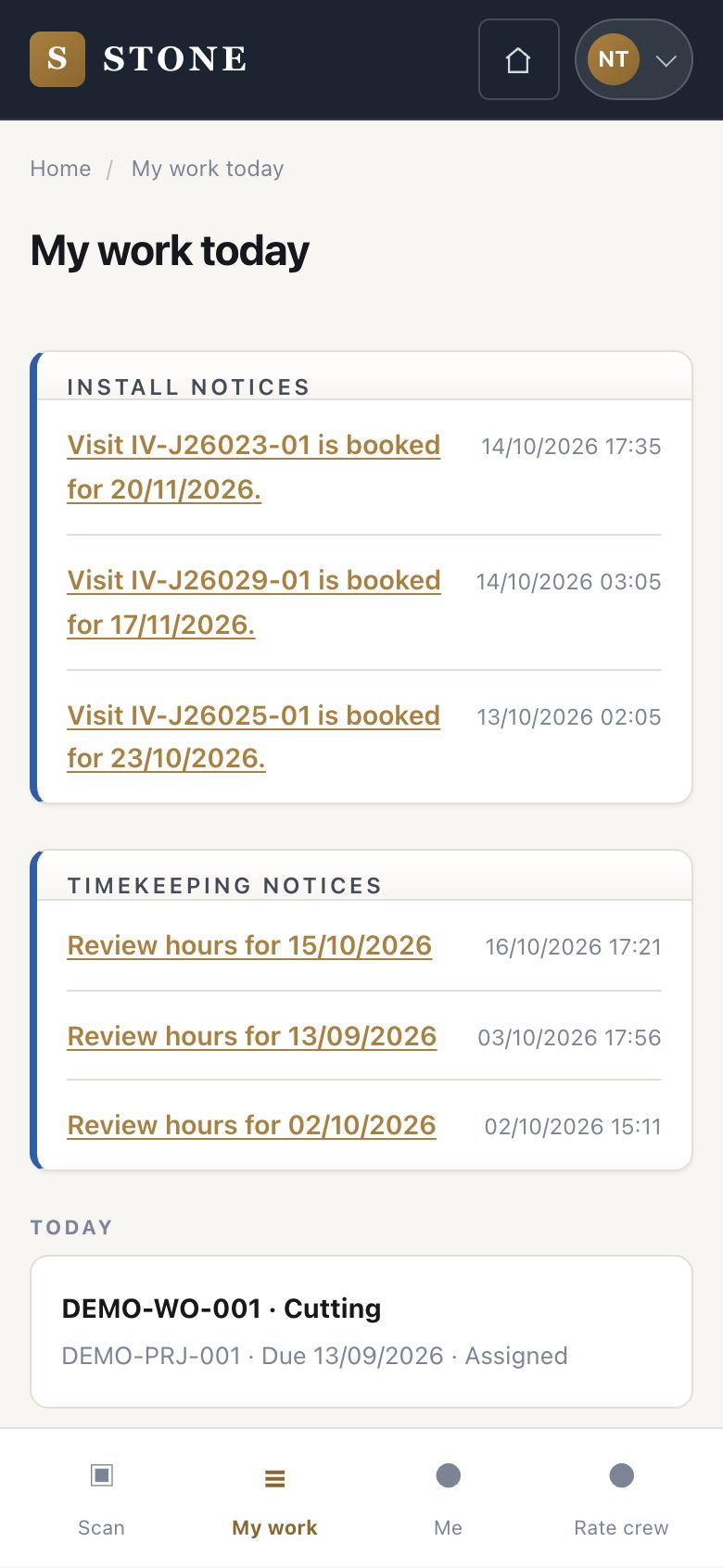
  1. Each person presses Start shift on My work today when the day begins.
  2. At the end of the day, Finish shift on the same screen.

Open in Stone ↗Full image ↗

Supervisor · Time and ratings01

Hours to review

Supervisor

Hours to review

2Step 2 of 9

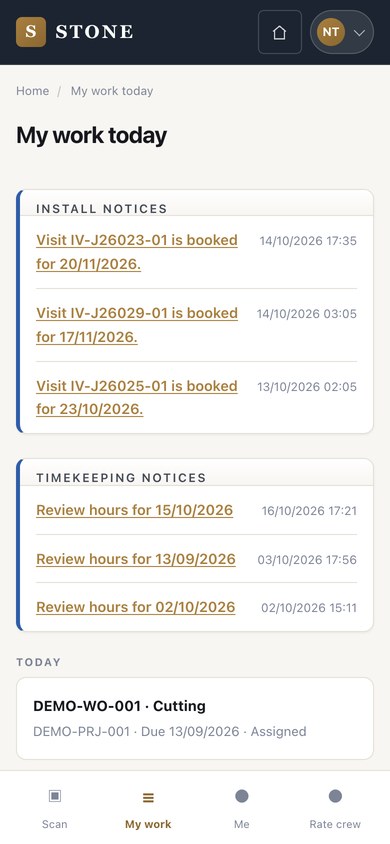
  1. On the supervisor's My work today, Timekeeping notices list the days whose hours to review.

Open in Stone ↗Full image ↗

Supervisor · Time and ratings02

Crew attendance

Supervisor

Crew attendance

3Step 3 of 9

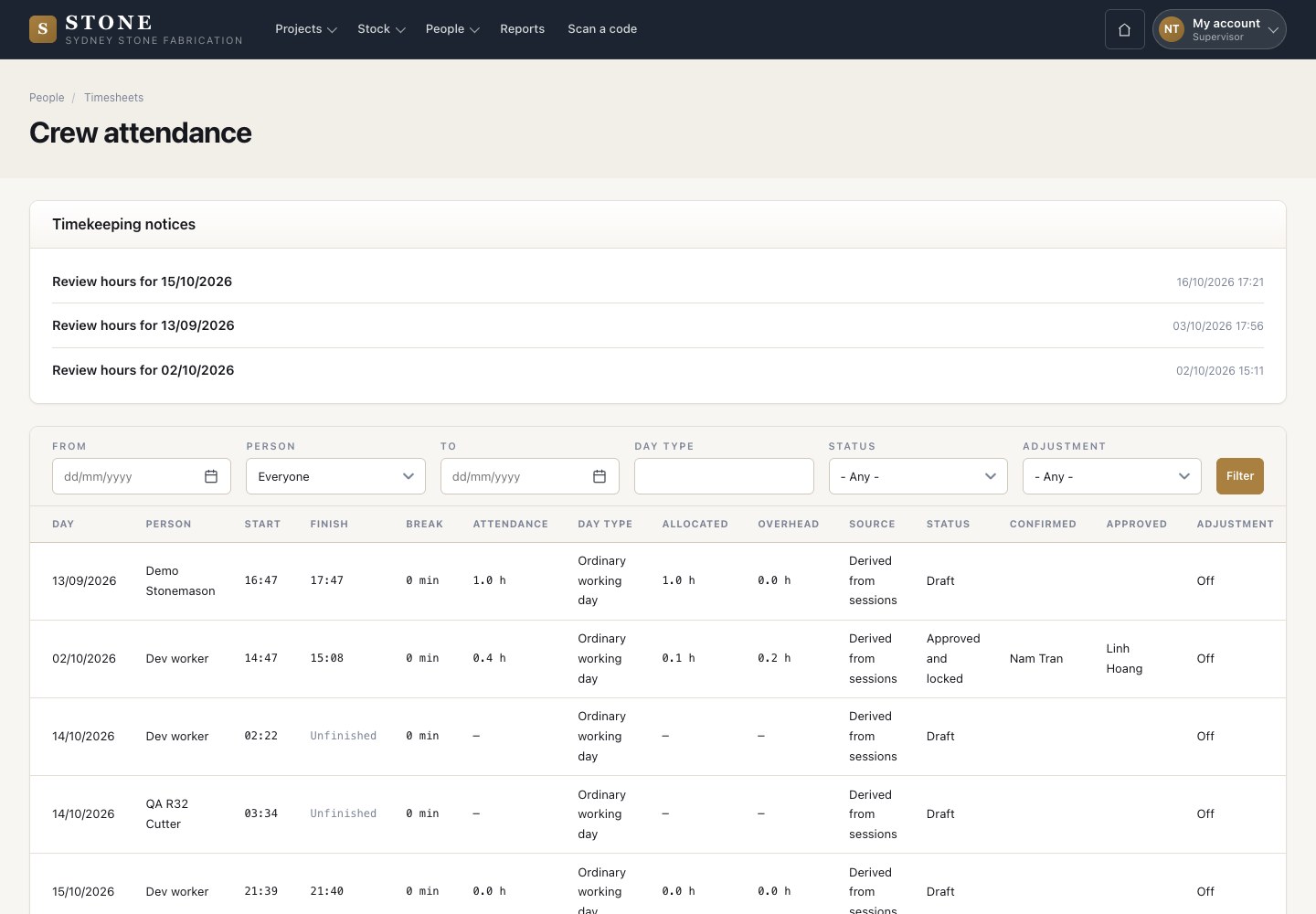
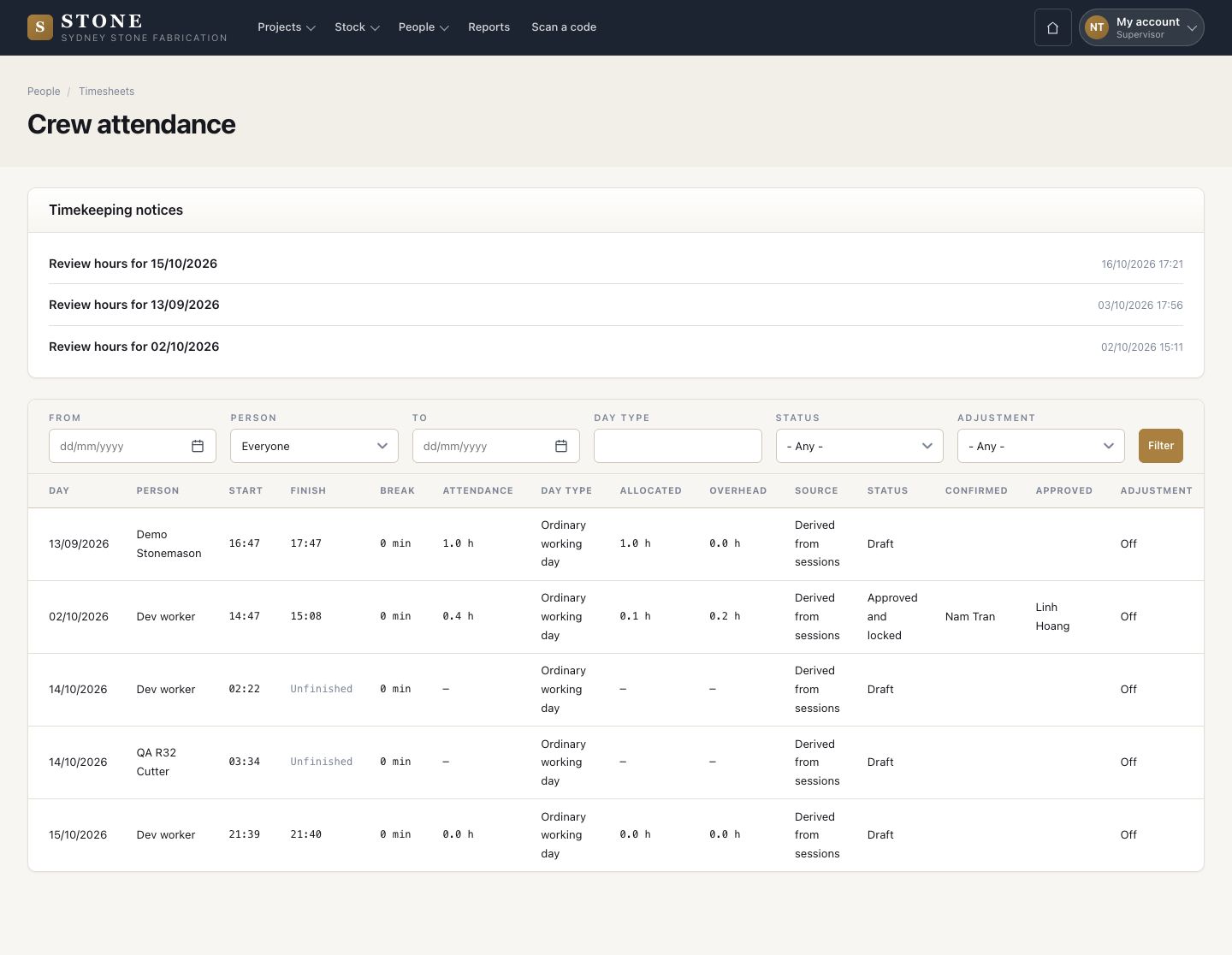
  1. People → Timesheets: each person-day with start, finish, break, attendance, allocated and overhead hours, source and status.
  2. Correct or Confirm from the row.

Hours are worked out overnight from the shift and the work sessions.

Enlarge, then scroll

Open in Stone ↗Full image ↗

Supervisor · Time and ratings03

Correct a day

Supervisor

Correct a day

4Step 4 of 9

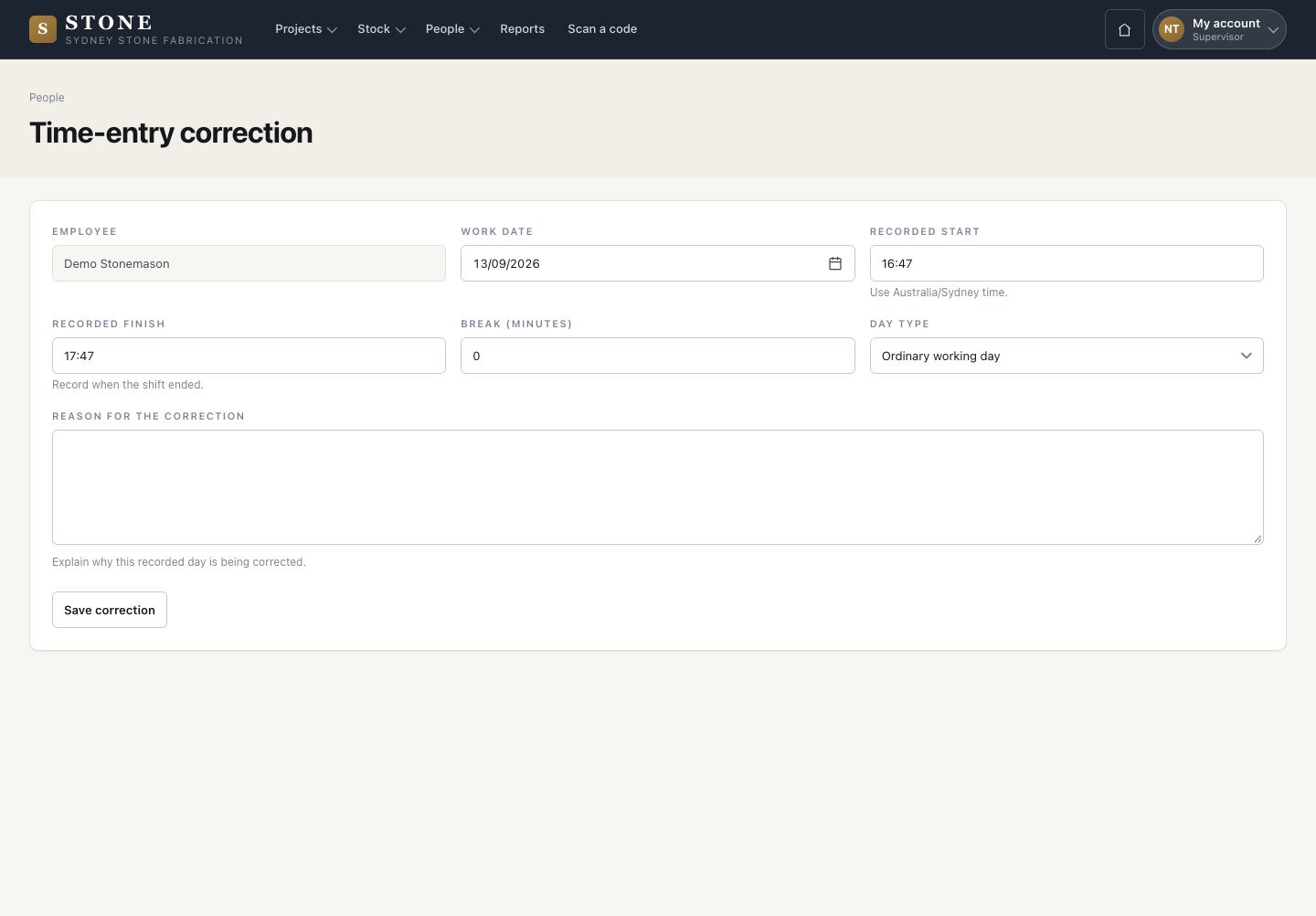
  1. Change the start, finish, break or day type.
  2. Give the reason for the correction and press Save correction.

Open in Stone ↗Full image ↗

Supervisor · Time and ratings04

Approve and lock

Accountant

Approve and lock

5Step 5 of 9

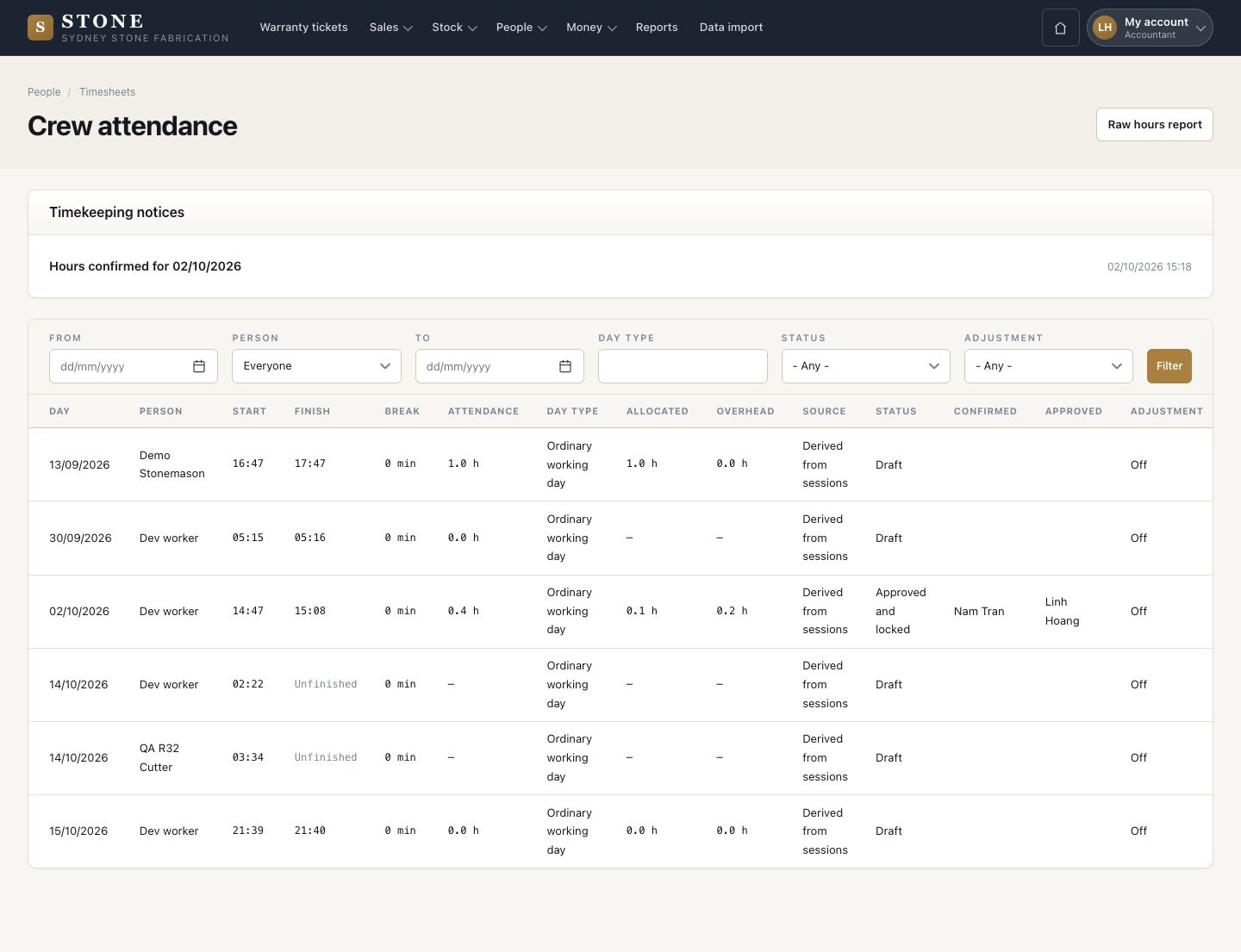
  1. The accountant opens Review on a confirmed day and checks the hours.
  2. Approve and lock: the day is locked and its labour cost goes to the jobs.

Enlarge, then scroll

Open in Stone ↗Full image ↗

Supervisor · Time and ratings05

Unlock a day

Accountant

Unlock a day

6Step 6 of 9

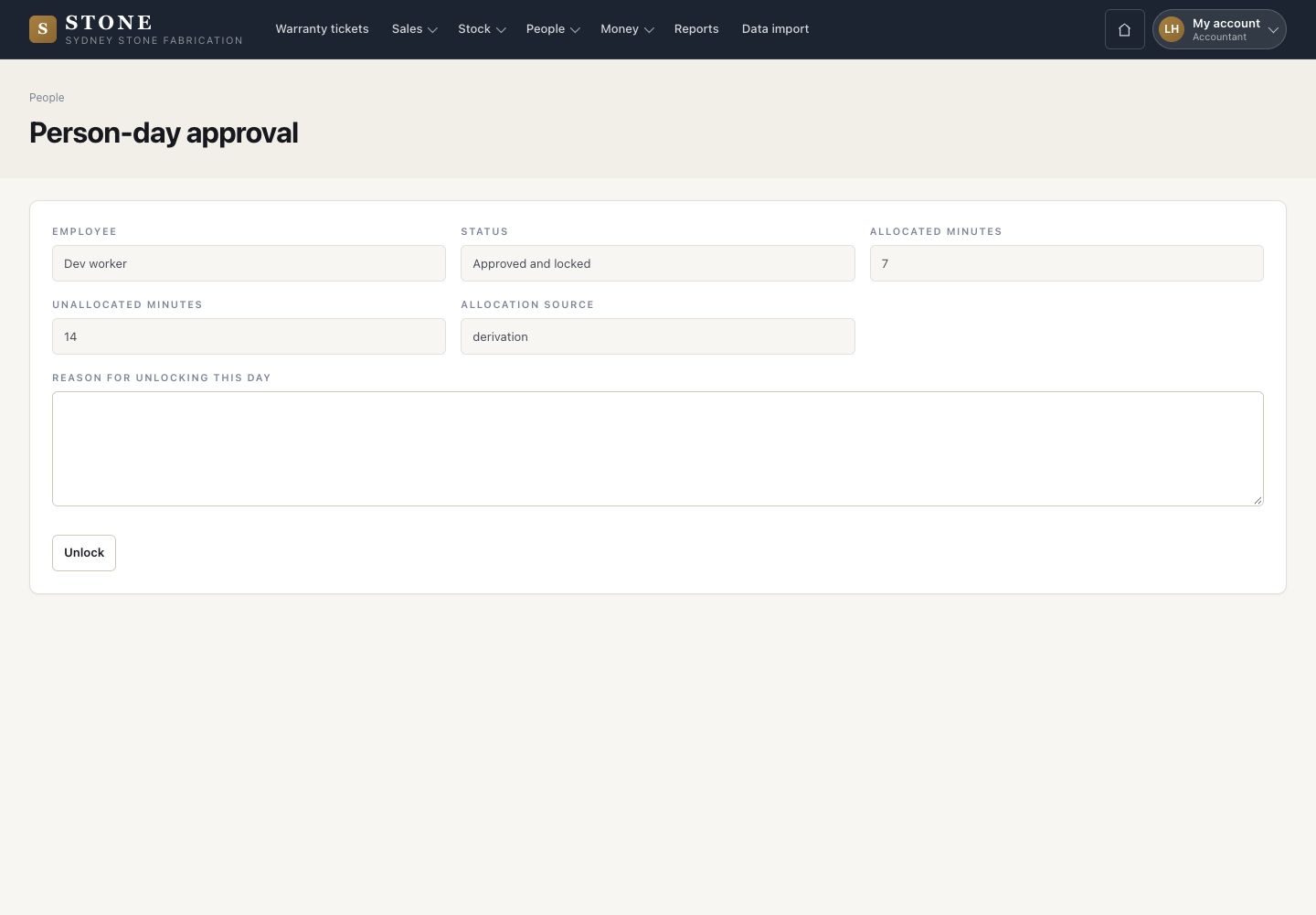
  1. A locked day changes only after Unlock, with the reason for unlocking it.

Open in Stone ↗Full image ↗

Supervisor · Time and ratings06

Rate the day

Supervisor

Rate the day

7Step 7 of 9

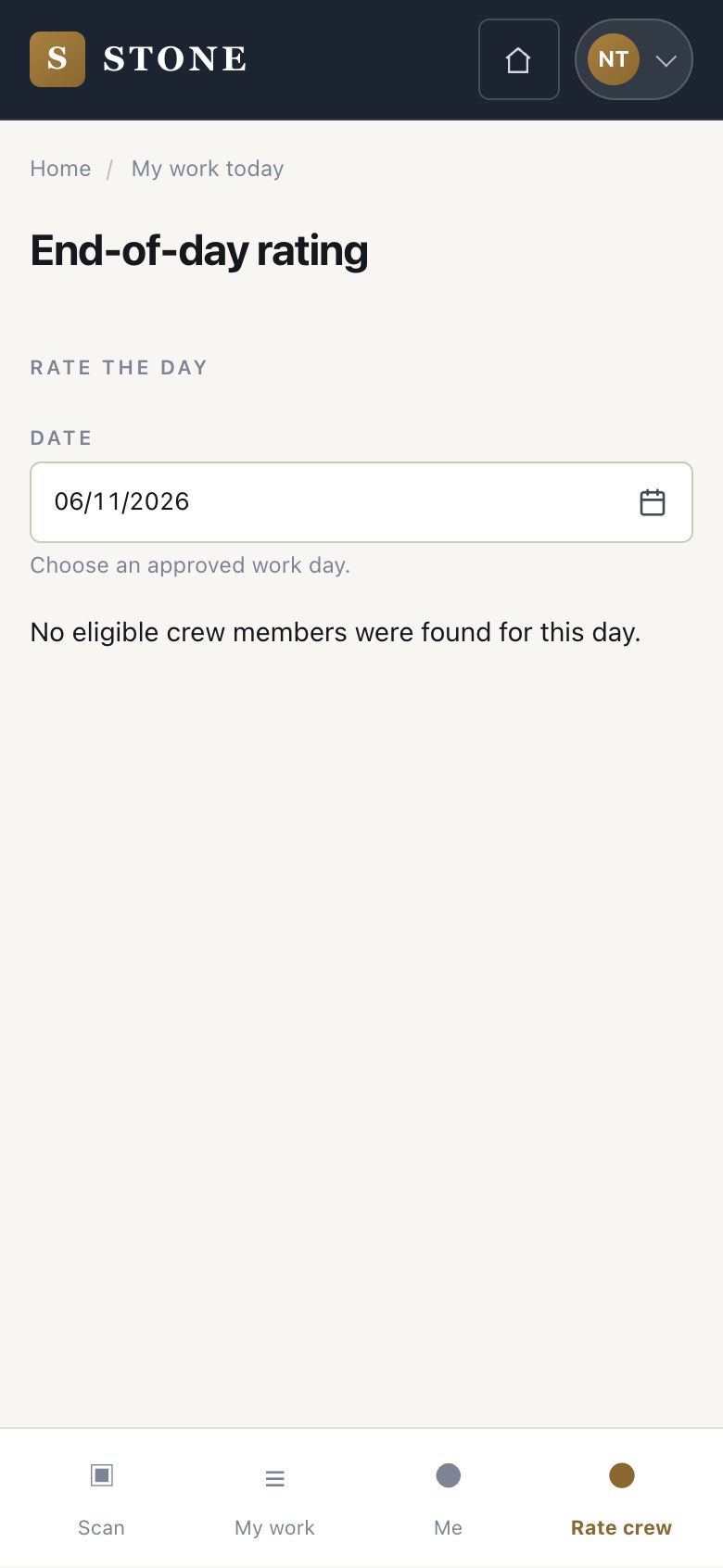
  1. End-of-day rating on the phone: choose an approved work day.
  2. Rate each person of that day's crew on productivity, quality and attitude, with notes.
  3. A rating locks at the end of its day.

A day with nobody to rate says: No eligible crew members were found for this day.

Open in Stone ↗Full image ↗

Supervisor · Time and ratings07

Correct a rating

Director

Correct a rating

8Step 8 of 9

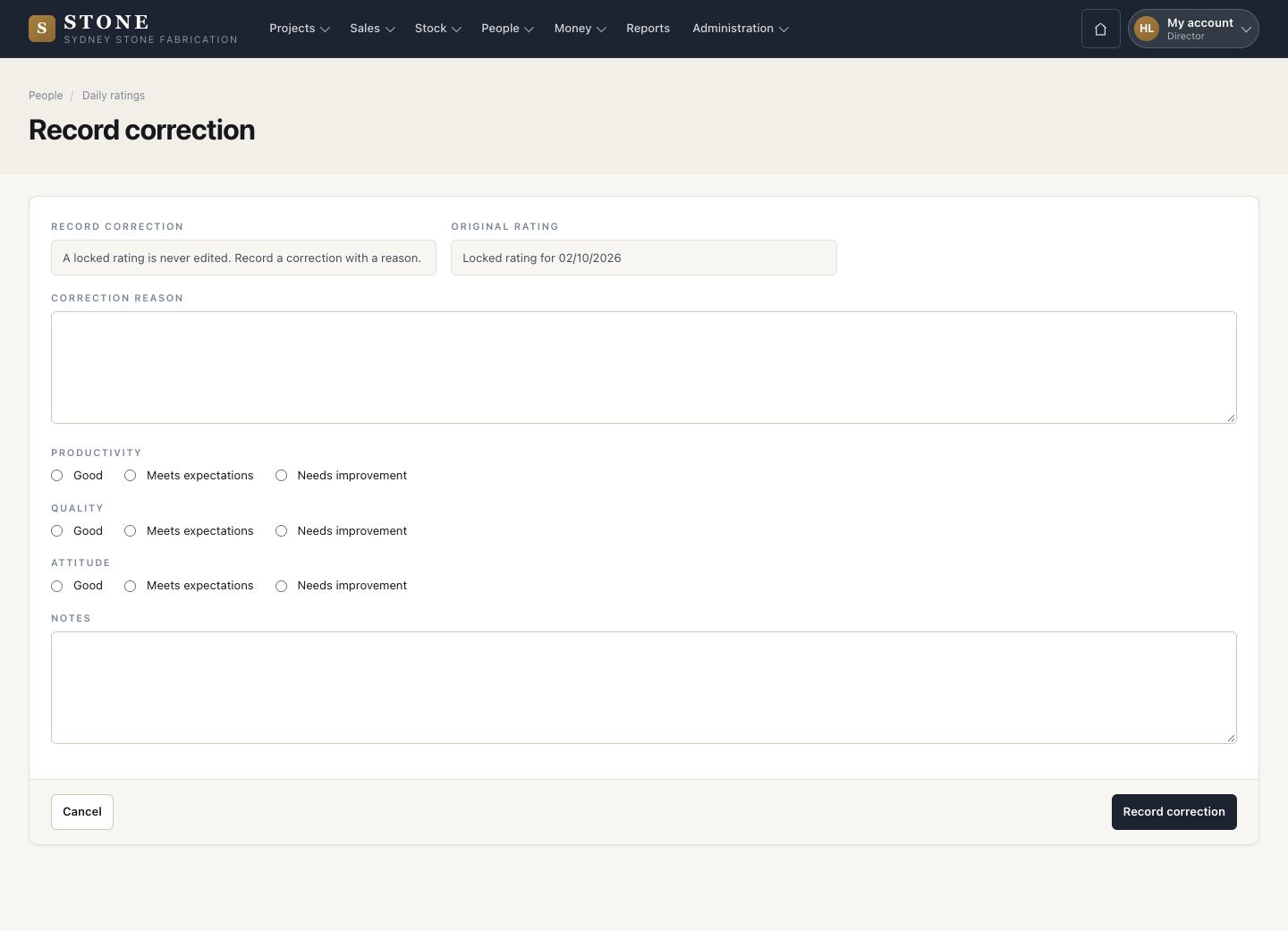
  1. A director records a correction with the reason; the locked rating keeps its history.

Enlarge, then scroll

Open in Stone ↗Full image ↗

Supervisor · Time and ratings08

My timesheet

Worker

My timesheet

9Step 9 of 9

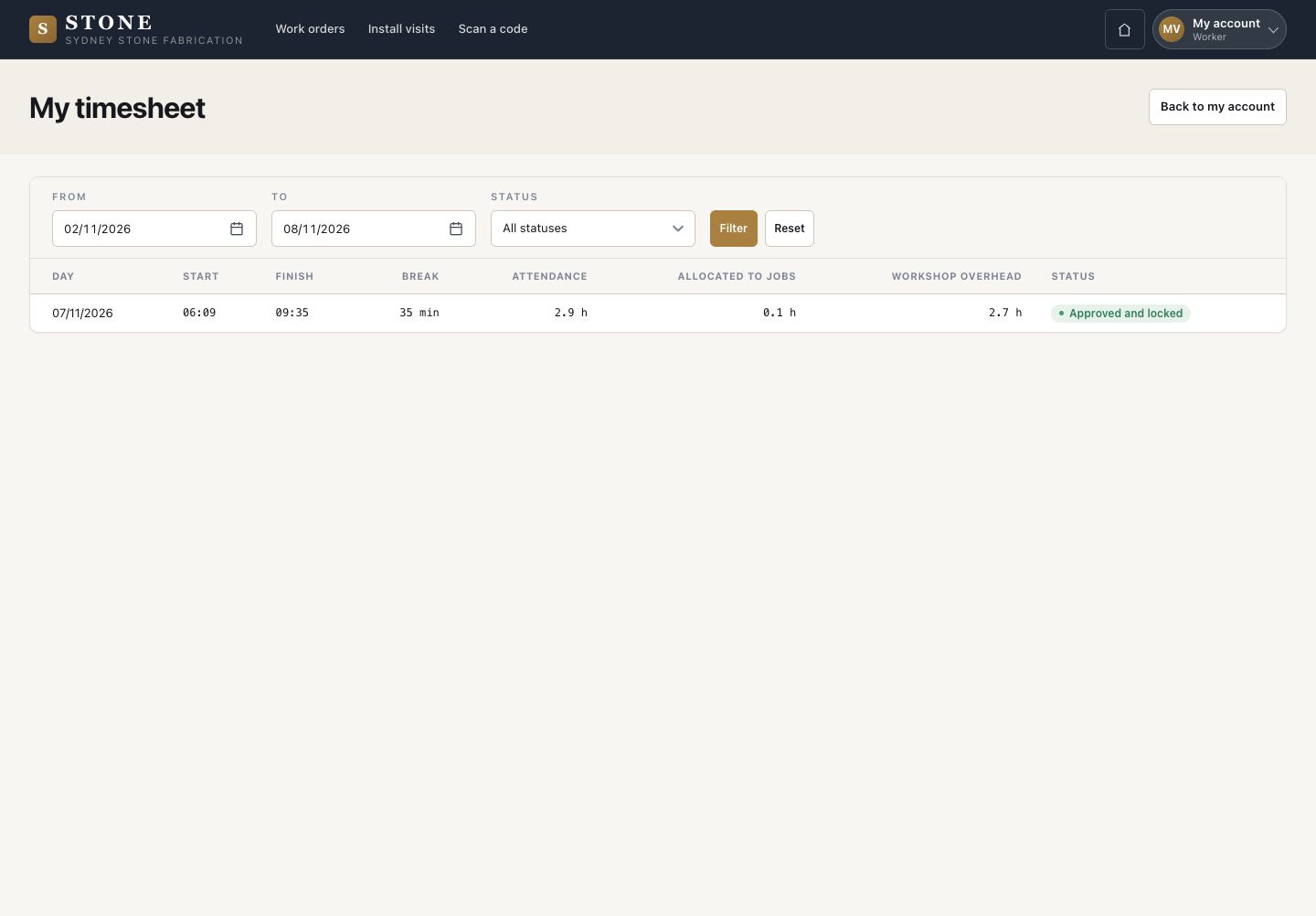
  1. Everyone reads their own hours under My timesheet.

Open in Stone ↗Full image ↗

Check

Each day is approved and locked, and its labour cost reaches the jobs

Supervisor · Time and ratings09
1 / 10