Off-cut rewards

Keeping stone pays when it is reused

  • A kept off-cut used on another job
Director
Off-cut rewards

Director
Off-cut rewards

1Step 1 of 5

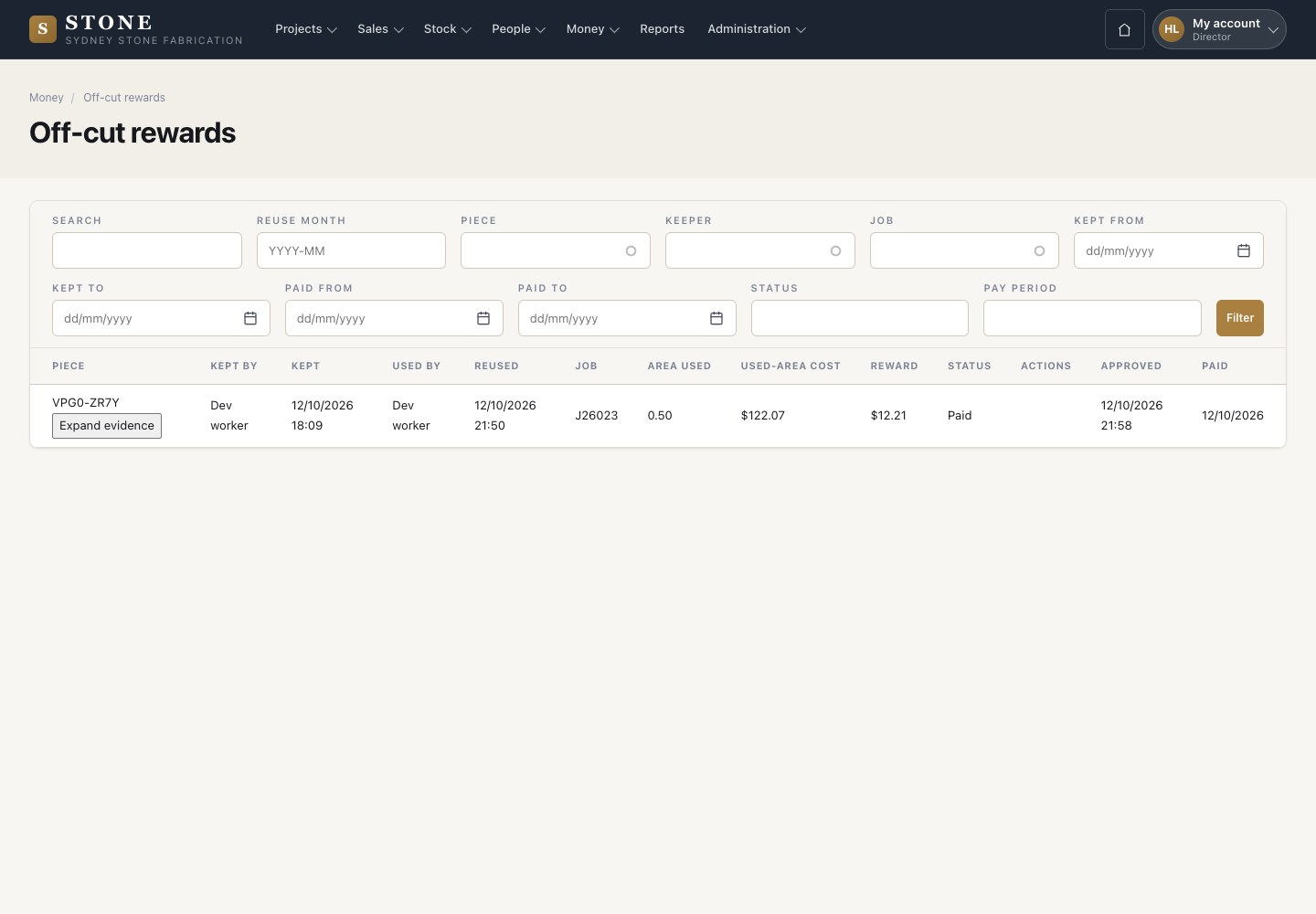
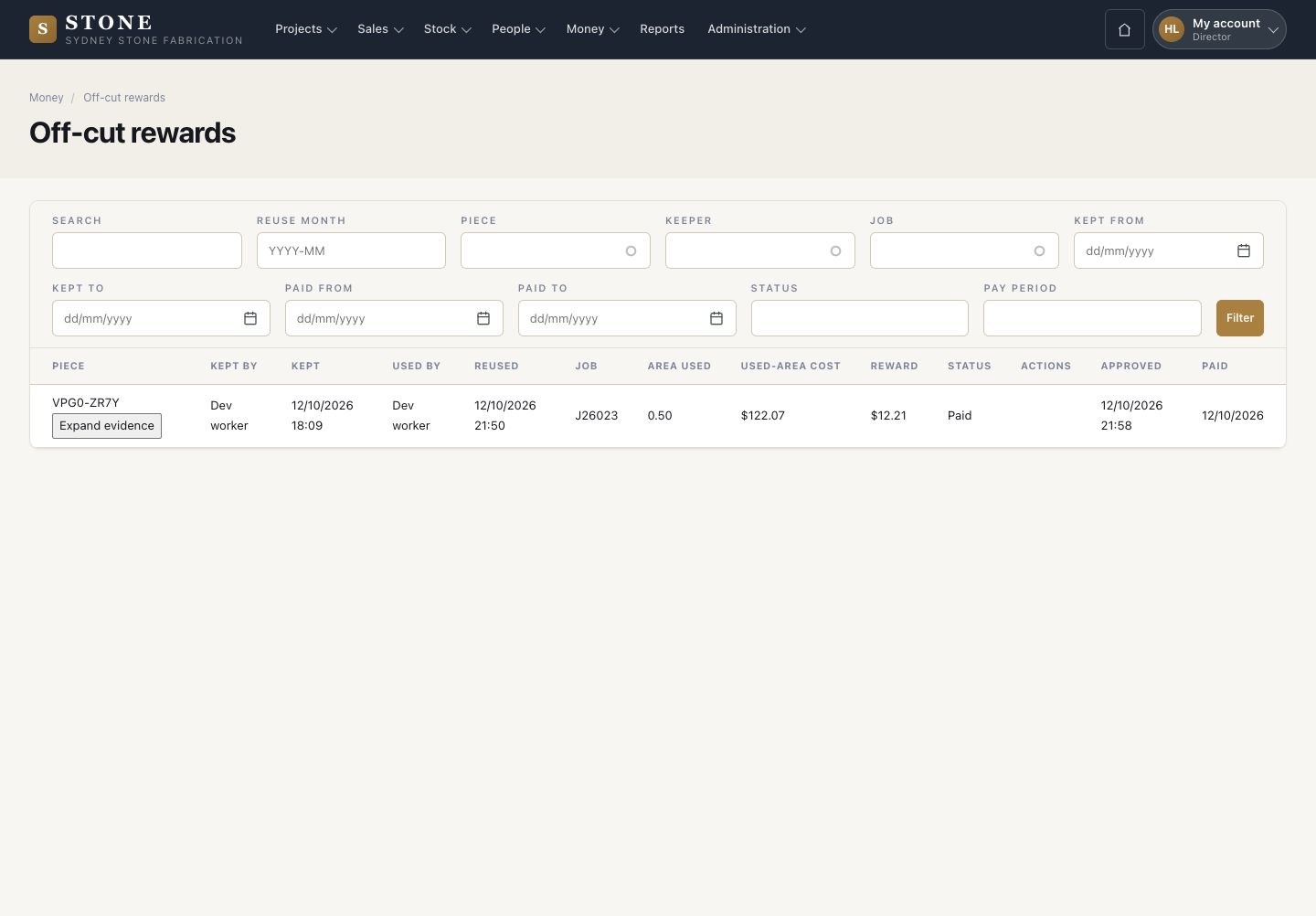
  1. Money → Off-cut rewards lists every reward.
  2. Each row shows the piece, who kept it, who used it and the job. It also shows the area used, its cost, the reward and the status.
  3. A reward appears on its own, as Pending. Stone adds it at the next scheduled run after a cut that used a kept off-cut is posted.
Open in Stone ↗Full image ↗

Director · Off-cut rewards01

Approve a reward

Director

Approve a reward

2Step 2 of 5

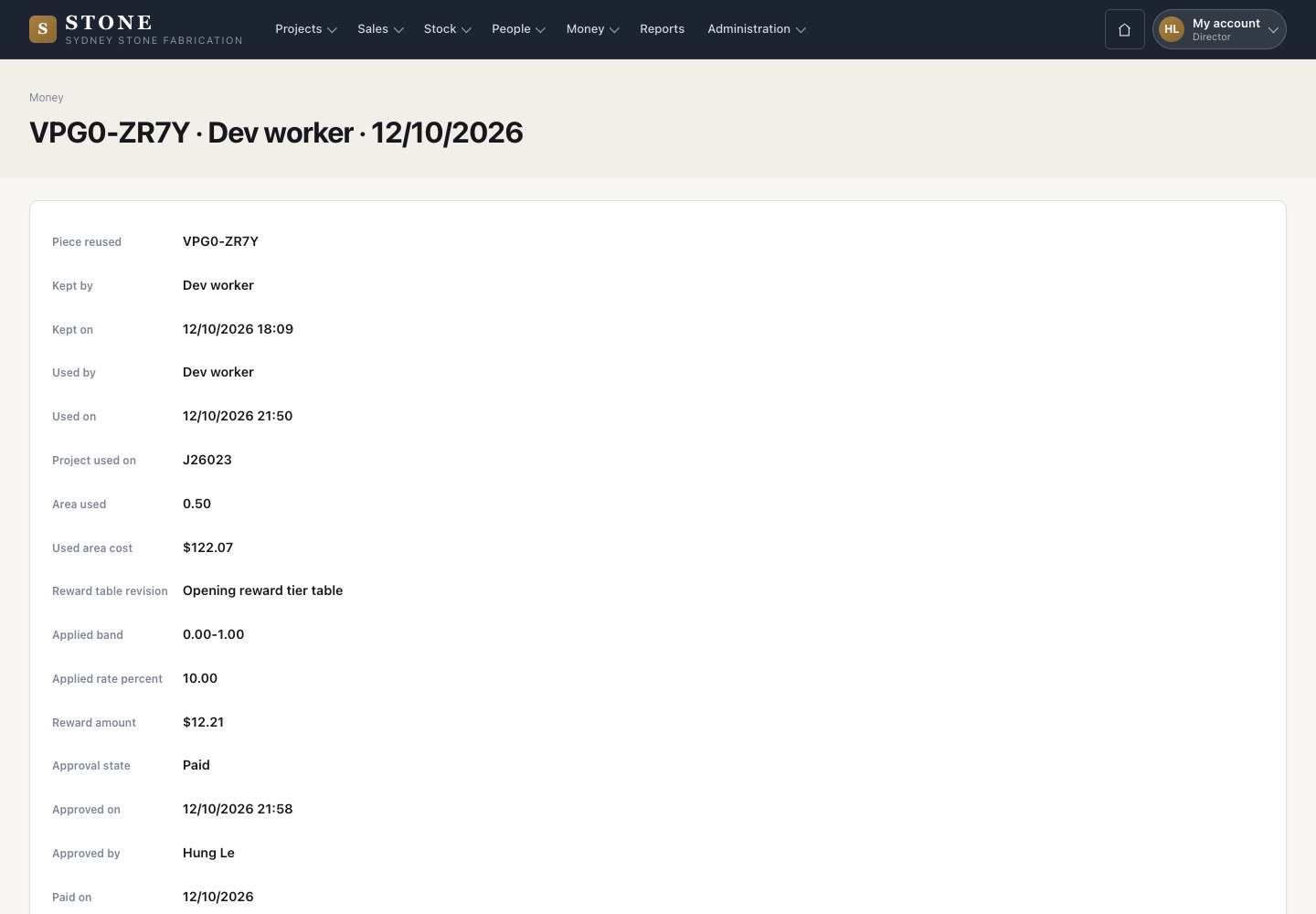
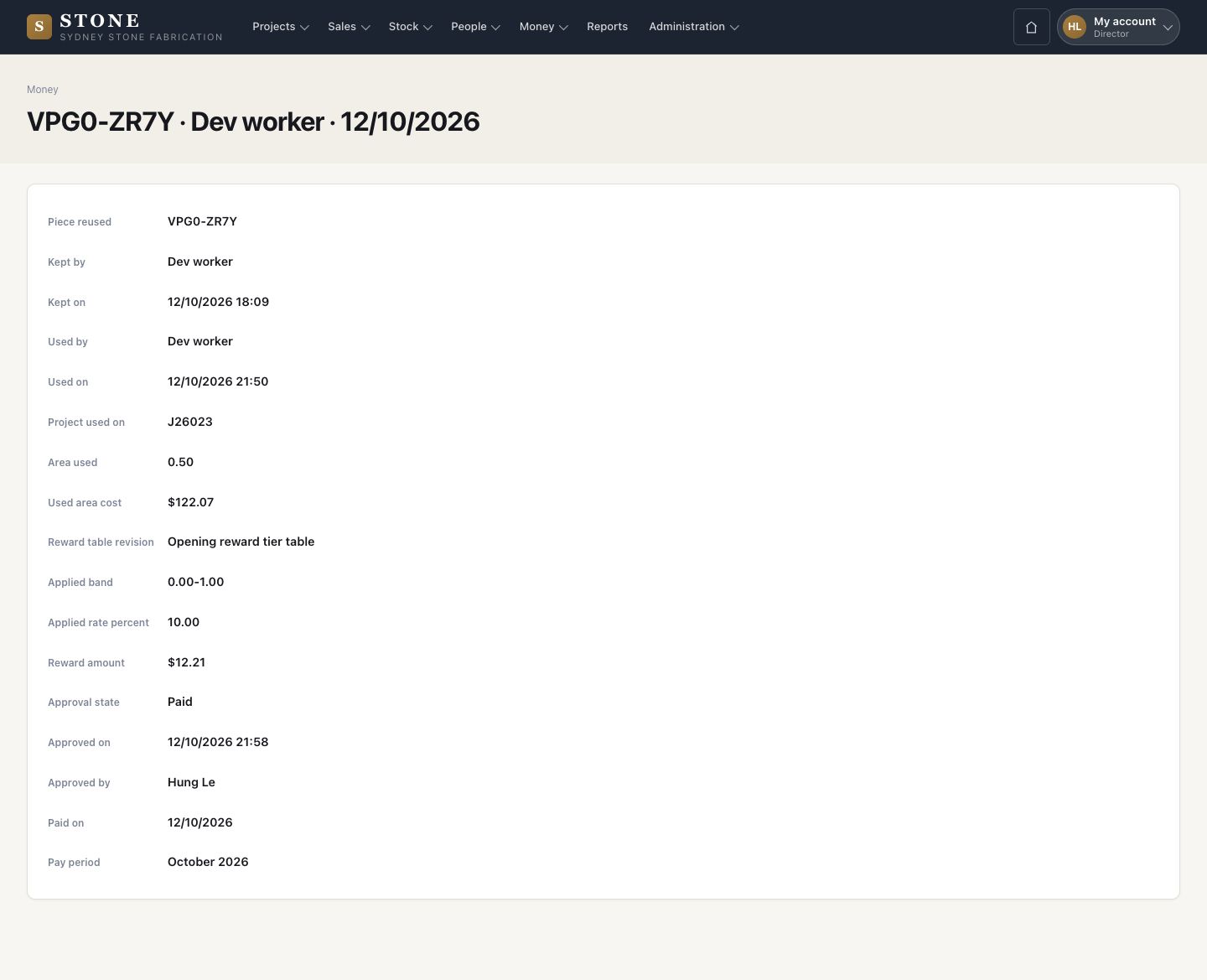
  1. A reward opens with its evidence: area used, used-area cost, the reward table revision, the band and the rate.
  2. Approve reward while it is Pending.

Enlarge, then scroll

Open in Stone ↗Full image ↗

Director · Off-cut rewards02

Reward bands

Director

Reward bands

3Step 3 of 5

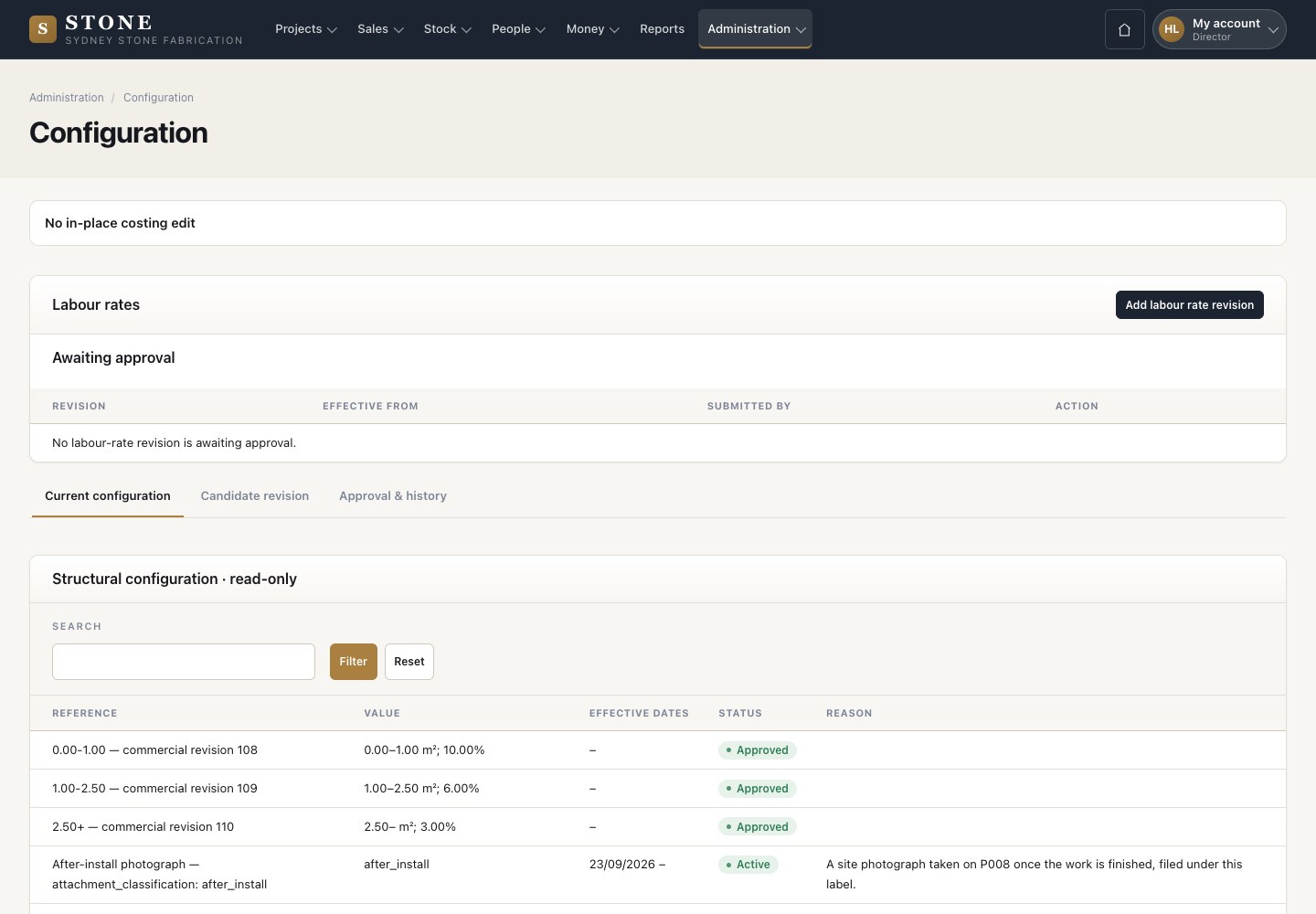
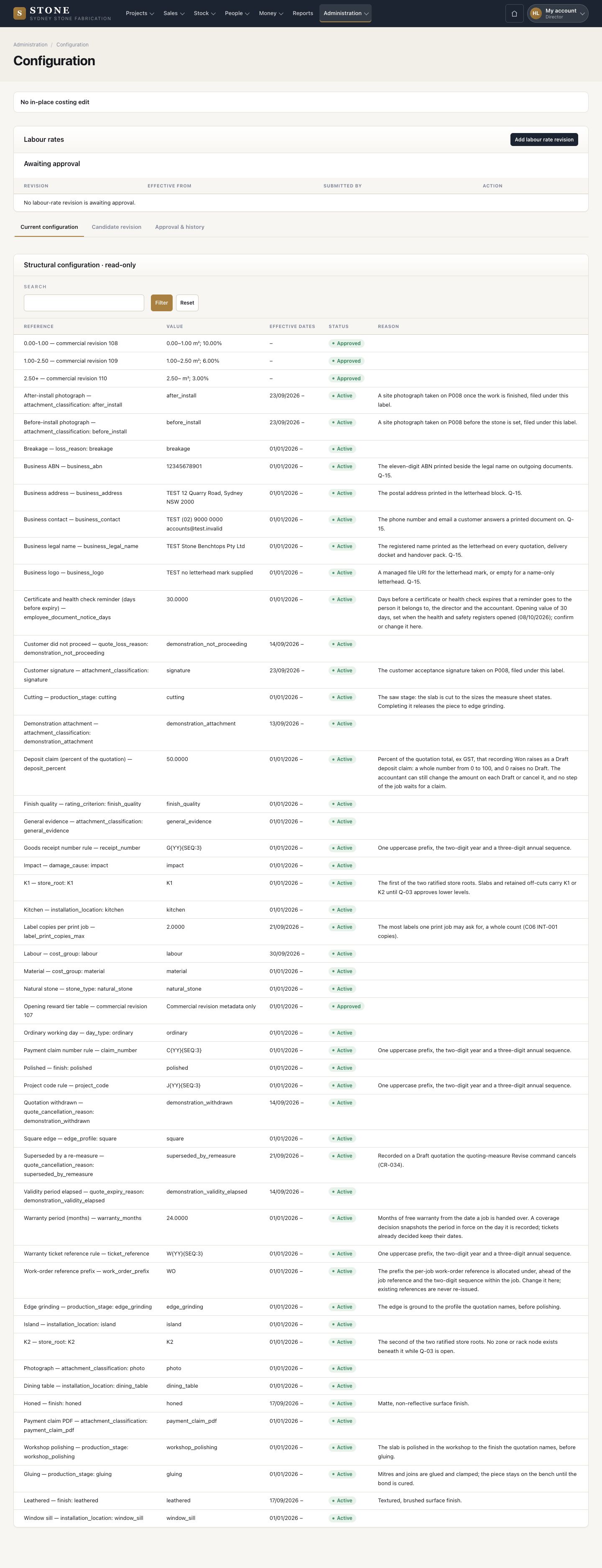
  1. The bands of the reward table are dated revisions in Configuration, for example 0.00–1.00 m² at 10%.

Enlarge, then scroll

Open in Stone ↗Full image ↗

Director · Off-cut rewards03

Record the payment

Accountant

Record the payment

4Step 4 of 5

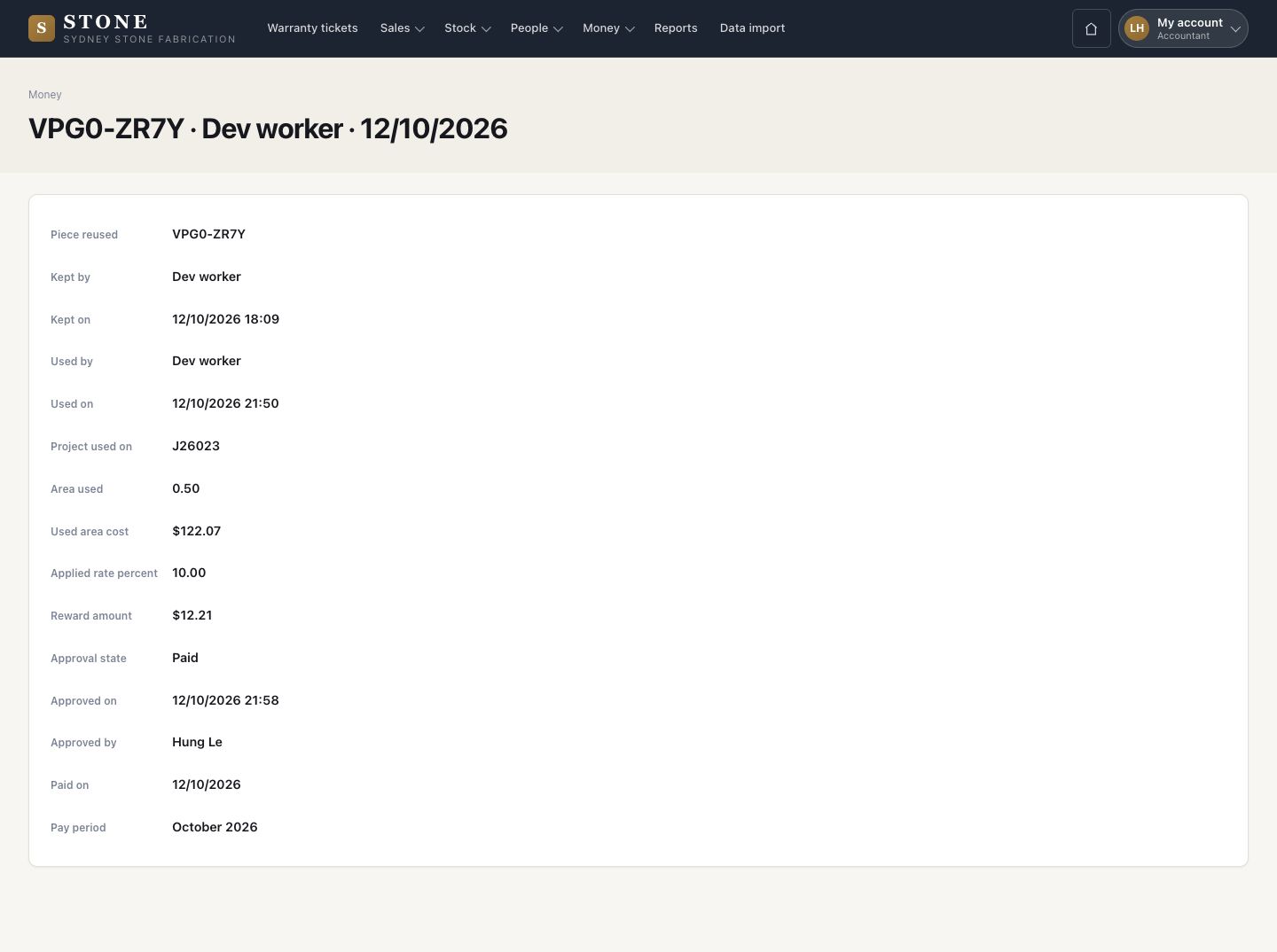
  1. The accountant records the payment with the date paid and the pay period.
  2. The reward shows Paid.

Enlarge, then scroll

Open in Stone ↗Full image ↗

Director · Off-cut rewards04

Monthly report

Accountant

Monthly report

5Step 5 of 5

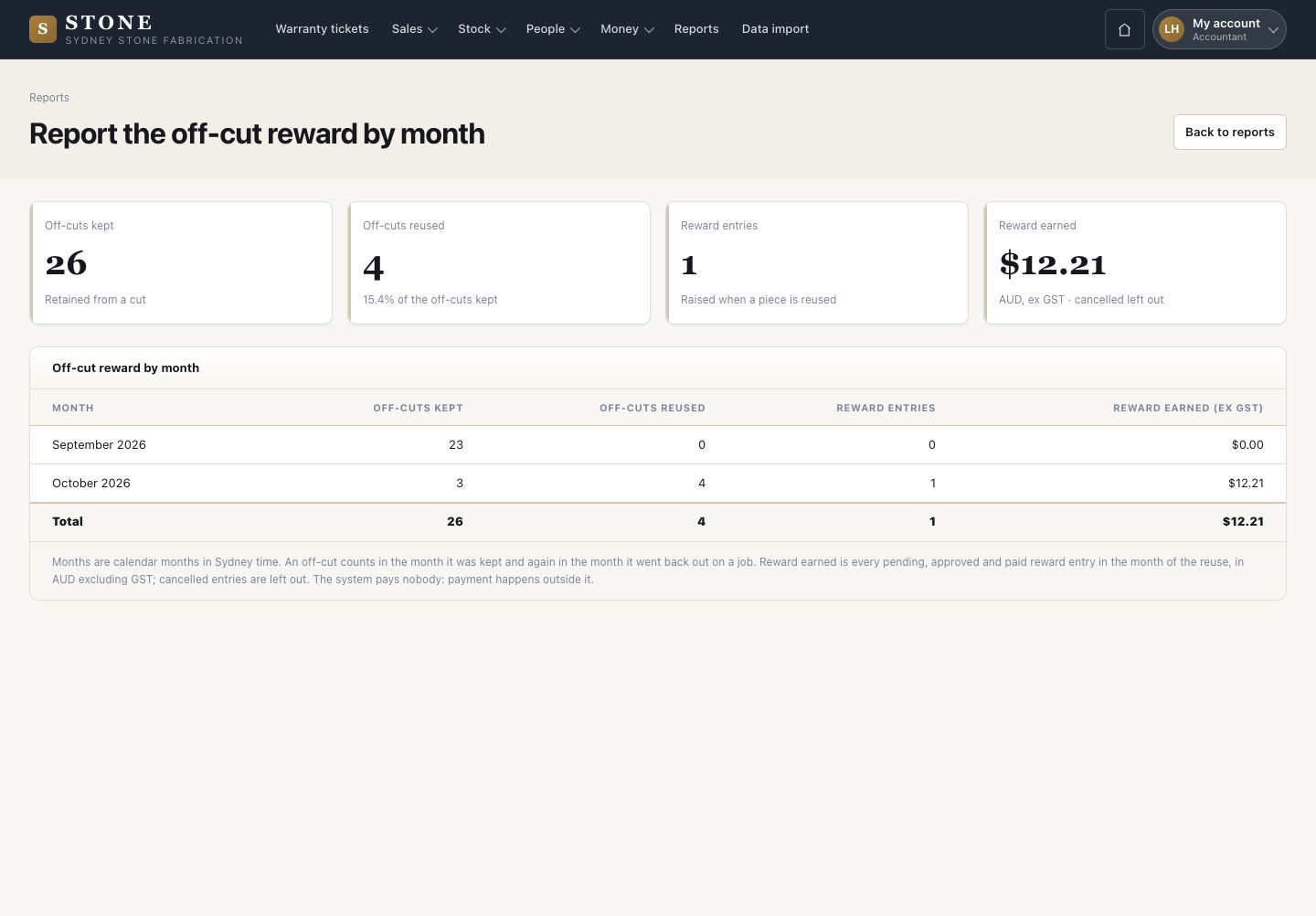
  1. Reports → Off-cut reward by month: off-cuts kept, reused, reward entries and the reward earned ex GST.

Open in Stone ↗Full image ↗

Check

The reward is approved and paid, and its cost is on record

Director · Off-cut rewards05
1 / 6