Claims and collection

A payment claim is not a tax invoice

  • A job with a Won quote
Accountant

Payment claims

Accountant

Payment claims

1Step 1 of 8

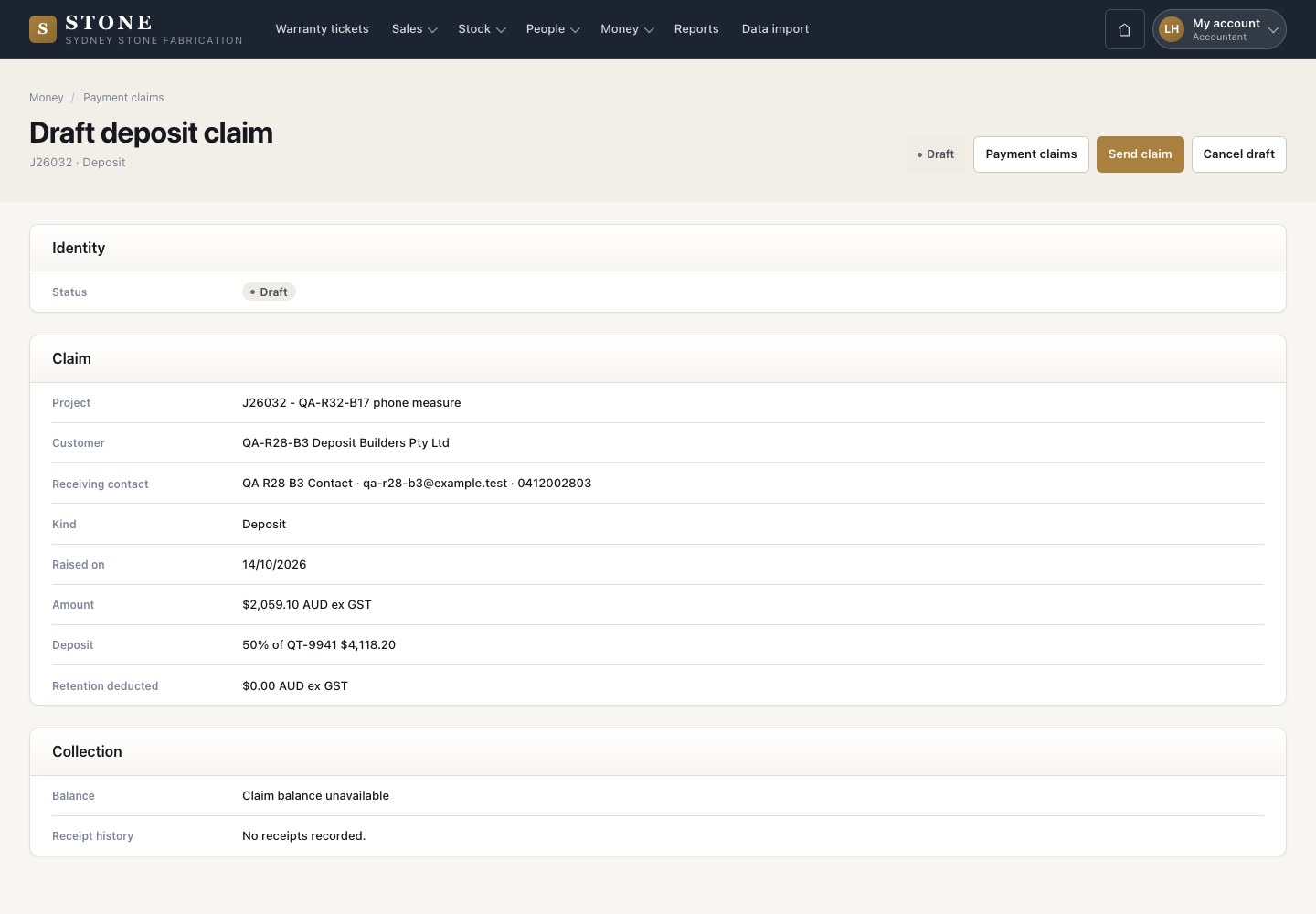
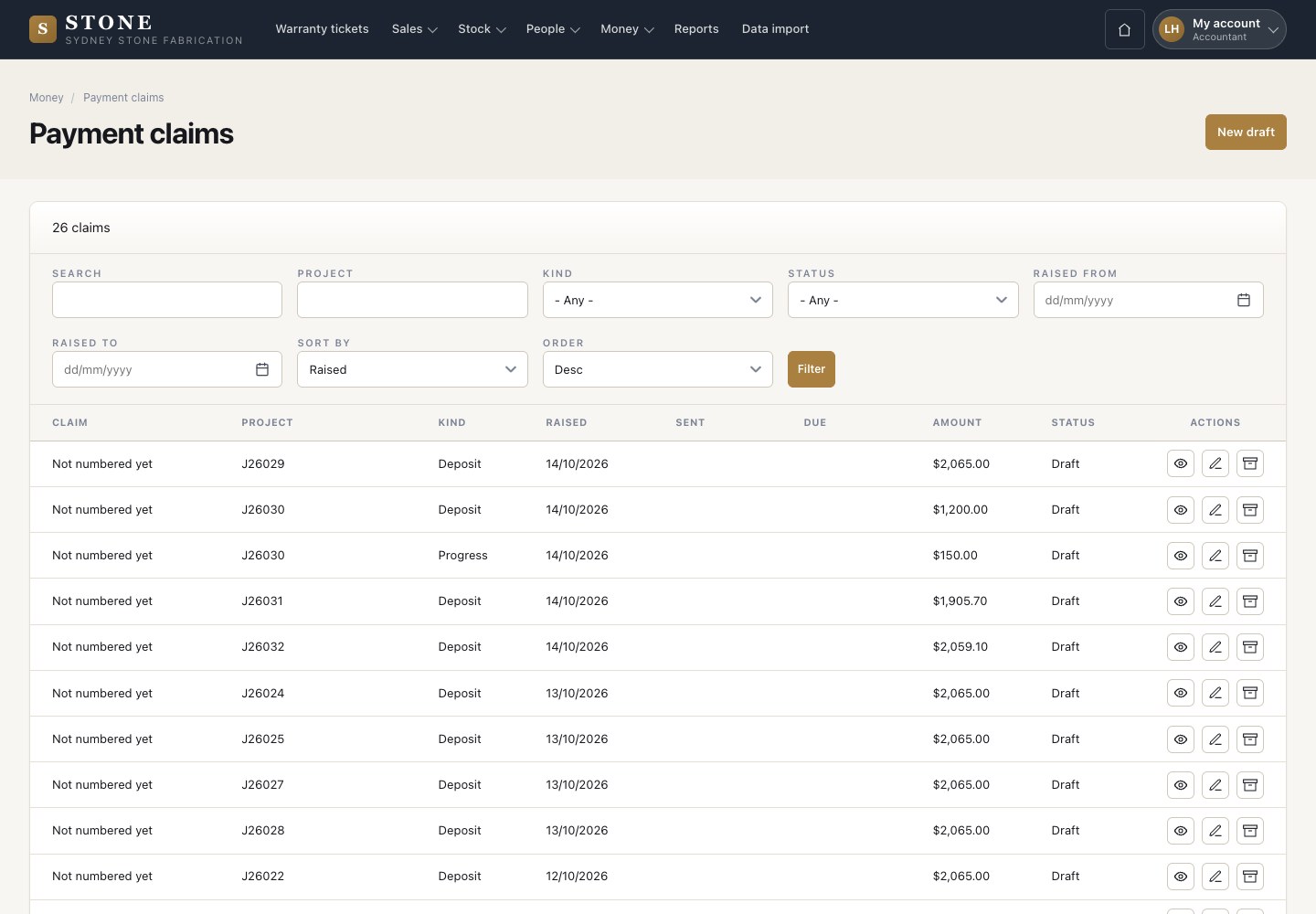
  1. Money → Payment claims: each claim with its job, kind, dates, amount and status.

Enlarge, then scroll

Open in Stone ↗Full image ↗

Accountant · Claims and collection01

Draft deposit claim

Accountant

Draft deposit claim

2Step 2 of 8

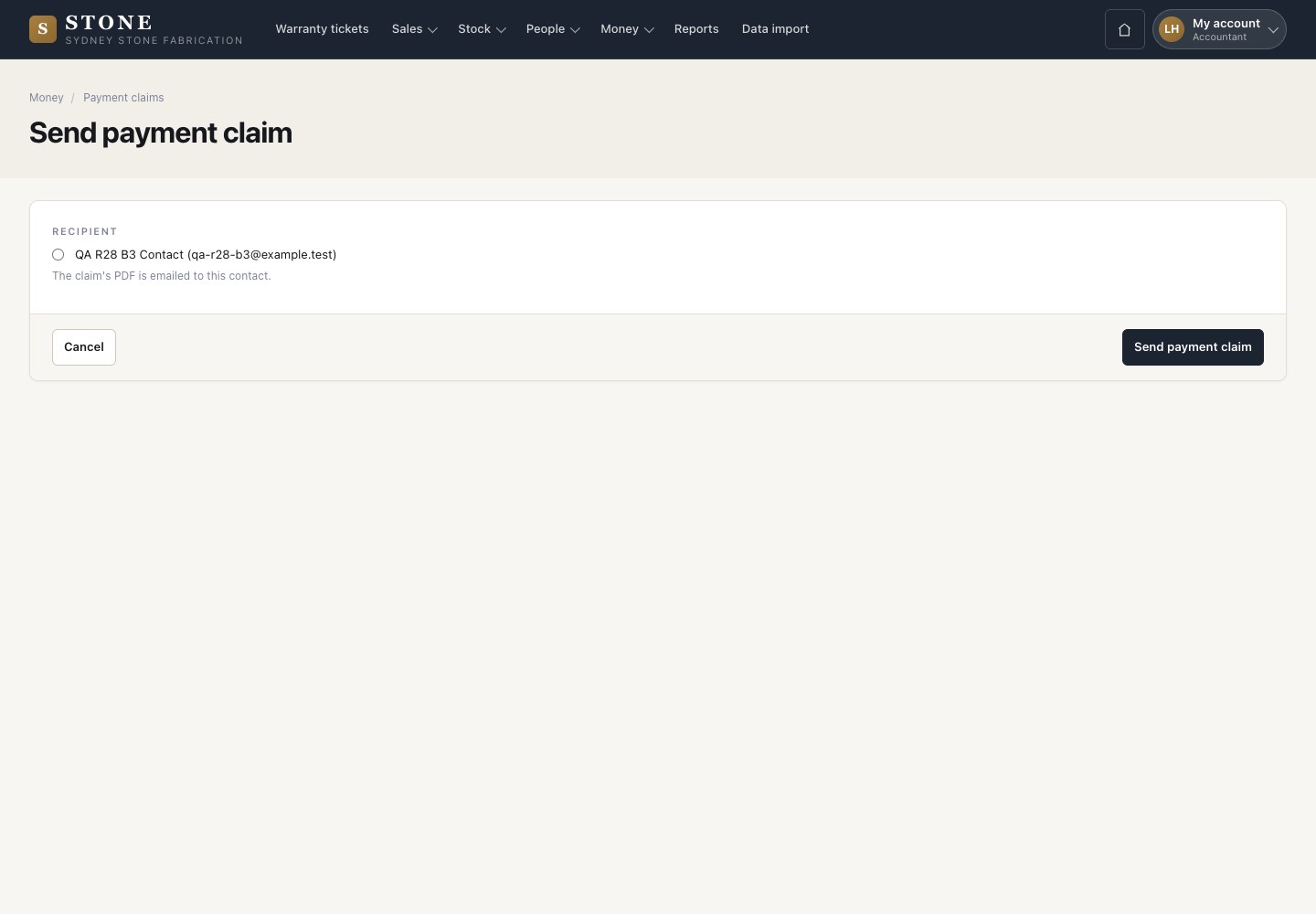
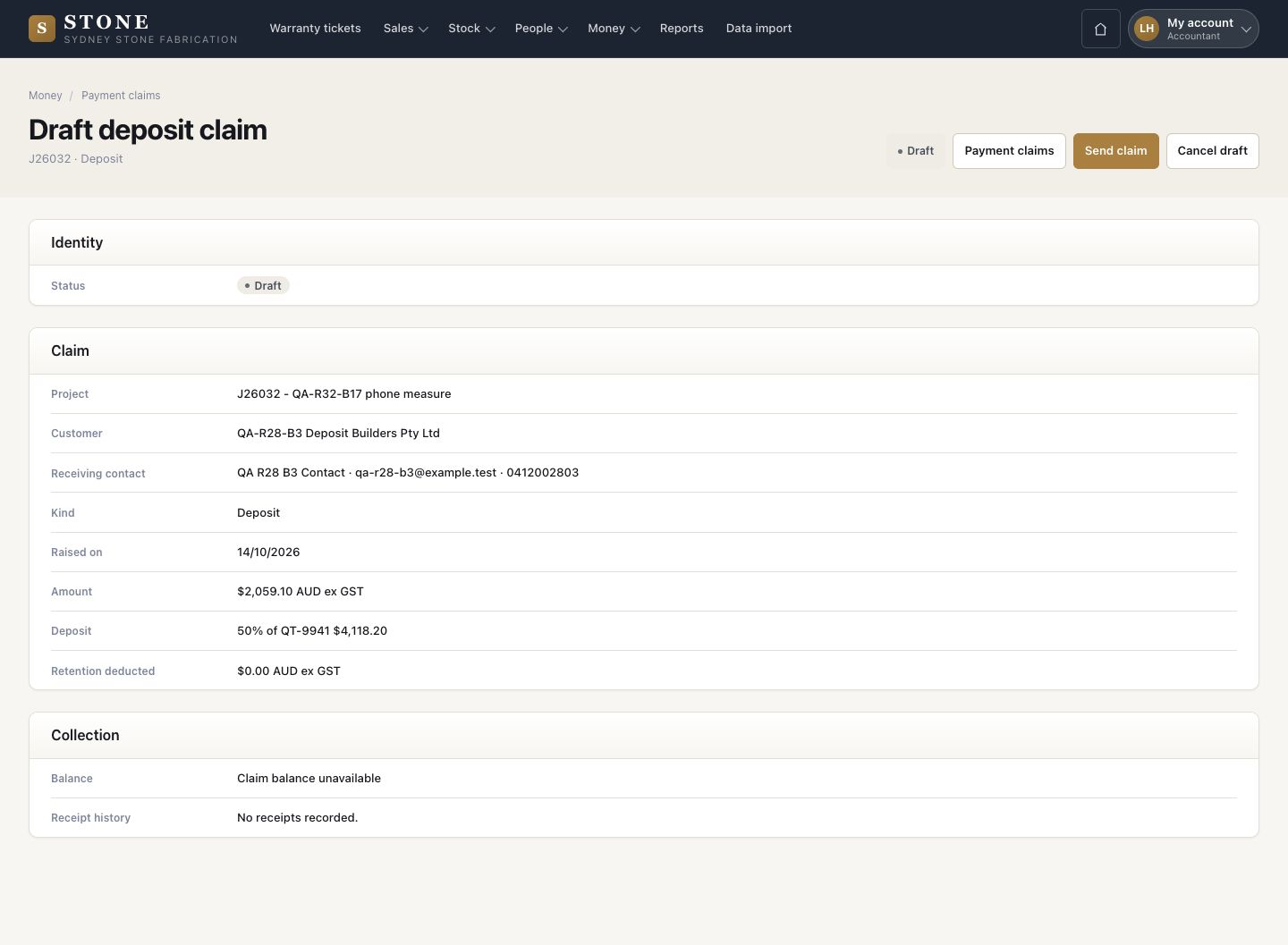
  1. Winning the quote drafted this deposit claim.
  2. Check it, then Send claim, or Cancel draft with a reason.

Enlarge, then scroll

Open in Stone ↗Full image ↗

Accountant · Claims and collection02

Send the claim

Accountant

Send the claim

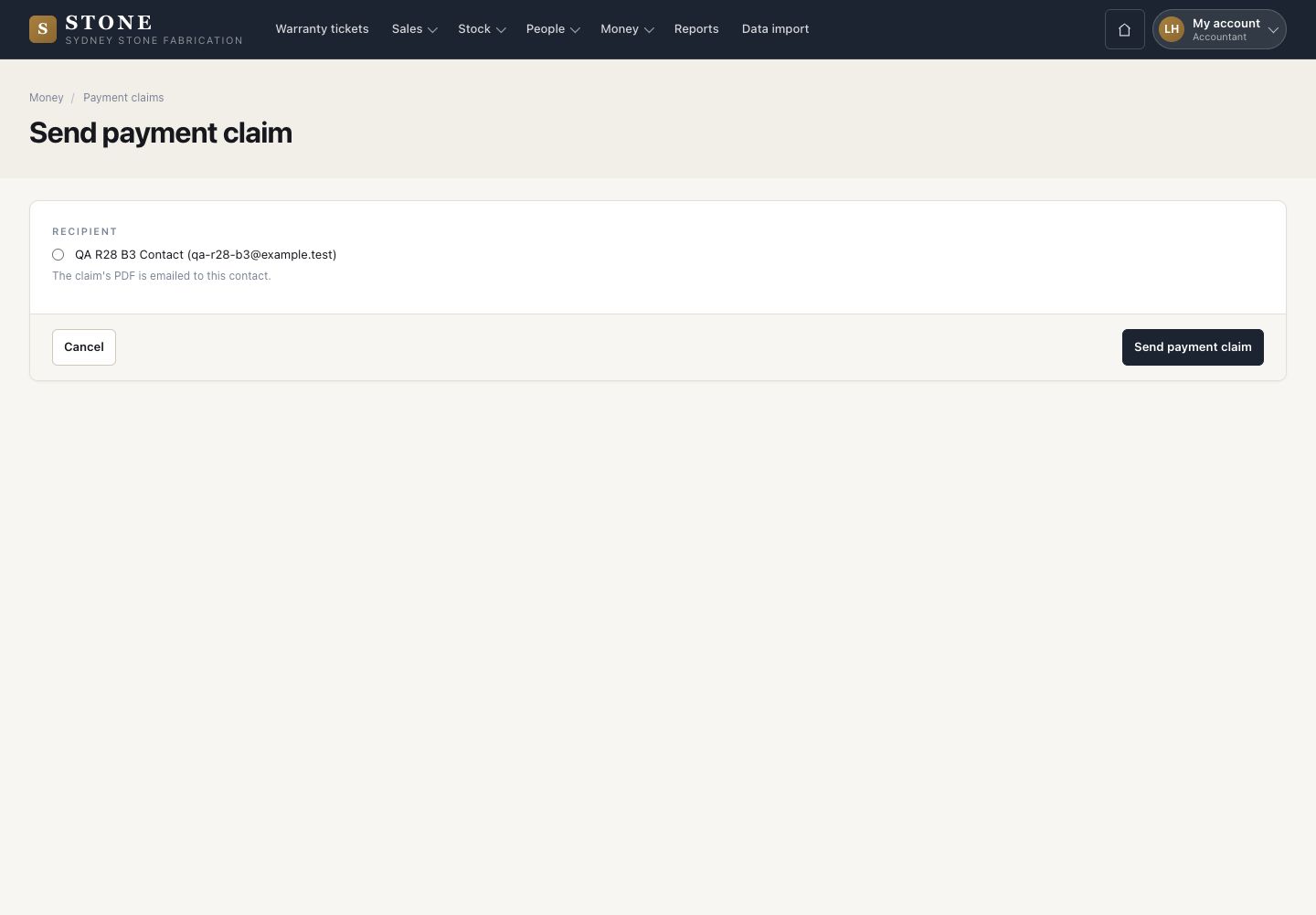
3Step 3 of 8

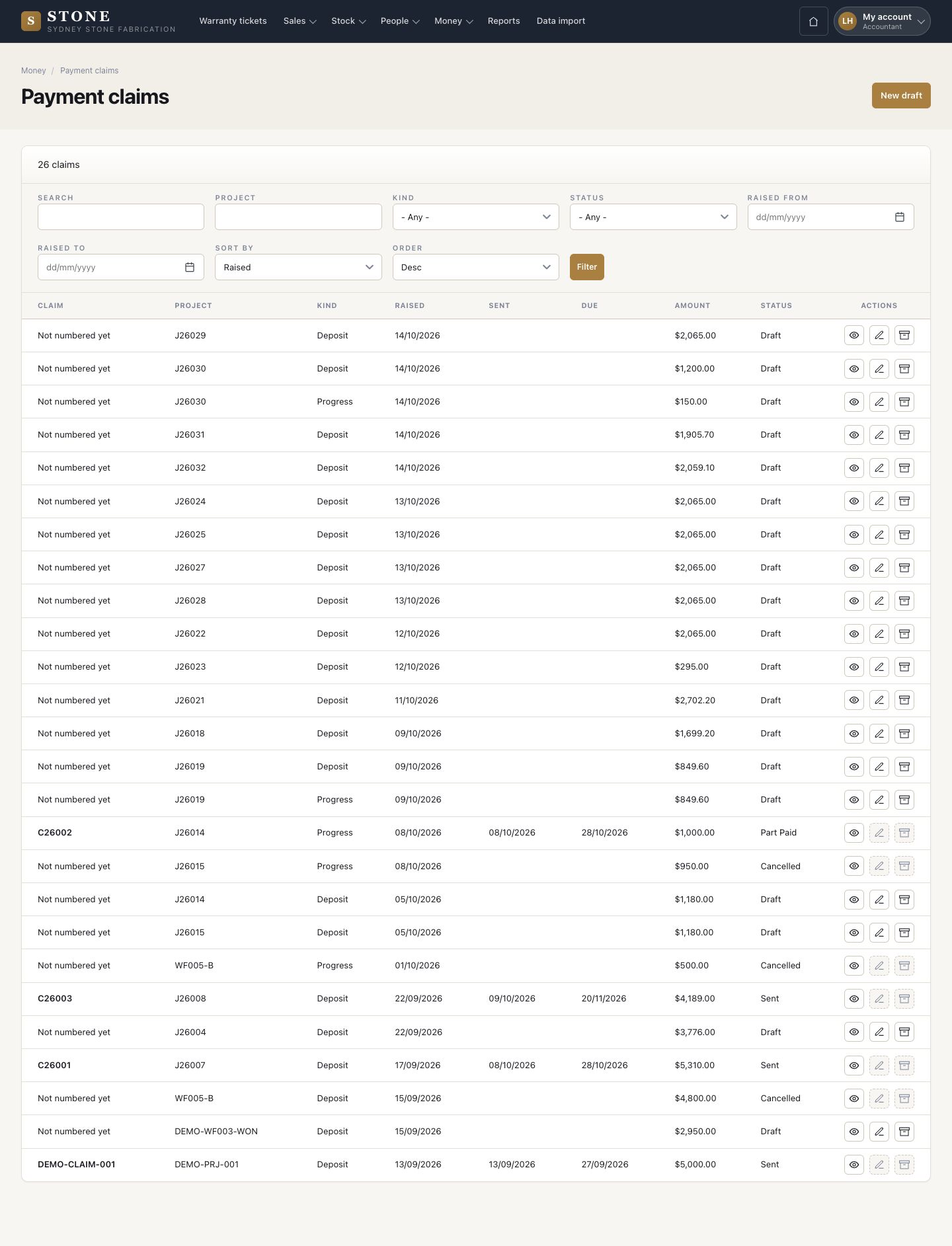
  1. Choose the recipient and press Send payment claim.
  2. The claim takes its number when it is sent.

The customer needs payment terms first. If it has none, ask a director to set them on the customer record.

Open in Stone ↗Full image ↗

Accountant · Claims and collection03

The claim document

Accountant

The claim document

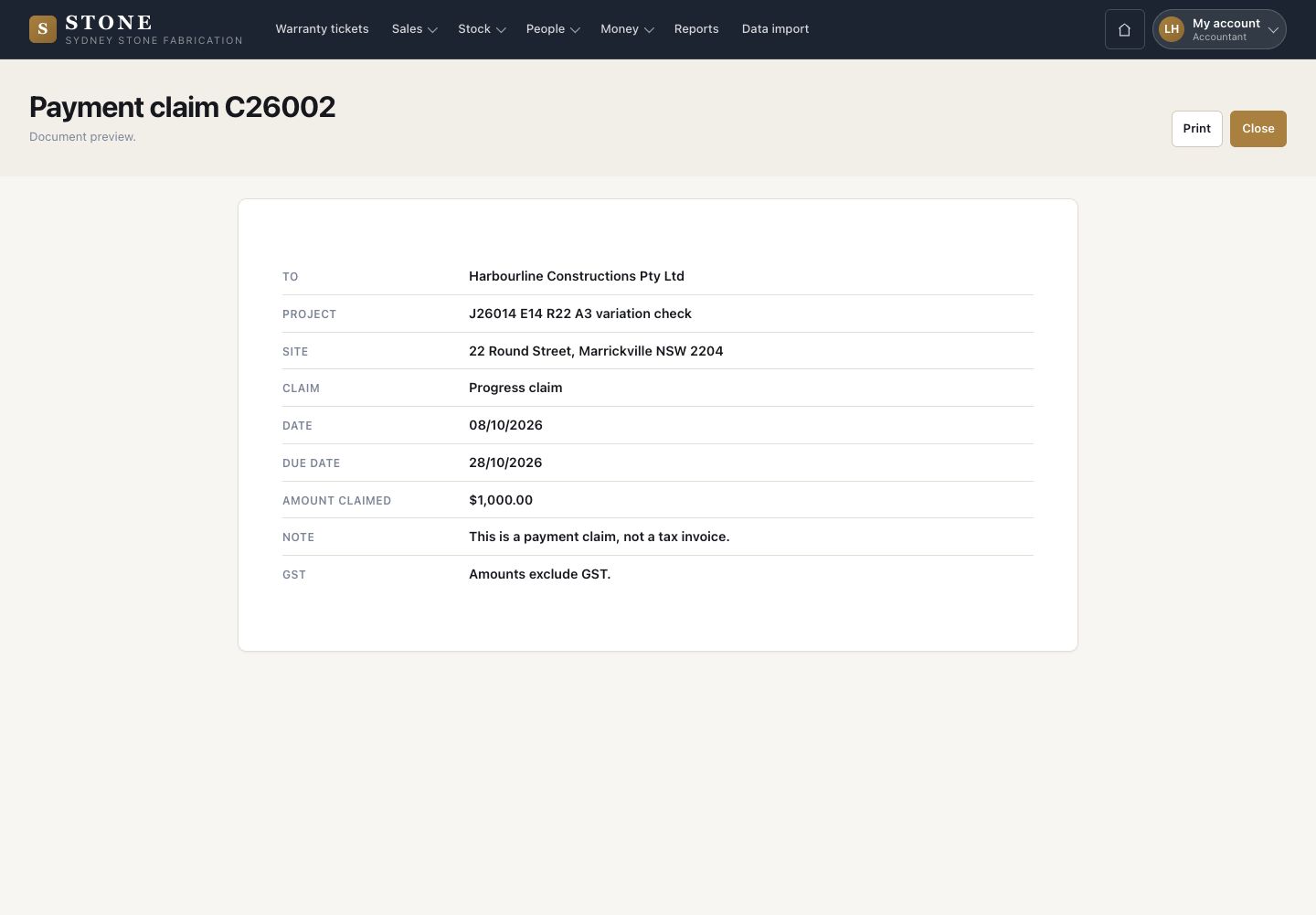
4Step 4 of 8

  1. View claim document shows what the customer receives: the claim, date, due date and amount claimed.
  2. It says: This is a payment claim, not a tax invoice.

Open in Stone ↗Full image ↗

Accountant · Claims and collection04

Record a receipt

Accountant

Record a receipt

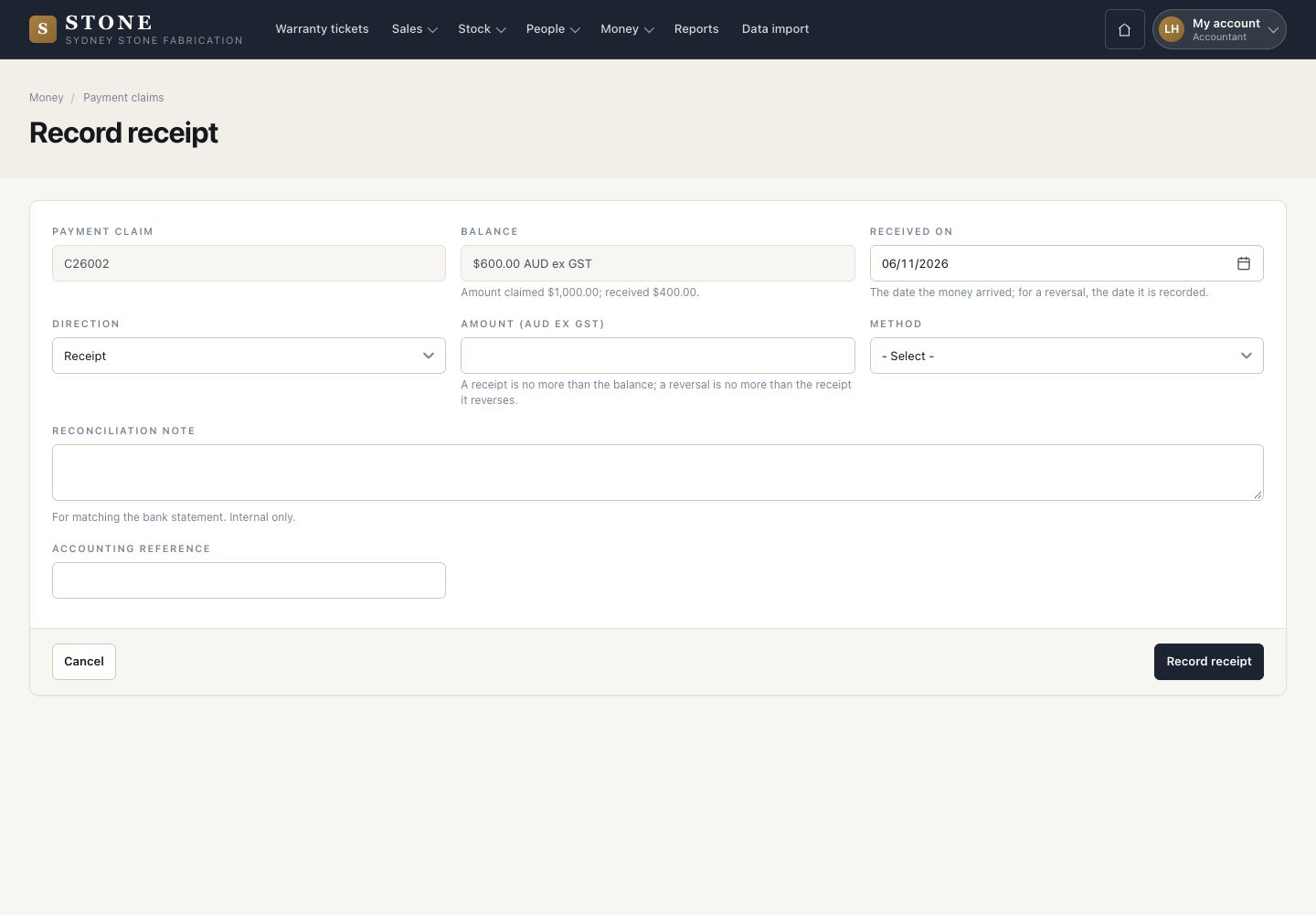
5Step 5 of 8

  1. Record receipt: the date received, the amount ex GST, the method, a reconciliation note and the accounting reference.
  2. The claim moves to Part Paid or Paid.

Open in Stone ↗Full image ↗

Accountant · Claims and collection05

Reverse a receipt

Accountant

Reverse a receipt

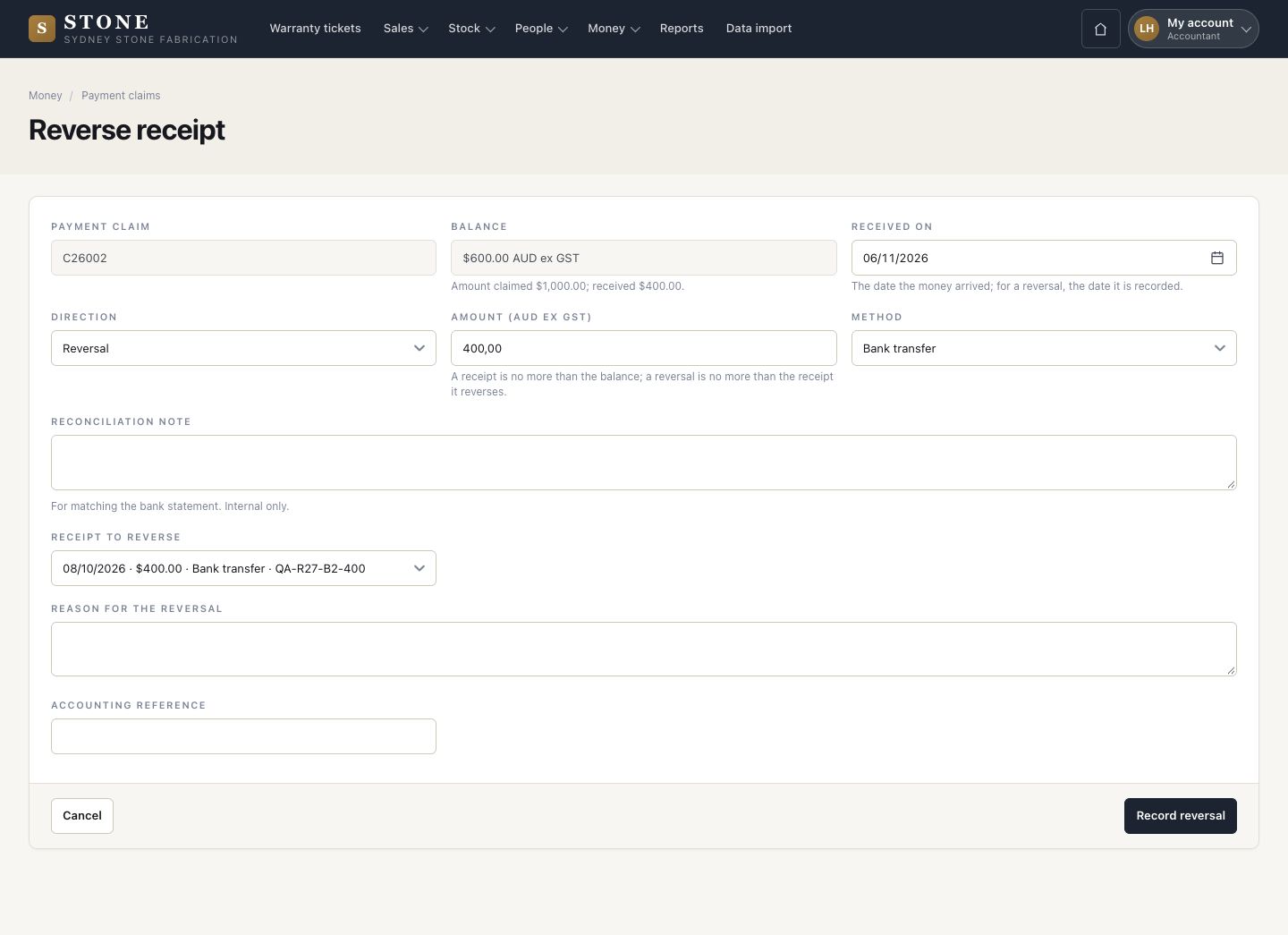
6Step 6 of 8

  1. A wrong receipt is reversed, never edited: choose the receipt to reverse and give the reason.
  2. Record reversal.

Enlarge, then scroll

Open in Stone ↗Full image ↗

Accountant · Claims and collection06

Progress claim

Accountant

Progress claim

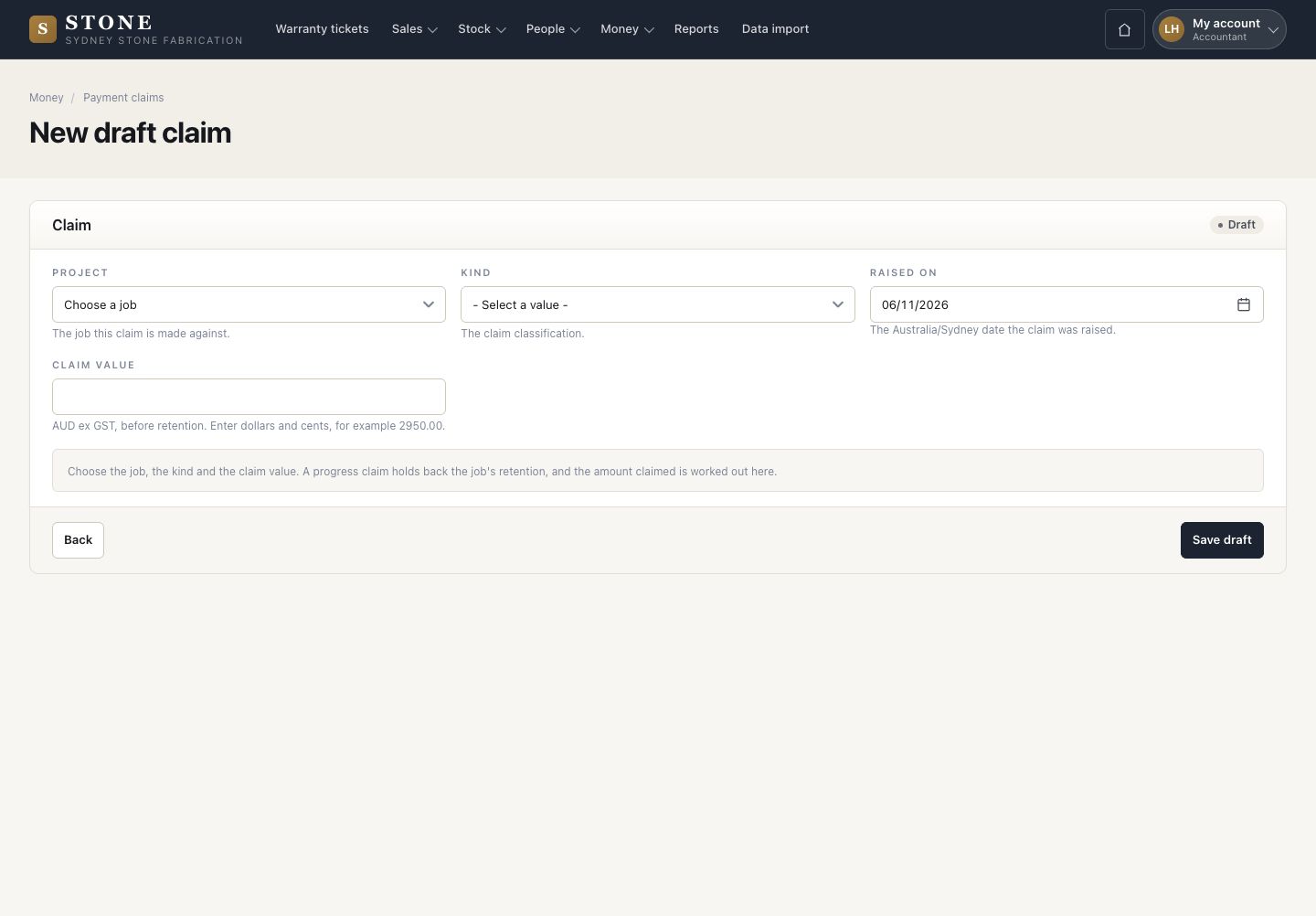
7Step 7 of 8

  1. New draft: the job, the kind (Deposit, Progress or Retention release), the date and the claim value.
  2. Save draft.

A claim cannot take the job past its contract value. Retention is held back automatically, at the Retention rate a director sets when editing the project.

Open in Stone ↗Full image ↗

Accountant · Claims and collection07

Debtors

Accountant

Debtors

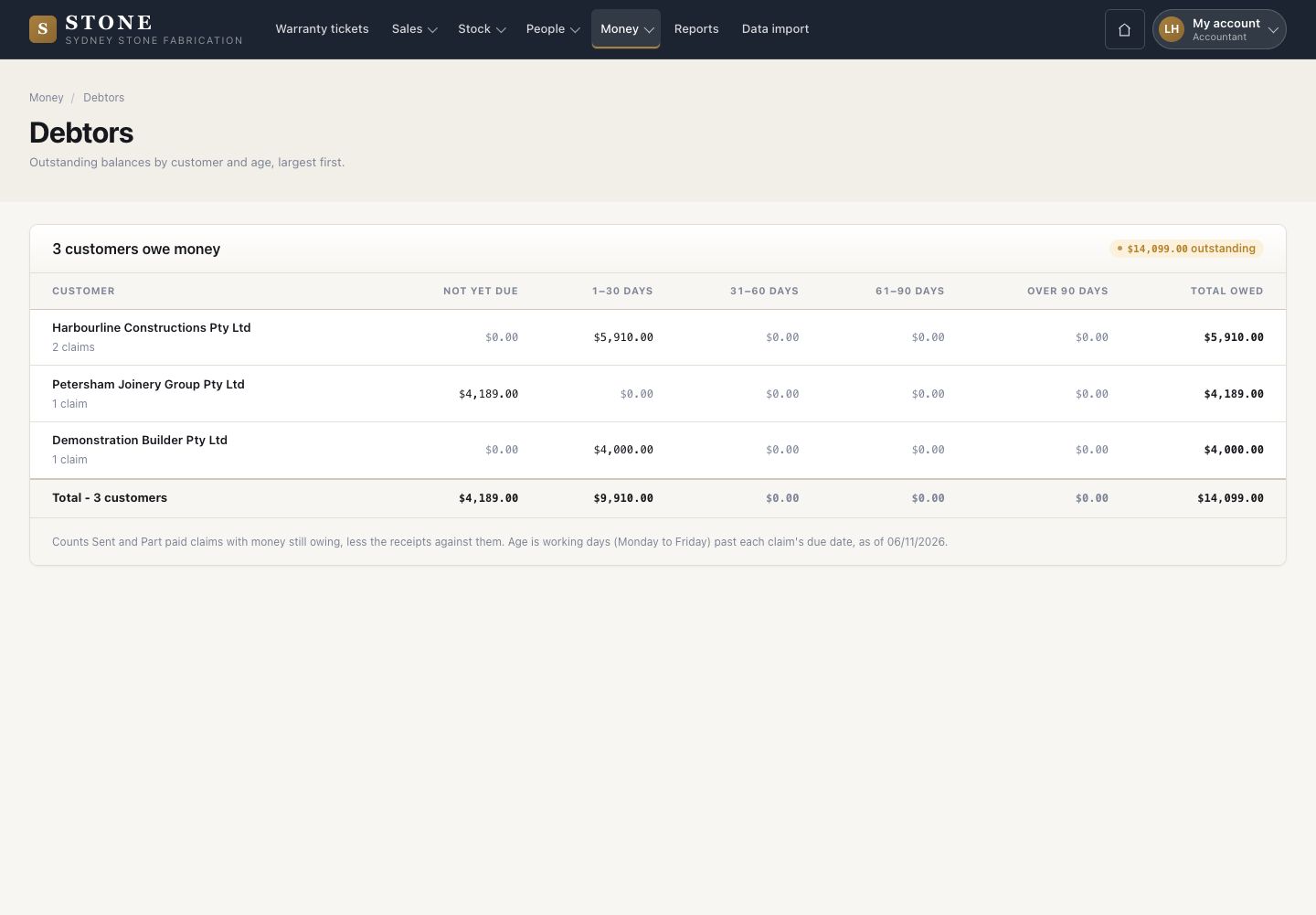
8Step 8 of 8

  1. What each customer owes: not yet due, 1–30, 31–60, 61–90 and over 90 days, largest first.

Open in Stone ↗Full image ↗

Check

The claim is paid and the debtors list is right

Accountant · Claims and collection08
1 / 9