Staff accounts

A person, then a sign-in

  • An employee record
Platform administrator

The employee record

Accountant

The employee record

1Step 1 of 4

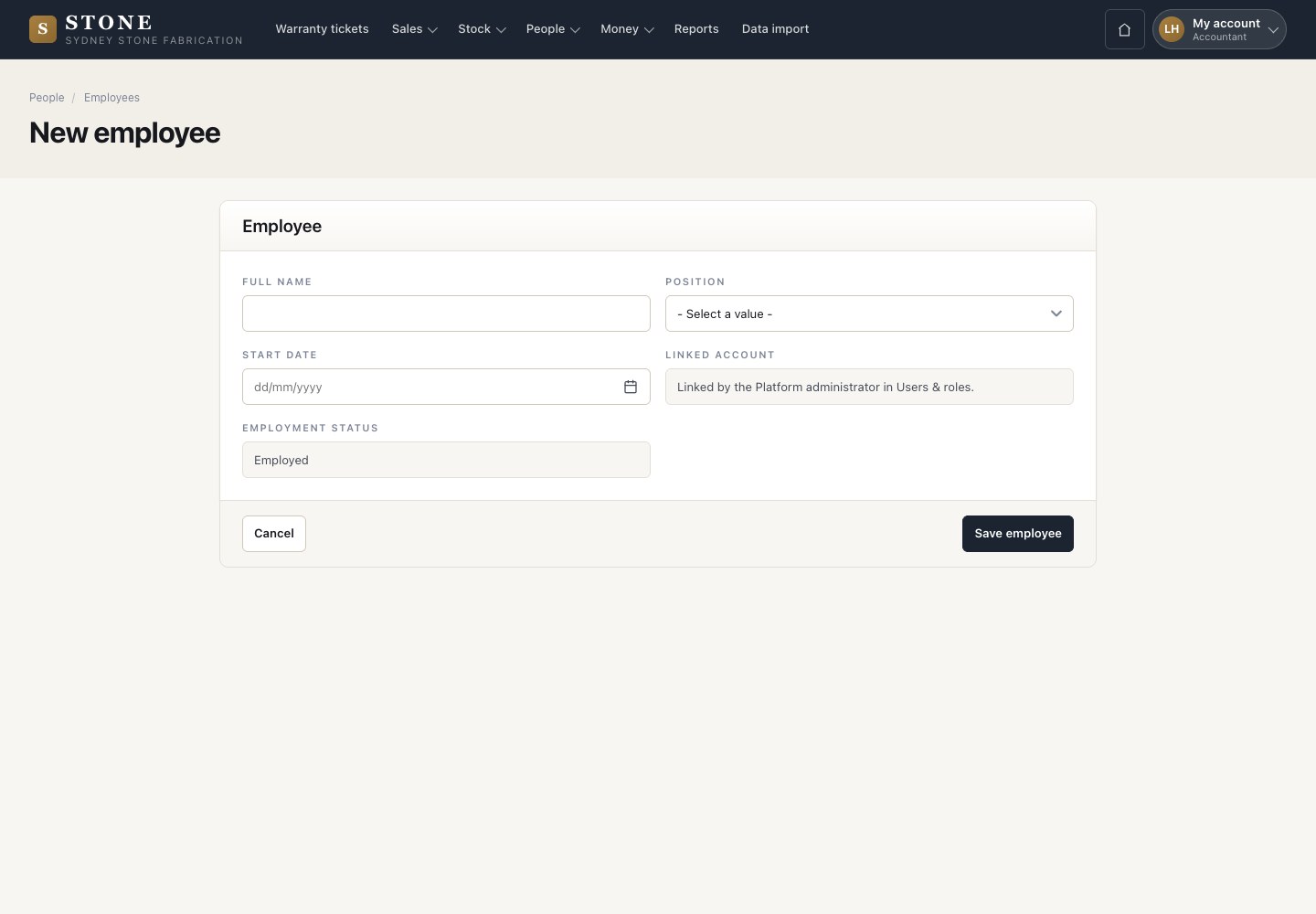
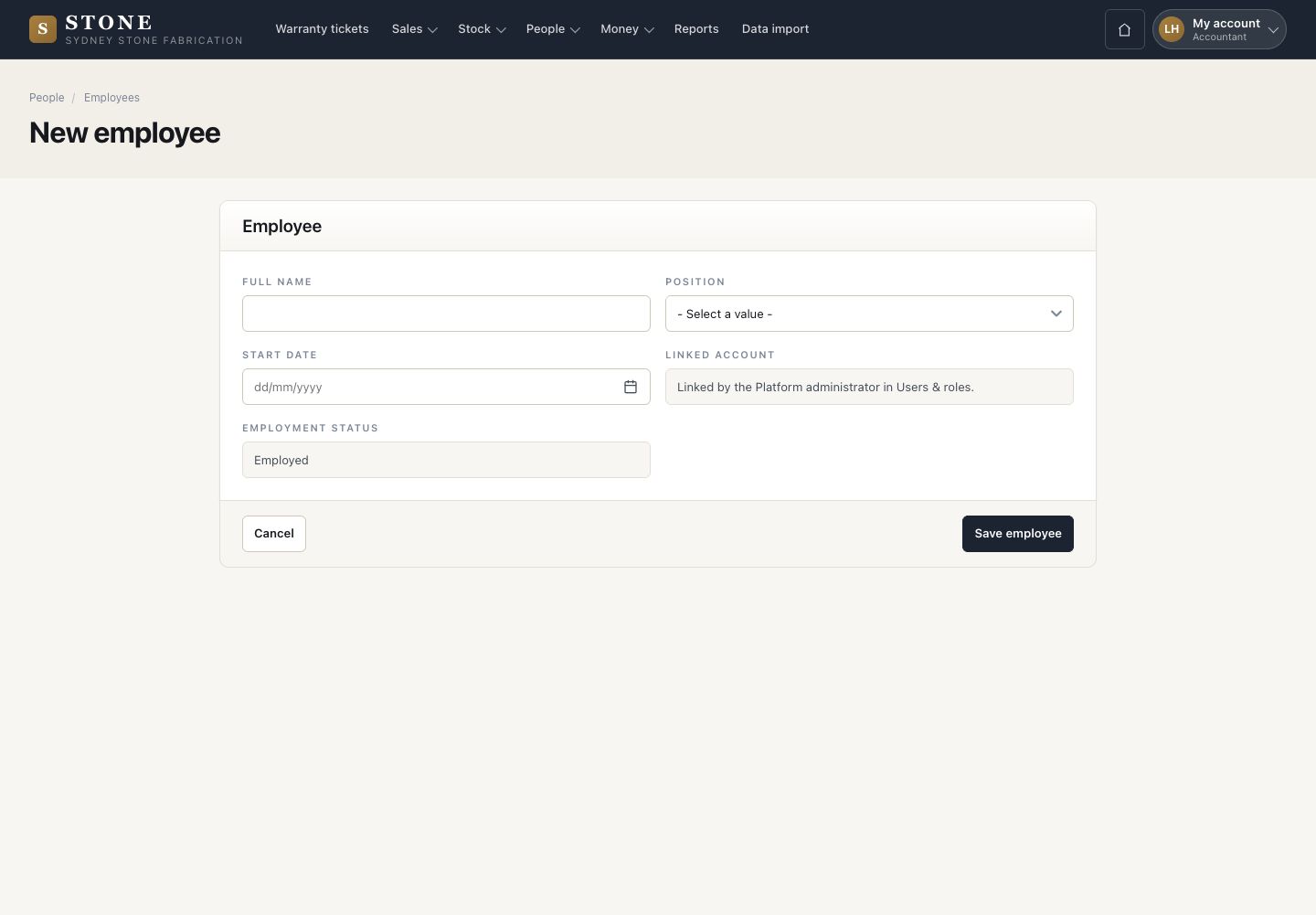
  1. People → Employees → New employee: full name, position and start date.
  2. Save employee.

Open in Stone ↗Full image ↗

Platform administrator · Staff accounts01

Add an account

Platform administrator

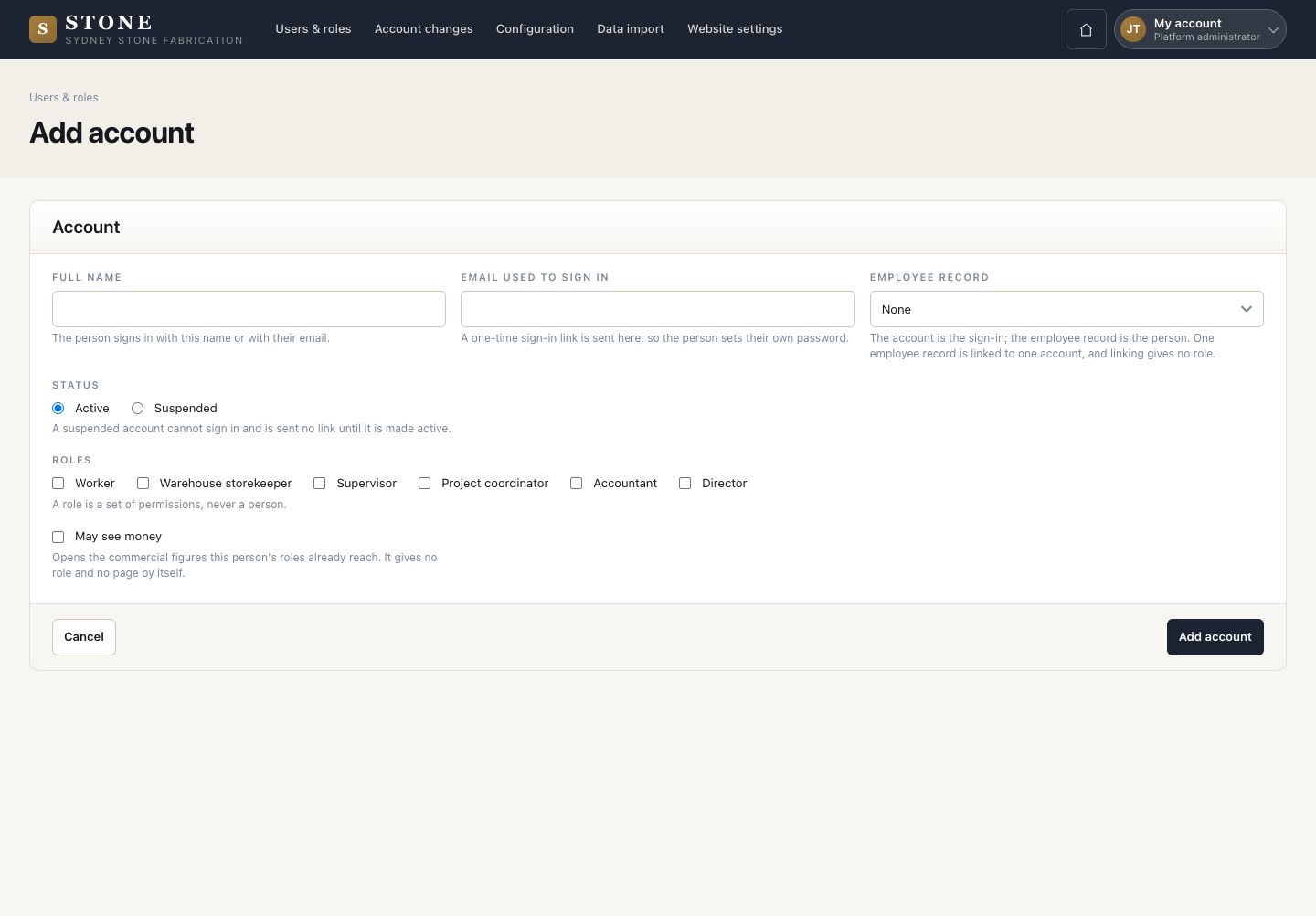
Add an account

2Step 2 of 4

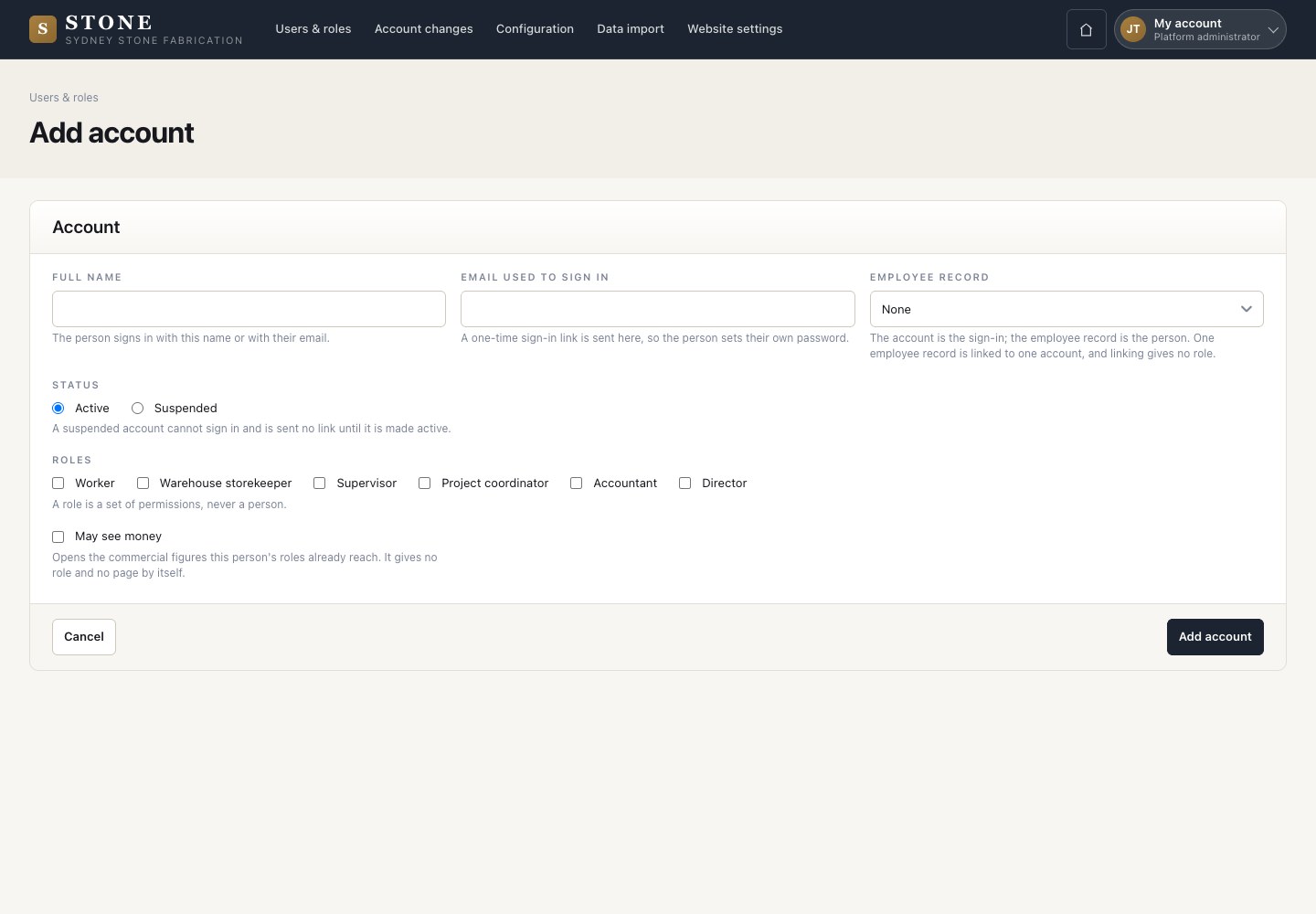
  1. Users & roles → Add account.
  2. Full name, the email used to sign in, the employee record, the status, the business roles and May see money.
  3. Add account.

Nobody types a password for someone else: the person receives a one-time sign-in email and sets their own.

Open in Stone ↗Full image ↗

Platform administrator · Staff accounts02

Change an account

Platform administrator

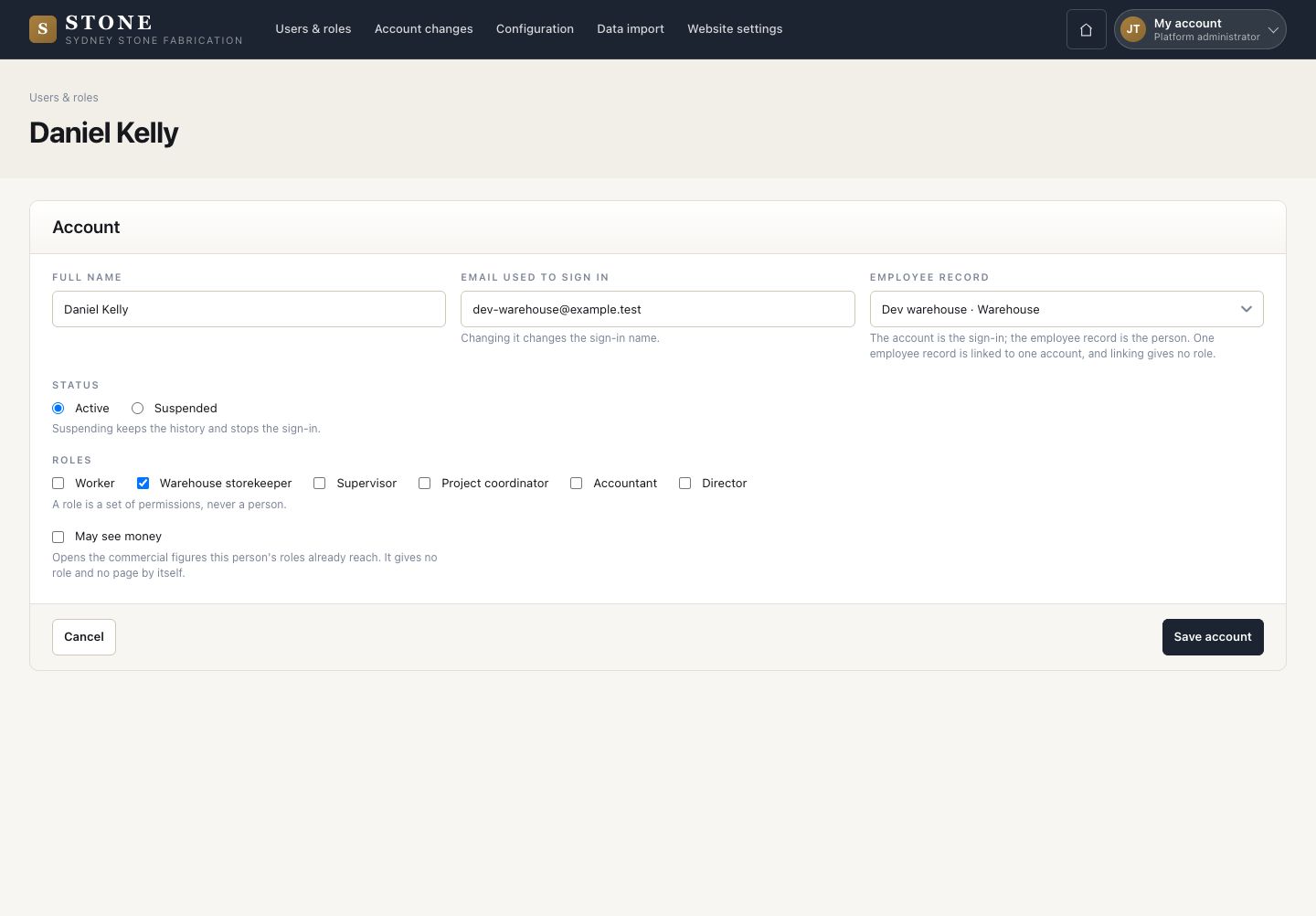
Change an account

3Step 3 of 4

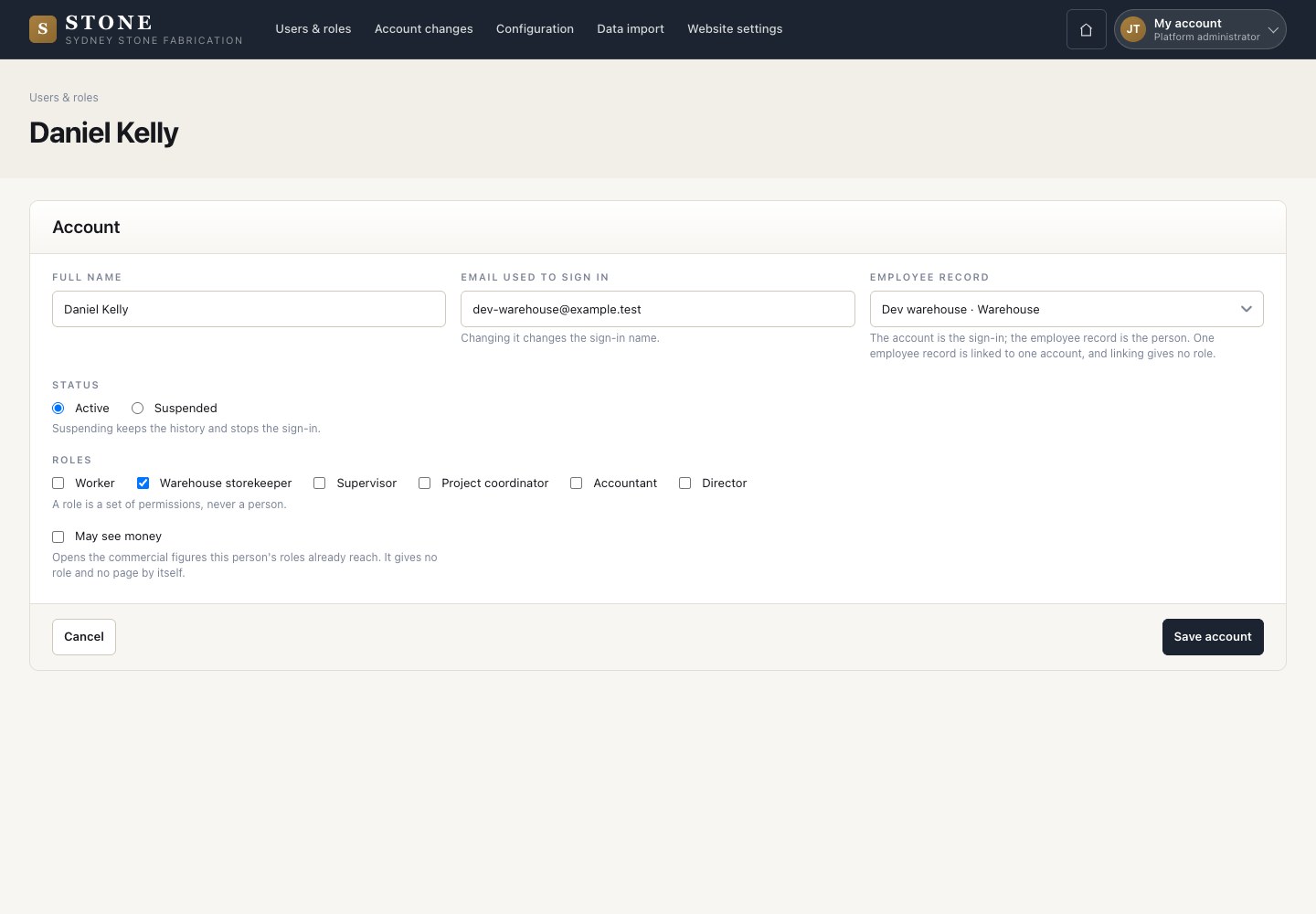
  1. Open an account from its row: change its roles, suspend it or link another employee record.
  2. Save account.

May see money shows the commercial fields the roles already reach; it grants no access by itself.

Open in Stone ↗Full image ↗

Platform administrator · Staff accounts03

Account changes

Platform administrator

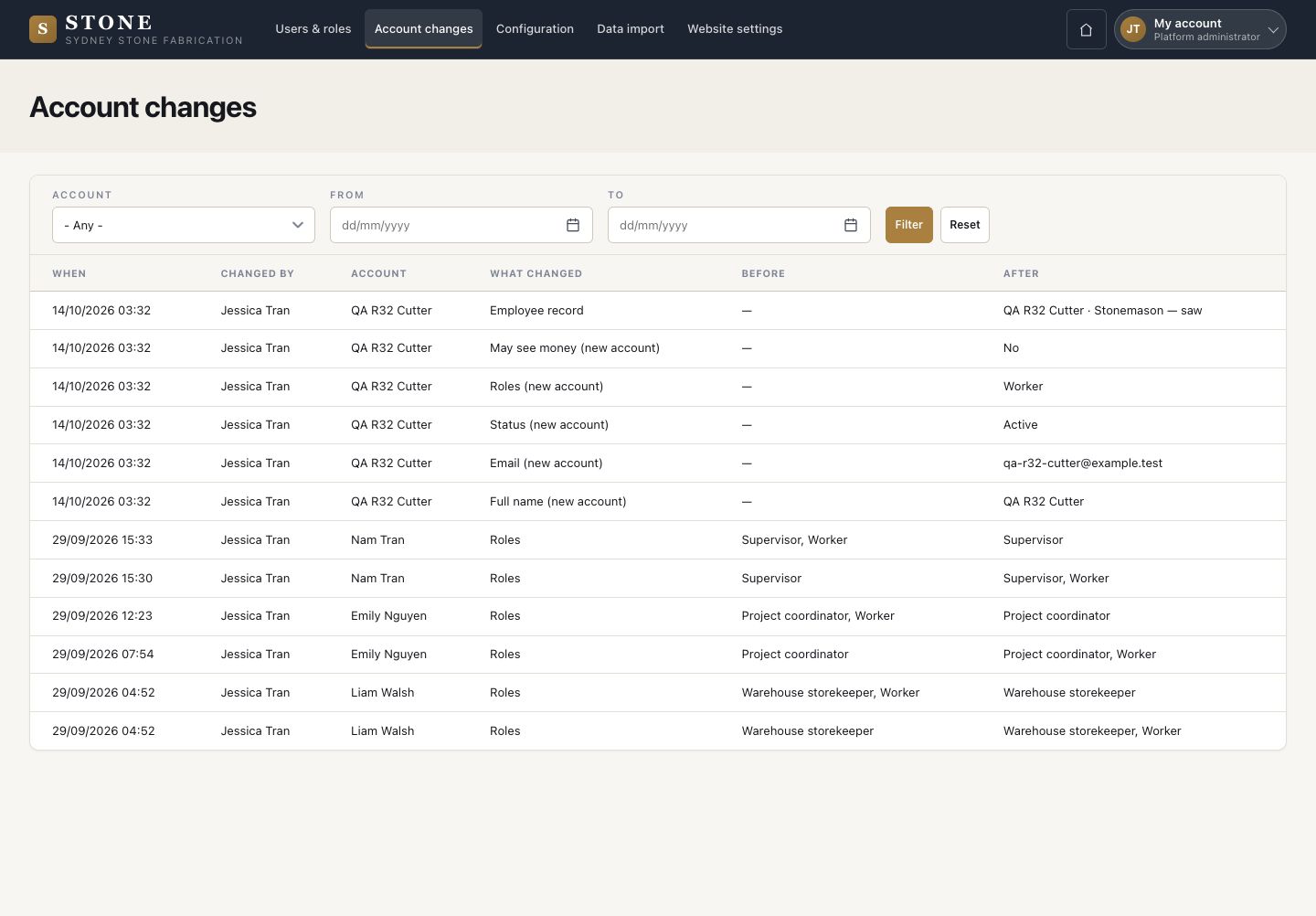
Account changes

4Step 4 of 4

  1. Who changed which account, when, what changed, before and after.
  2. Filter by account and dates.

Open in Stone ↗Full image ↗

Check

The person signs in with the right roles, and every change is on record

Platform administrator · Staff accounts04
1 / 5