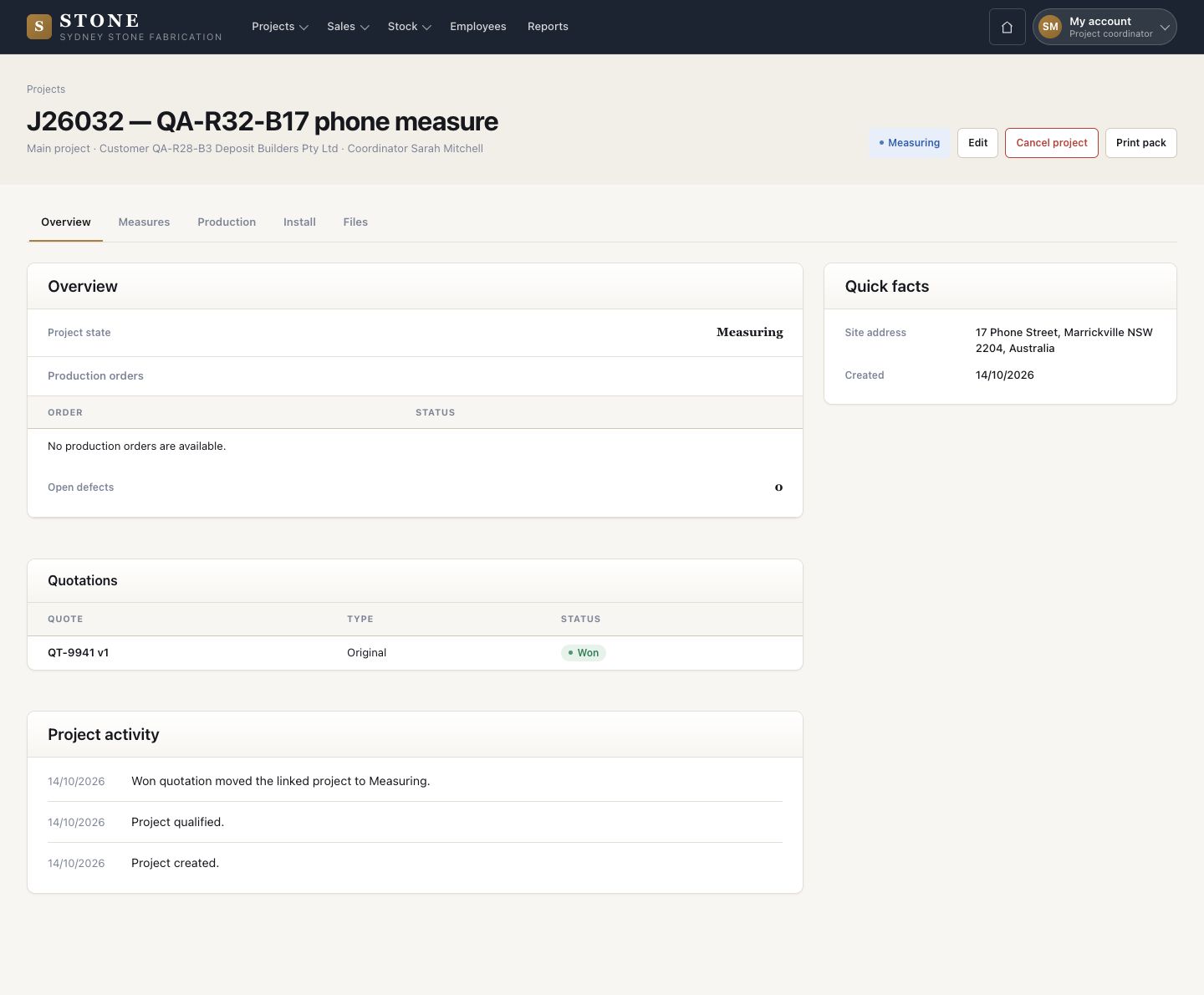
Measure and approve

Nothing is cut before a director approves

  • A job at Measuring
Project coordinator
Open the measures

Project coordinator

Open the measures

1Step 1 of 8

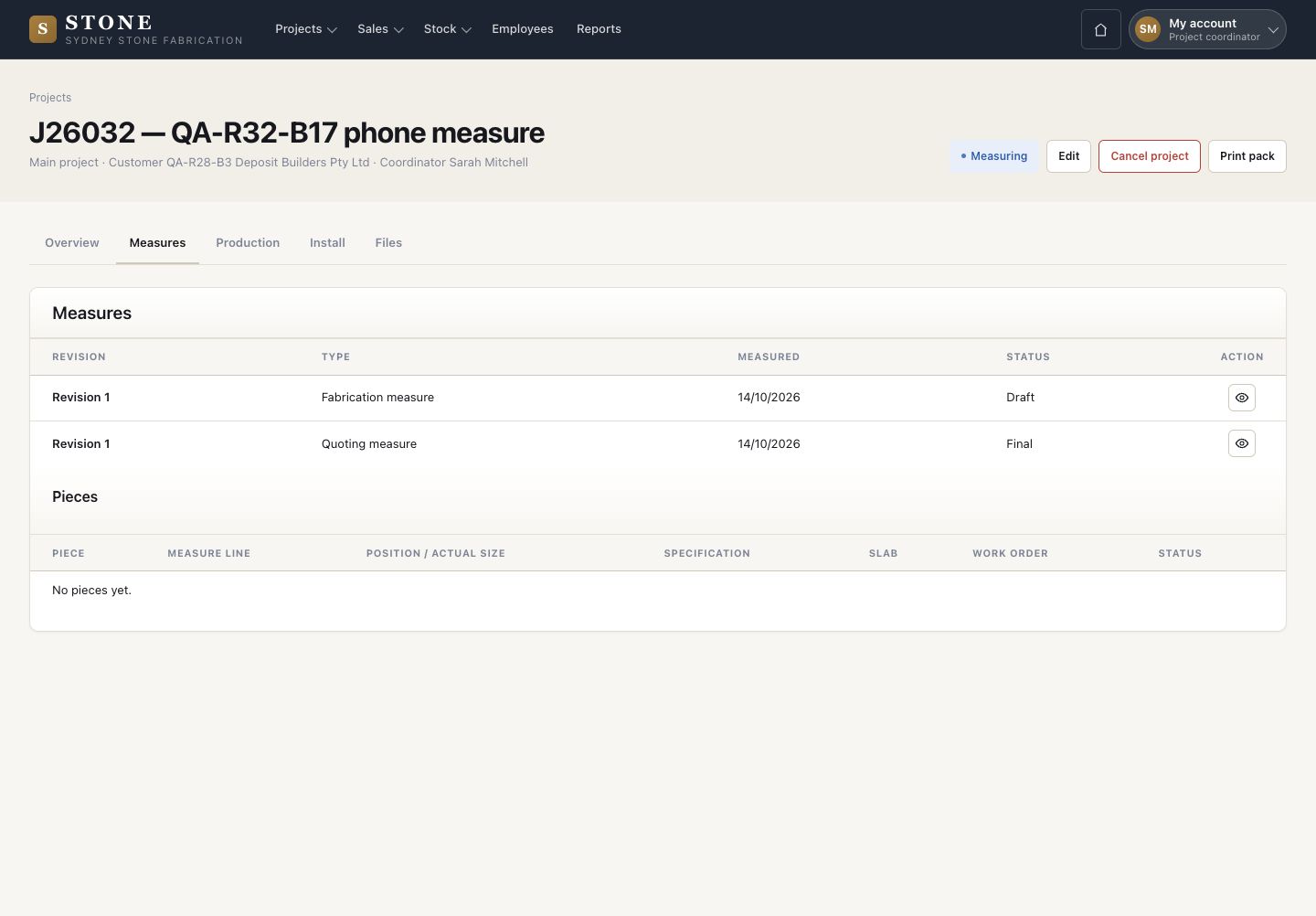
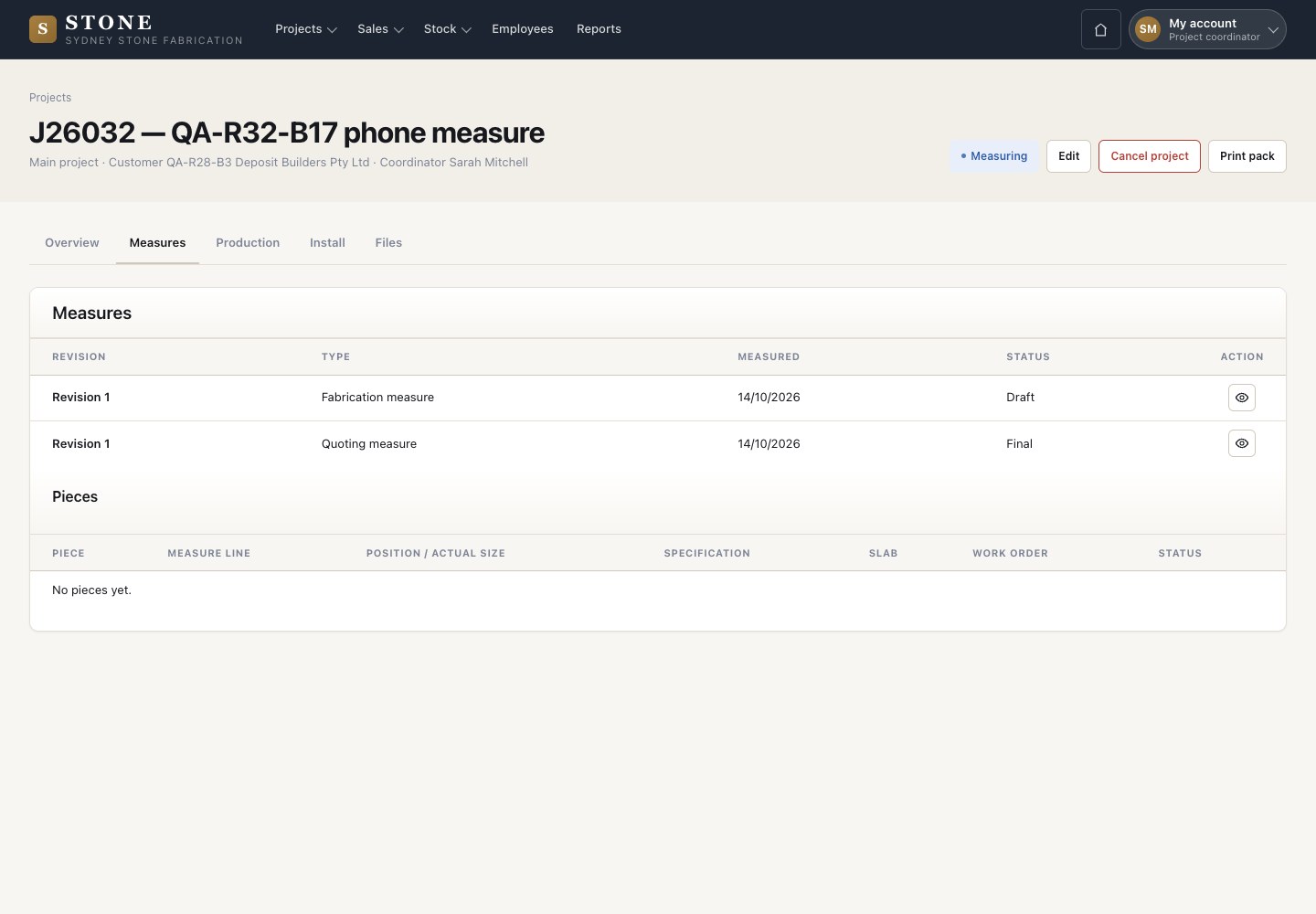
  1. On the project, open Measures: each quoting and fabrication measure with its revision and status.
  2. New fabrication measure starts the sheet the workshop will cut from.

Open in Stone ↗Full image ↗

Project coordinator · Measure and approve01

Assign the measurer

Project coordinator

Assign the measurer

2Step 2 of 8

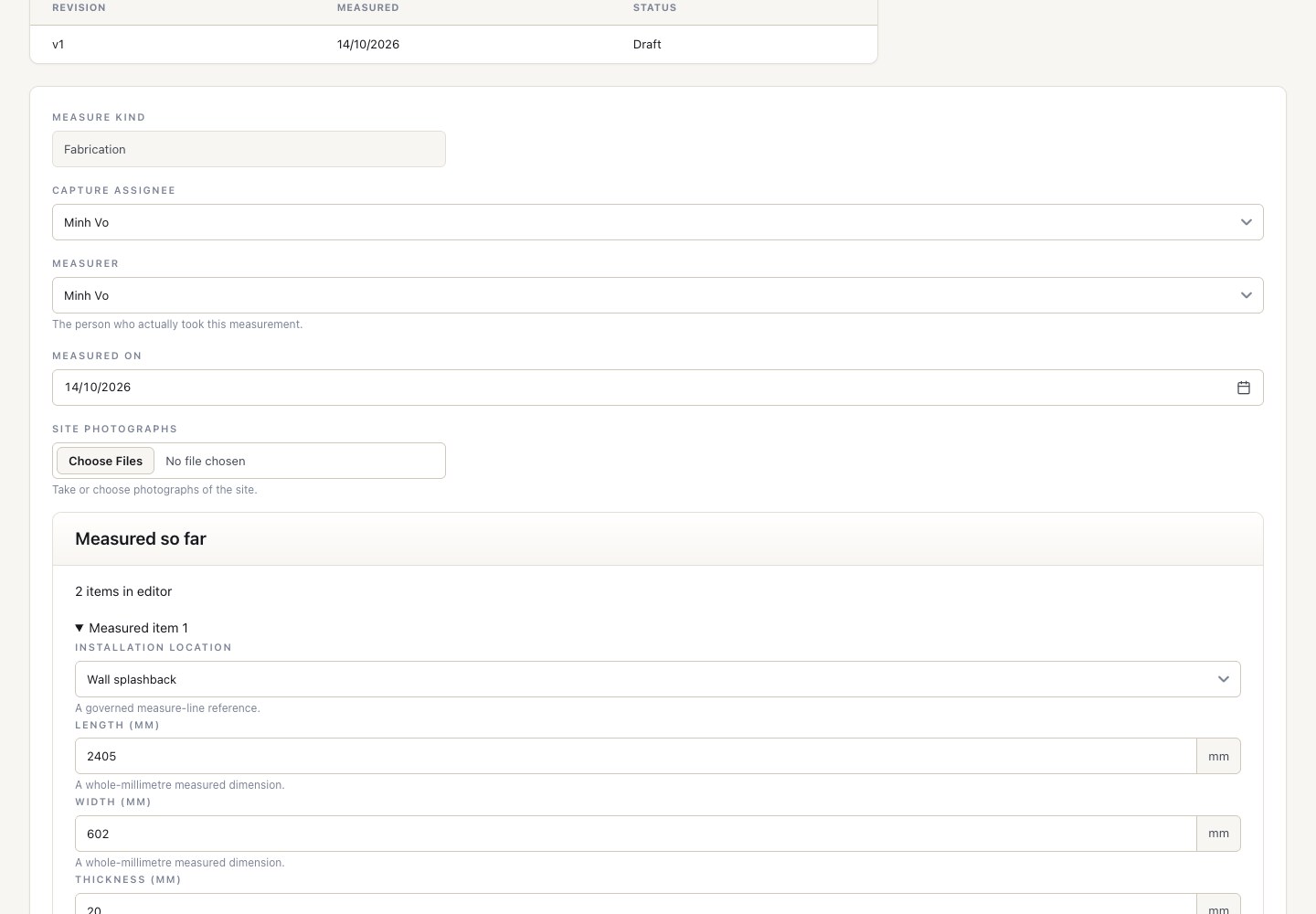
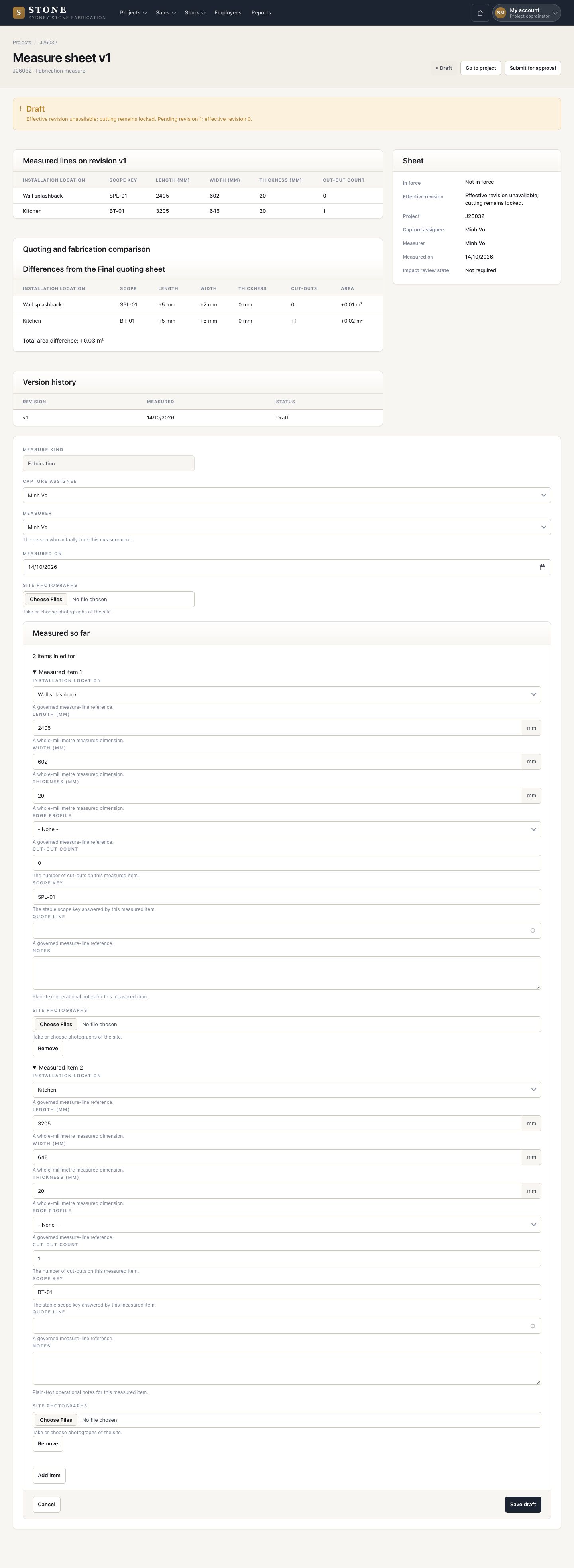
  1. Open the fabrication measure while it is a Draft.
  2. Choose the Capture assignee: the person who measures on site.
  3. Save draft.

Only the capture assignee can enter the site measure.

Enlarge, then scroll

Open in Stone ↗Full image ↗

Project coordinator · Measure and approve02

Measure on site

Worker

Measure on site

3Step 3 of 8

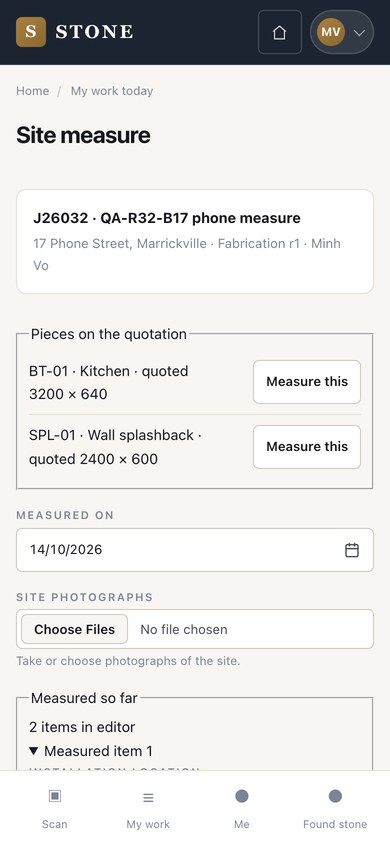
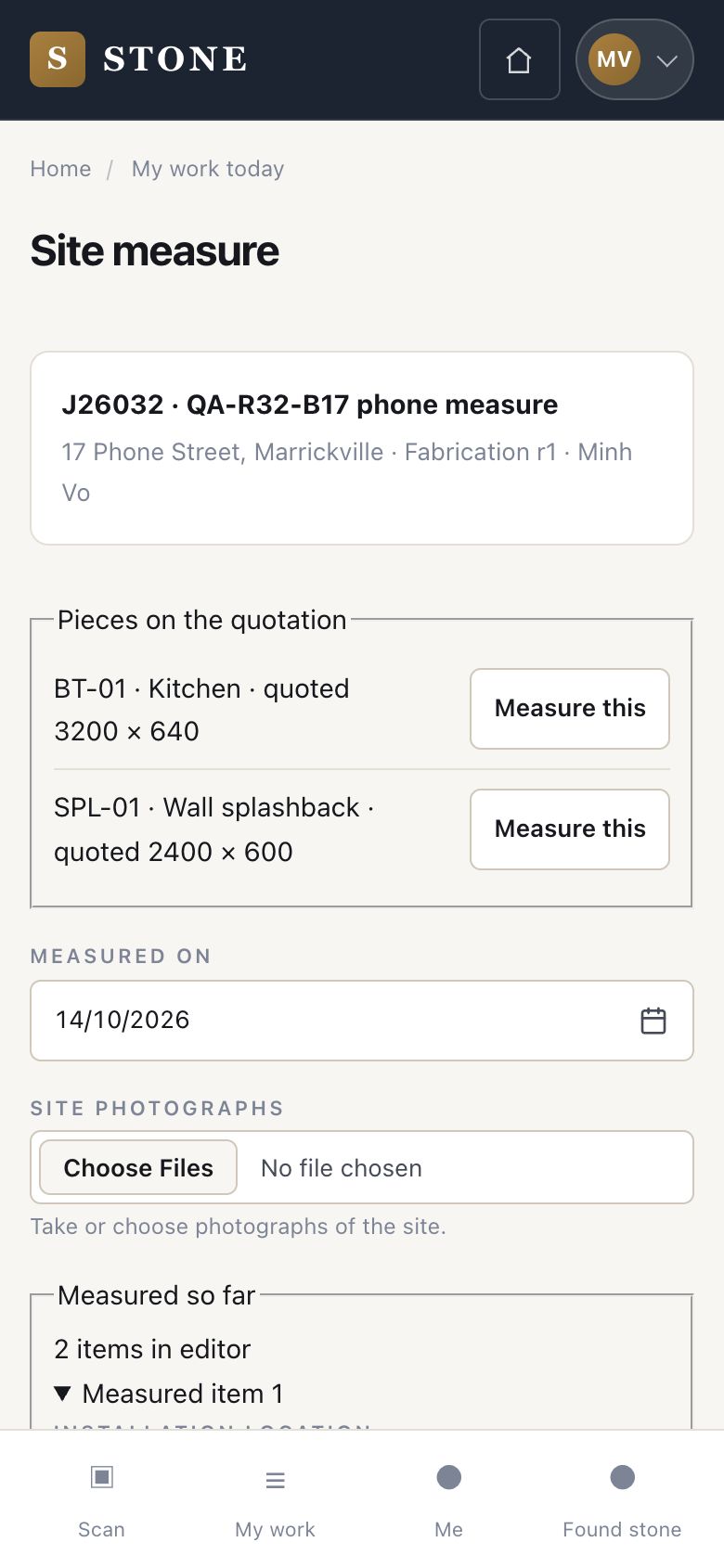
  1. The assignee opens Site measure on the phone.
  2. Press Measure this on each piece of the quotation and enter the size found on site.
  3. Set the date, add site photographs and save.

Anyone else who opens it reads: This step is not yours to take.

Open in Stone ↗Full image ↗

Project coordinator · Measure and approve03

Compare with the quote

Project coordinator

Compare with the quote

4Step 4 of 8

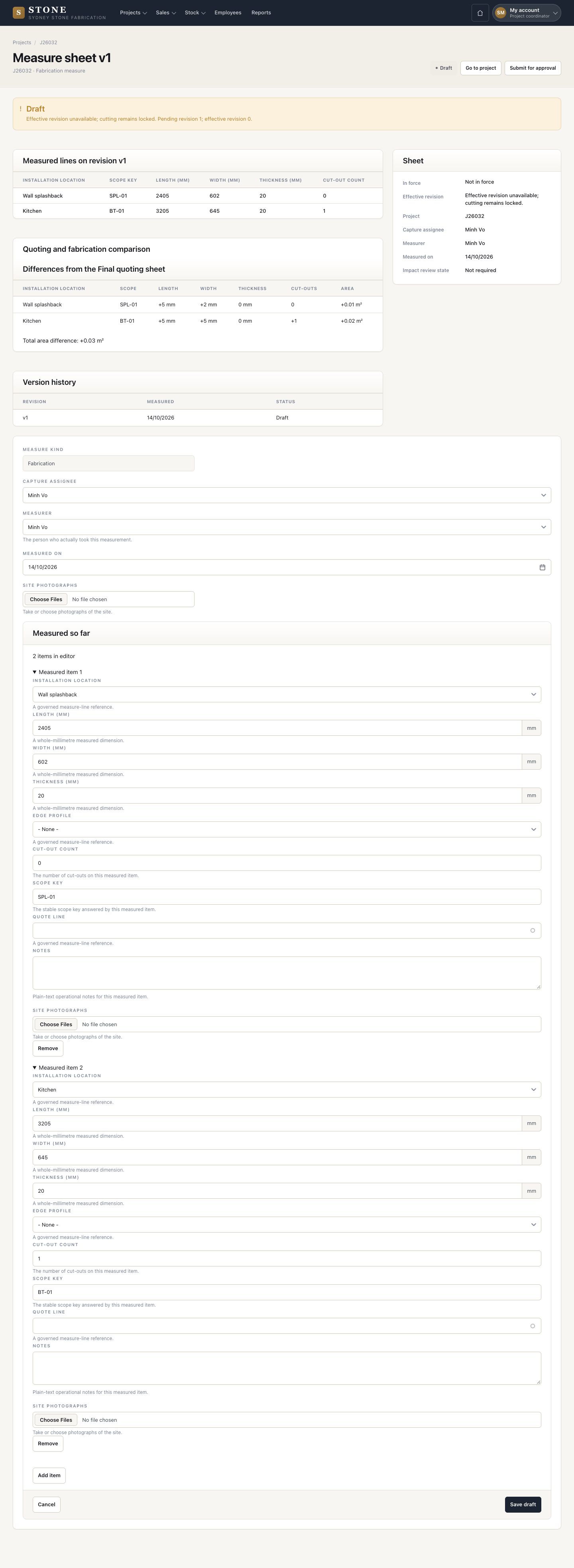
  1. The sheet sets each site size against the quoting measure: length, width, thickness, cut-outs and area.
  2. While it is a Draft, cutting stays locked.

Enlarge, then scroll

Open in Stone ↗Full image ↗

Project coordinator · Measure and approve04

Submit for approval

Project coordinator

Submit for approval

5Step 5 of 8

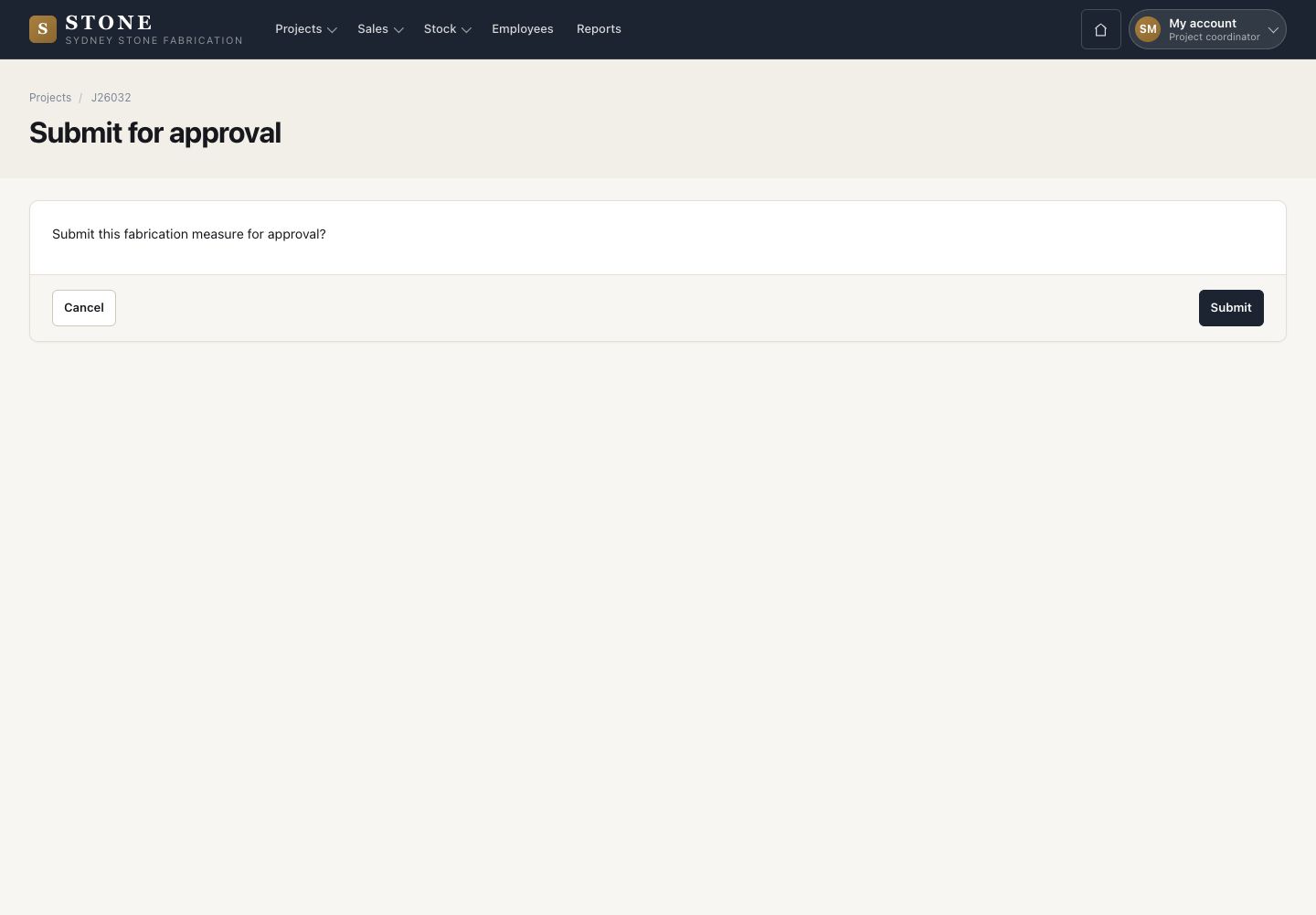
  1. Submit for approval, then confirm with Submit.
  2. The sheet is frozen as Pending and the directors are told.

Open in Stone ↗Full image ↗

Project coordinator · Measure and approve05

The director decides

Director

The director decides

6Step 6 of 8

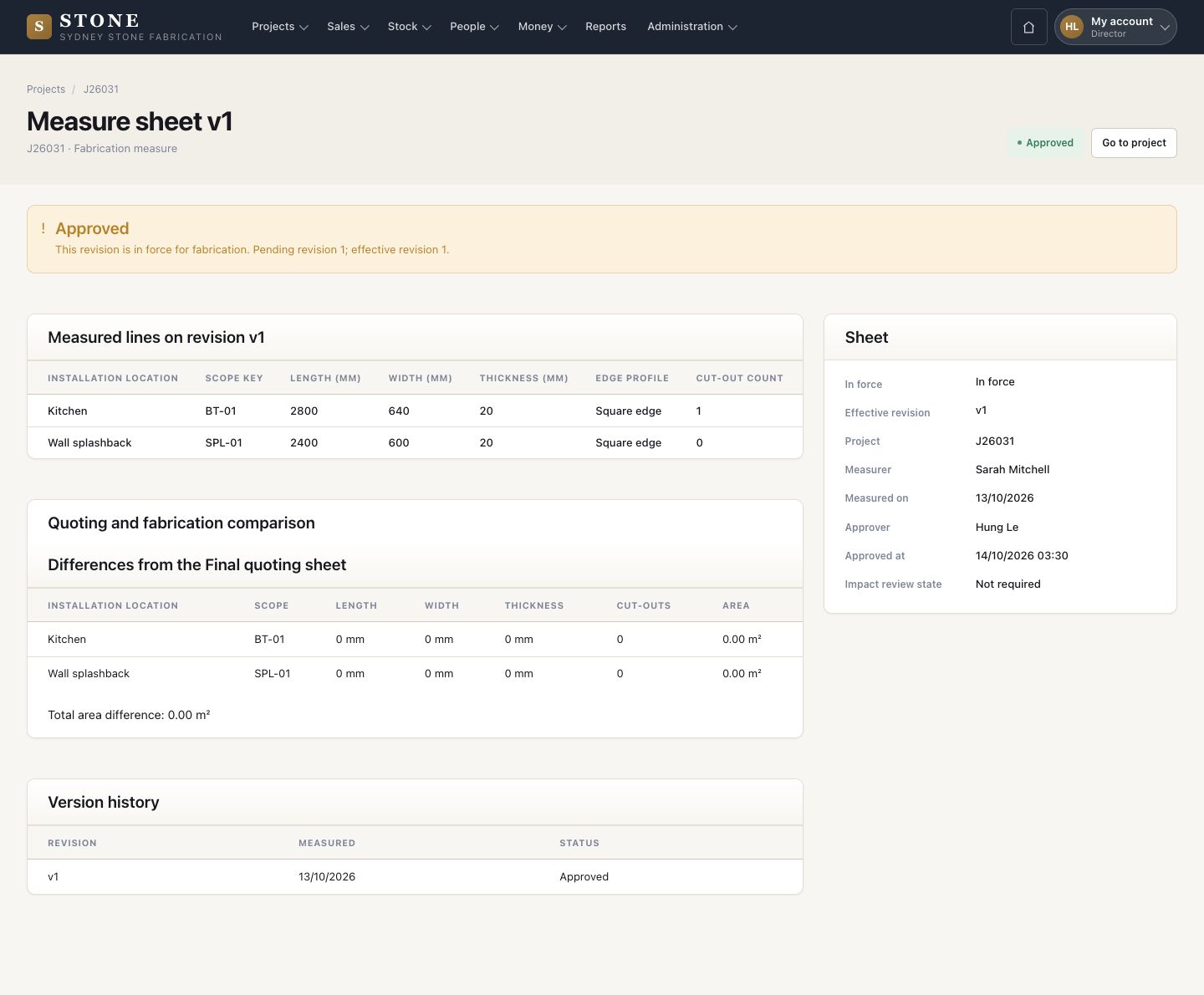
  1. A director opens the Pending sheet and reads the differences.
  2. Approve; Approve with exception, with the reason; or Return for re-measure, with the reason.
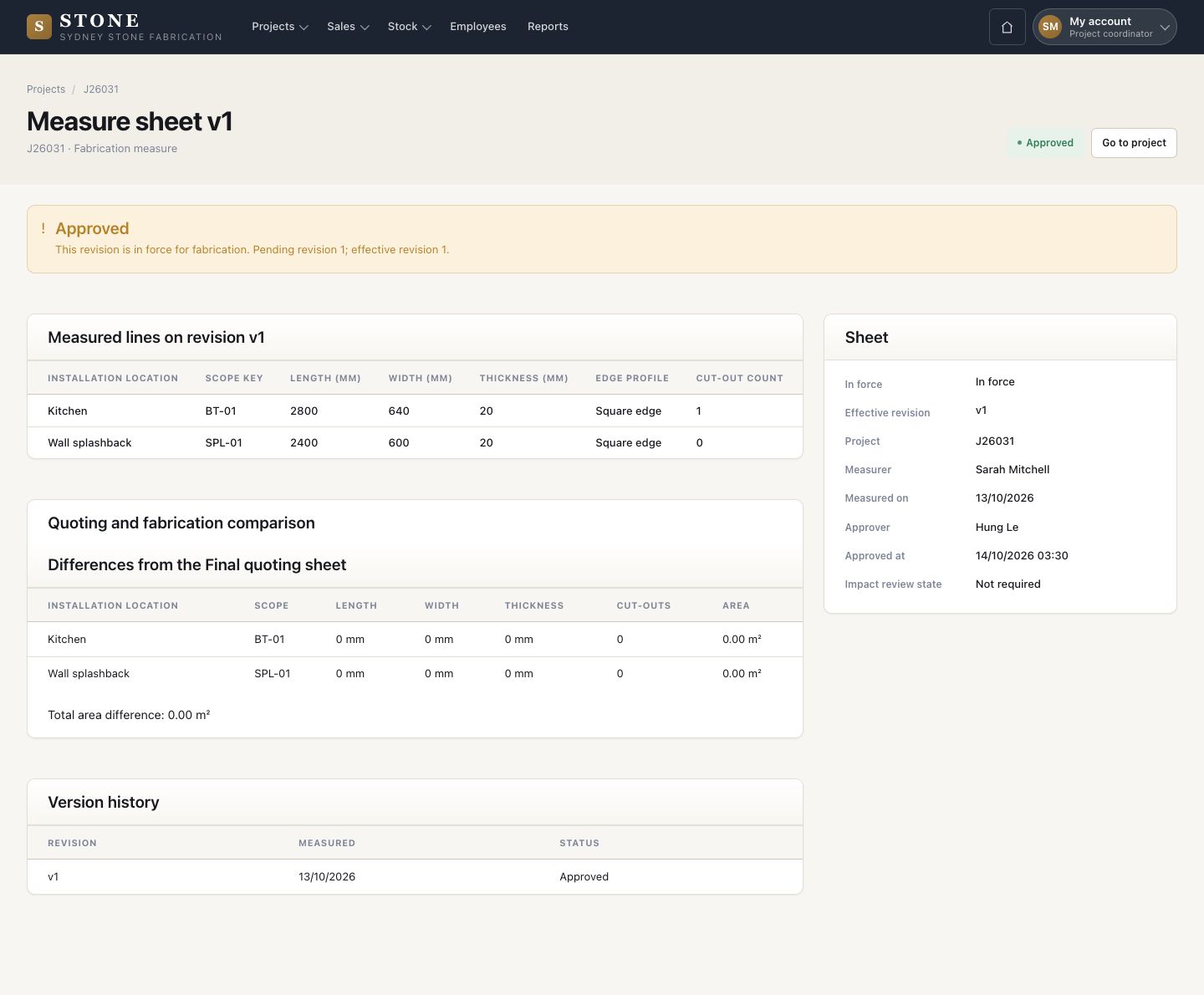
  3. An approved revision is in force for fabrication.

Nobody approves a sheet they measured themselves.

Enlarge, then scroll

Open in Stone ↗Full image ↗

Project coordinator · Measure and approve06

After the decision

Project coordinator
After the decision

7Step 7 of 8

  1. Work orders are made only from the latest approved fabrication measure.
  2. A new revision replaces it later, and the orders made from the old one are marked for review.
  3. A sheet returned for re-measure: press Re-measure, correct the sizes and press Submit for approval again.

Enlarge, then scroll

Open in Stone ↗Full image ↗

Project coordinator · Measure and approve07

Move to Approved

Project coordinator

Move to Approved

8Step 8 of 8

  1. When the fabrication measure is approved, Move to Approved appears with the buttons at the top of the project.
  2. Press it and confirm. The job is Approved and New work order appears.

Enlarge, then scroll

Open in Stone ↗Full image ↗

Check

The fabrication measure is approved and the job is Approved: the workshop can cut from it

Project coordinator · Measure and approve08
1 / 9