Costs and margin

What each job really earns

  • Costs recorded on the job
Accountant

Cost ledger

Accountant

Cost ledger

1Step 1 of 5

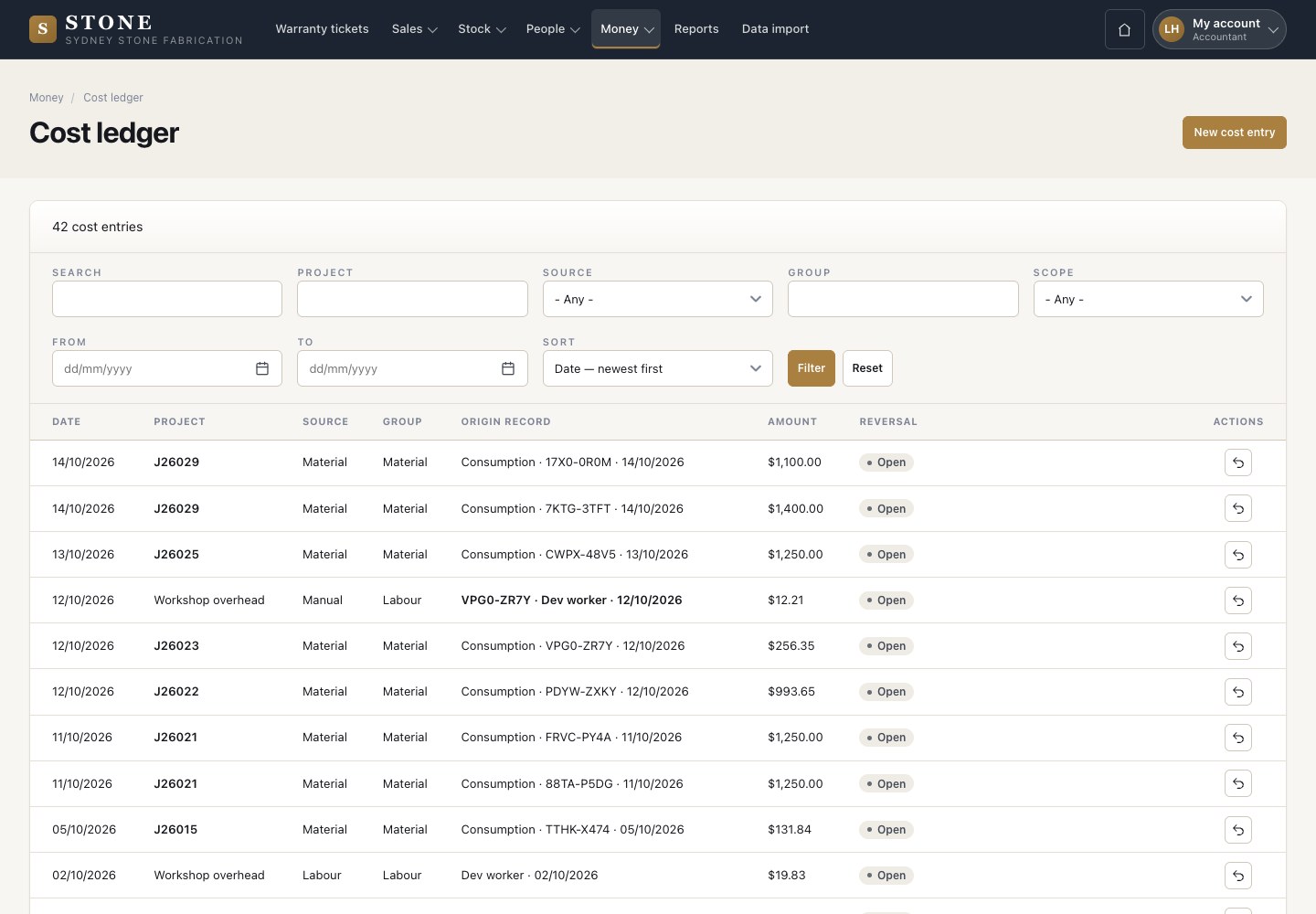
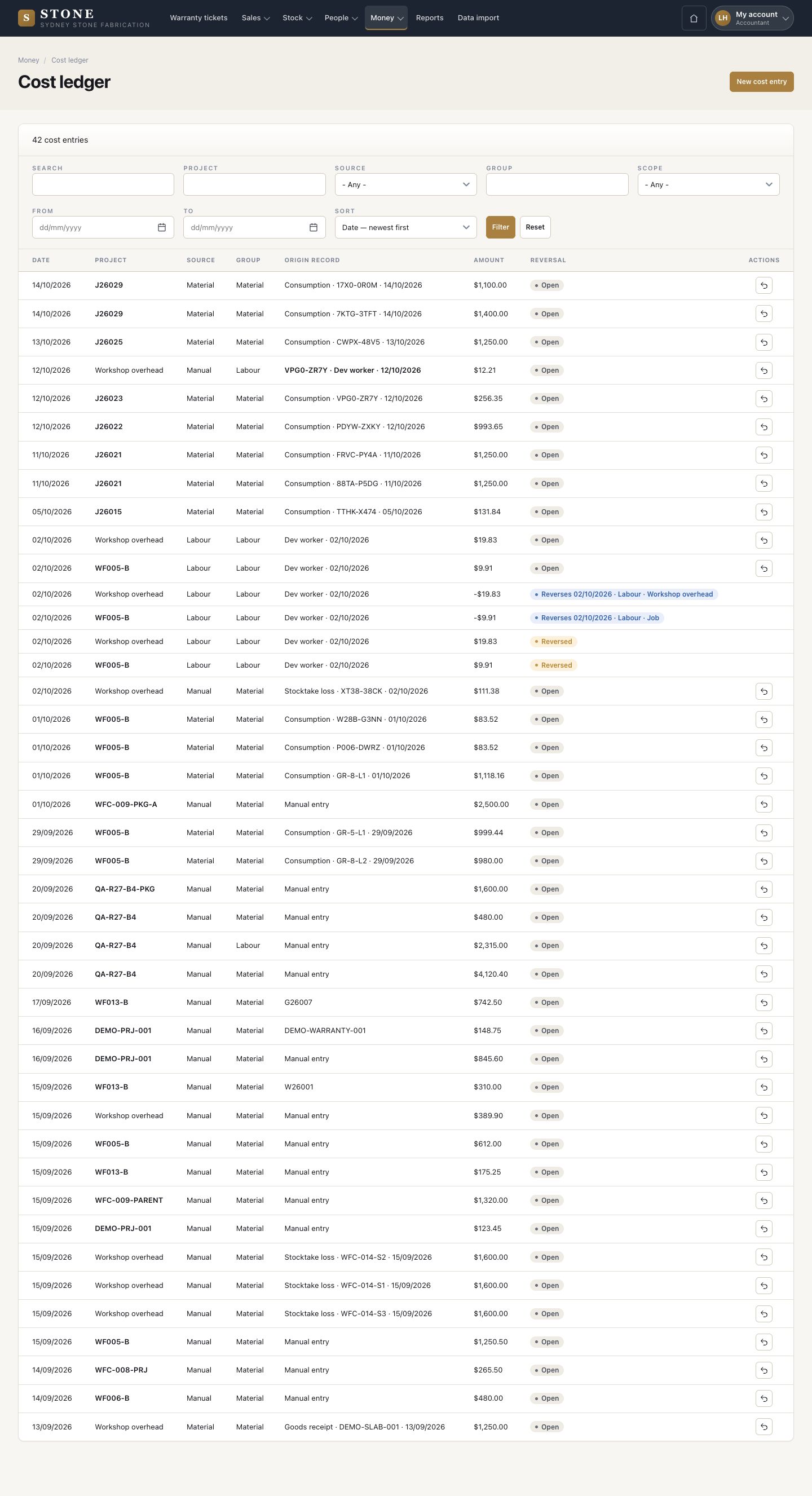
  1. Money → Cost ledger: every cost with its project, source, group, origin and amount.
  2. Stone arrives on its own when a cut uses a slab, and labour when a day is approved.

Enlarge, then scroll

Open in Stone ↗Full image ↗

Accountant · Costs and margin01

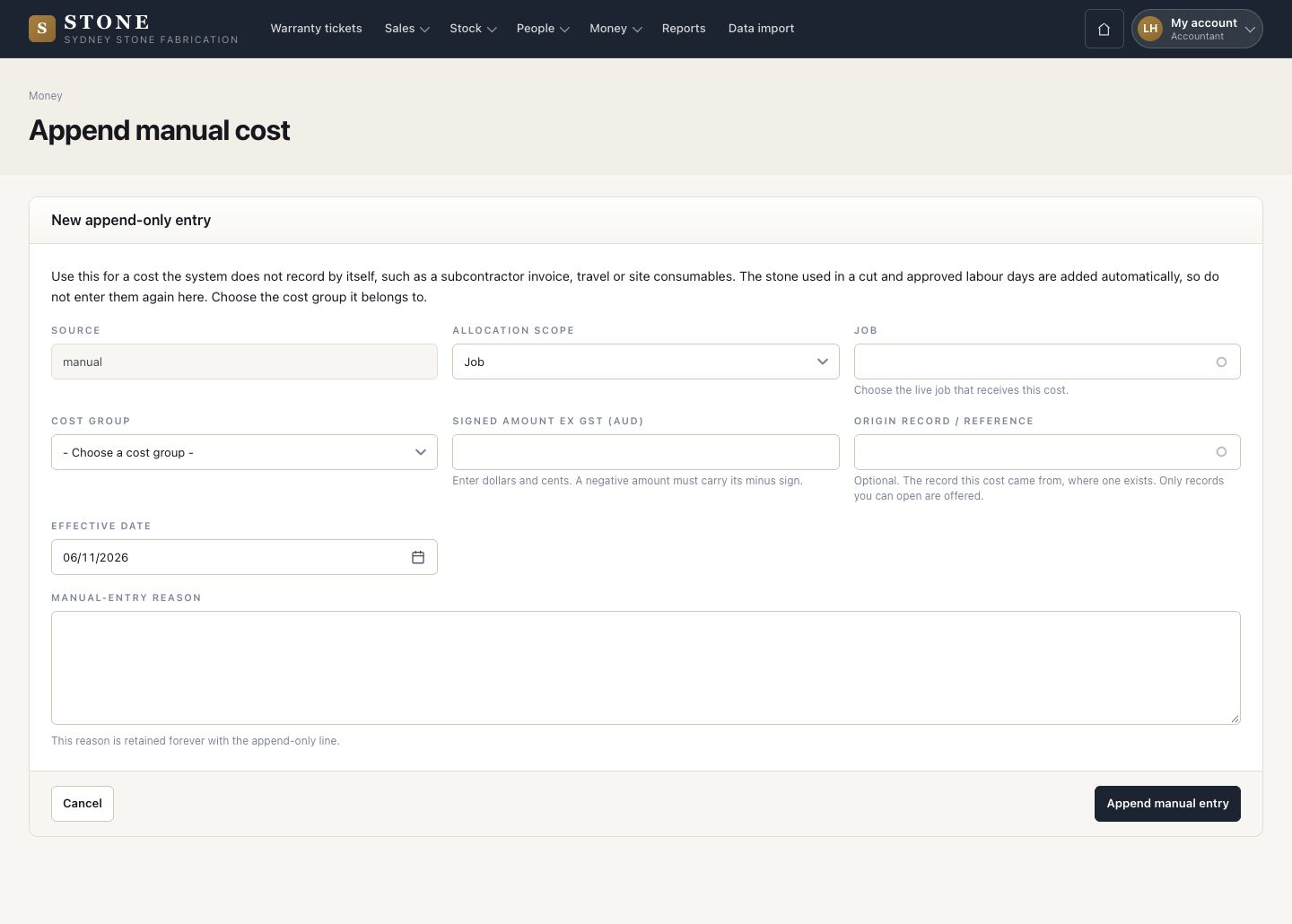
Manual cost

Accountant

Manual cost

2Step 2 of 5

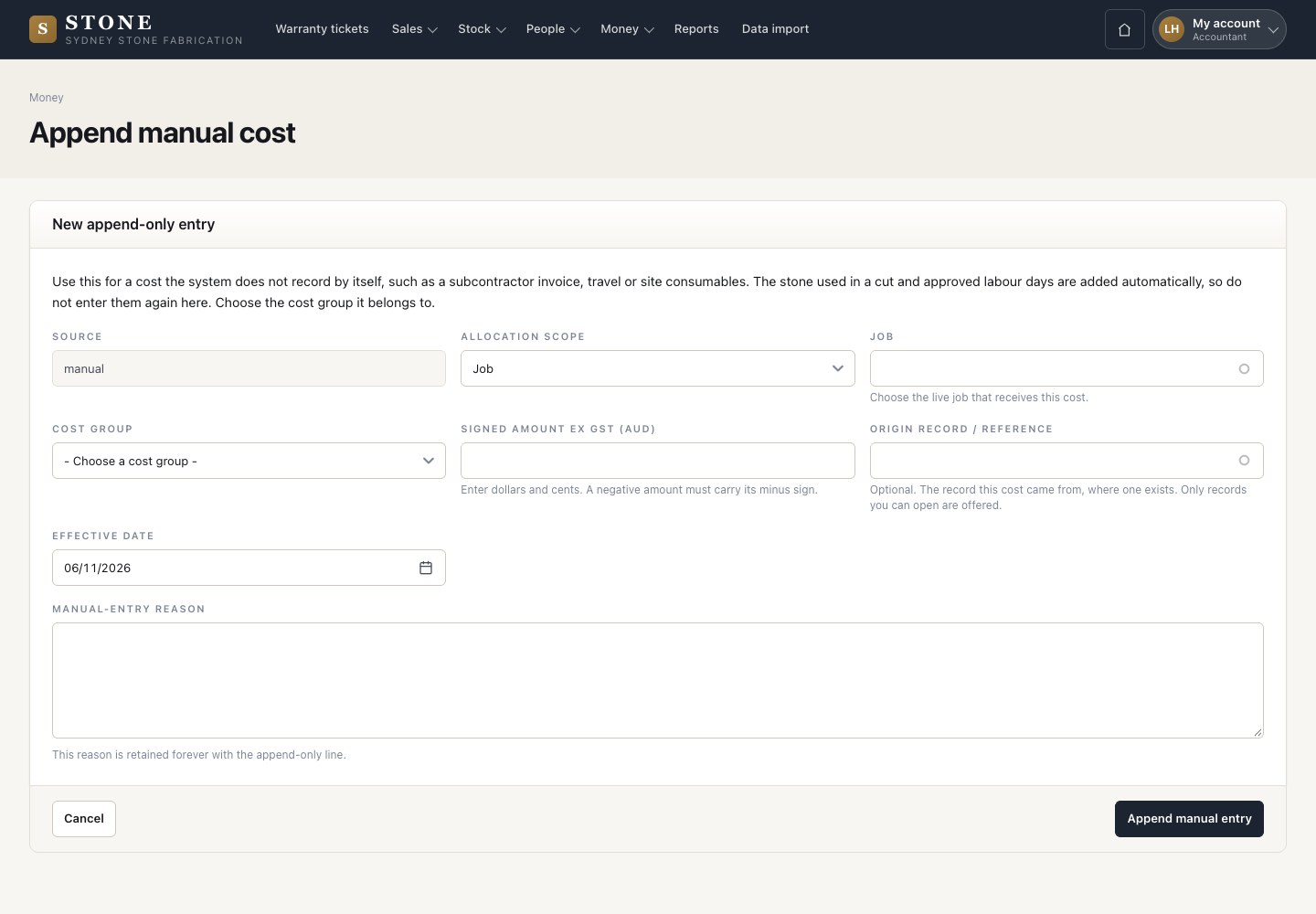
  1. New cost entry: choose a job or workshop overhead and the cost group. Enter the signed amount ex GST, the origin, the effective date and the reason.
  2. Append manual entry.

Enlarge, then scroll

Open in Stone ↗Full image ↗

Accountant · Costs and margin02

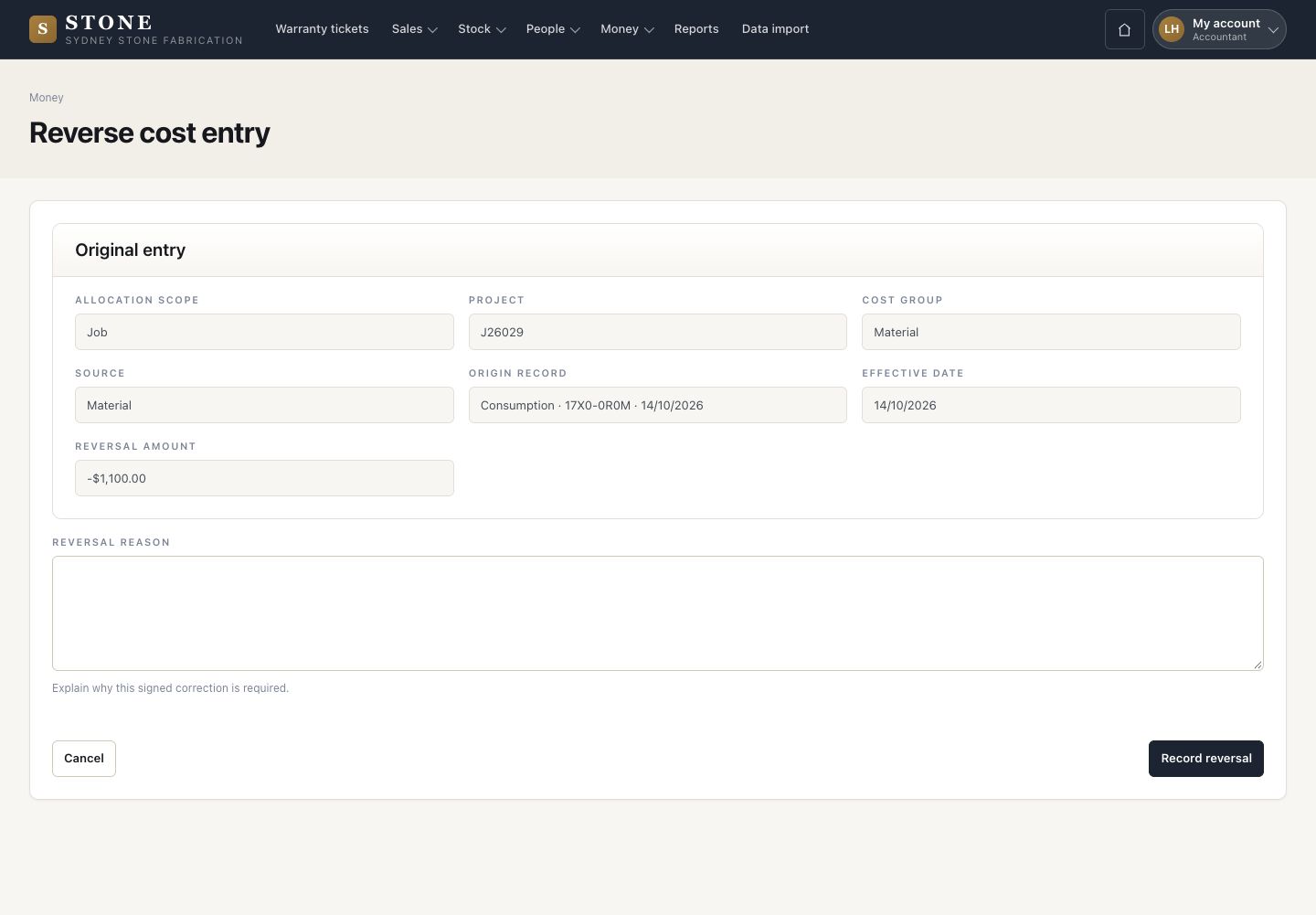
Reverse a cost

Accountant

Reverse a cost

3Step 3 of 5

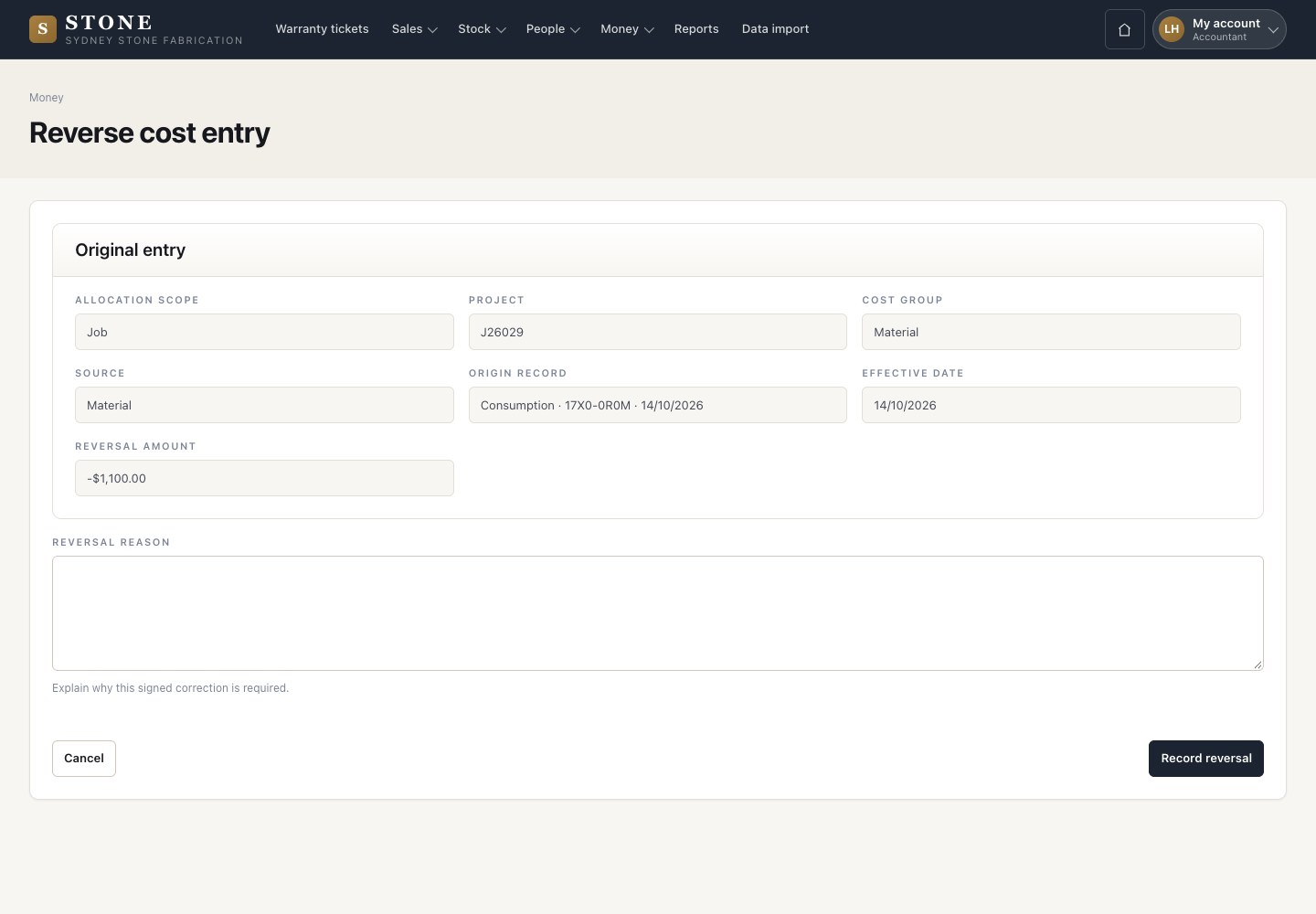
  1. Reverse adds the opposite entry with the reason.
  2. Nothing in the ledger is edited or deleted.

Open in Stone ↗Full image ↗

Accountant · Costs and margin03

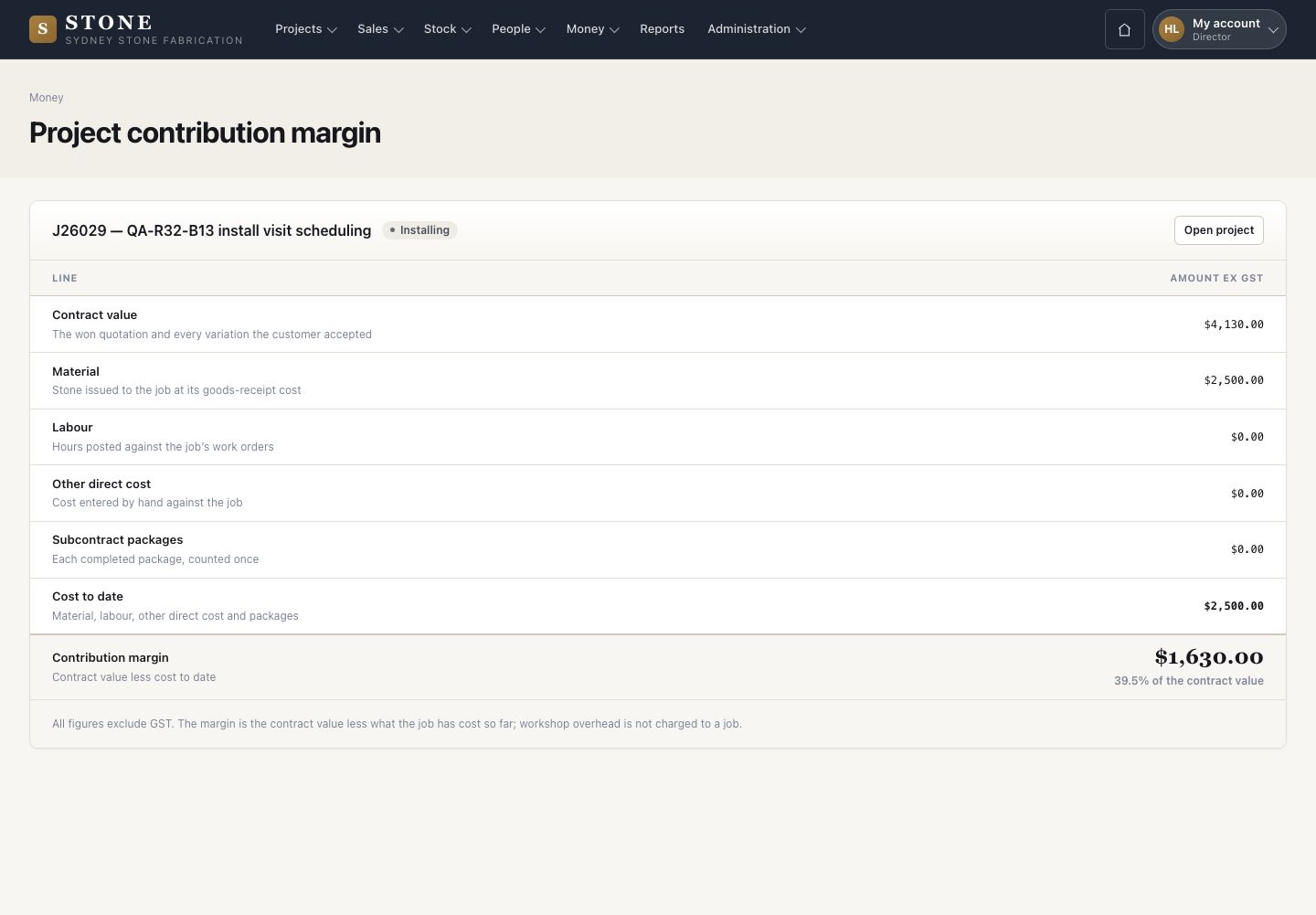
Contribution margin

Director

Contribution margin

4Step 4 of 5

  1. The margin of one job: contract value, less stone, labour and other costs, all ex GST.

Open in Stone ↗Full image ↗

Accountant · Costs and margin04

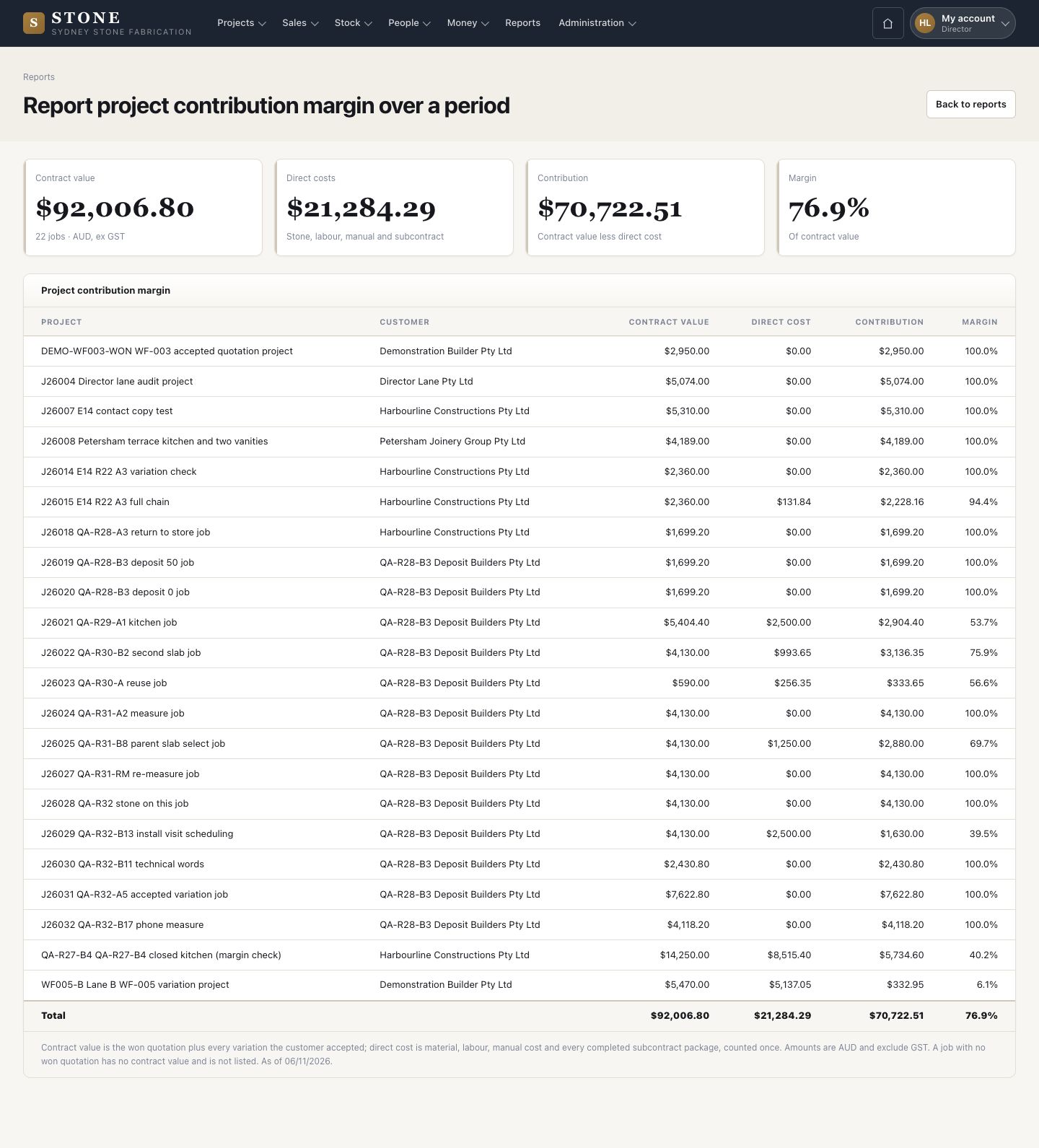
Margin report

Director

Margin report

5Step 5 of 5

  1. Reports → Project contribution margin over a period: contract value, direct cost, contribution and margin of every job.

Enlarge, then scroll

Open in Stone ↗Full image ↗

Check

The director reads the contribution margin of every job

Accountant · Costs and margin05
1 / 6